
Lieferung heute & morgen

Qualitätsgarantie

Willkommens-Angebote freischalten: KOSTENLOSE Lieferung | Bis zu 80 % RABATT | Kostenlose 30-Tage-JoyPlus-Testphase
App herunterladen
Anyone who travels frequently or is looking for a private alternative to a TV at home knows the challenge: the screen on your smartphone, Nintendo Switch, or Steam Deck is often too small for a truly immersive experience. An AR headset (Augmented Reality glasses) acts as a wearable display, projecting a massive virtual image directly in front of your eyes. Whether for intense gaming, watching movies on the train, or as an extra screen for your laptop—the technology is evolving rapidly.
This guide is here to help. We'll explain the most important technical features and present a selection of current models to make your decision easier when it's time to buy AR glasses.
Choosing the right smart glasses largely depends on your intended use case. Three criteria are particularly crucial.
Most current AR glasses connect to and are powered by the source device via a USB-C cable. It's crucial that your device's USB-C port supports "DisplayPort Alternate Mode."
The visual experience is determined by several factors that combine to create the impression of a large, sharp virtual screen.
Since video glasses are often worn for extended periods, weight and fit are critical. Lightweight models (under 80 grams) and good weight distribution enhance comfort. For those who wear prescription glasses, data glasses with diopter adjustment are a practical feature. This allows you to adjust the lens power directly on the glasses, eliminating the need to wear your corrective glasses underneath.
Based on the criteria mentioned, we've compiled a selection of models that excel in different areas.
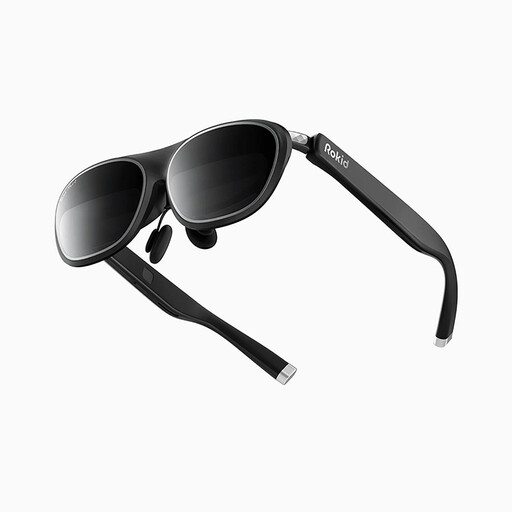
Why It Stands Out The Rokid Max 2 places a clear focus on a fluid image and high comfort. With a 120 Hz refresh rate, it's particularly compelling as AR glasses for gaming, as fast-paced motion is rendered incredibly smoothly. Its low weight and integrated diopter adjustment make it a comfortable companion.
Key Features
Who Is It For? Ideal for gamers who prioritise a high refresh rate, as well as users looking for lightweight, adjustable glasses for movies and work, especially those with myopia.
View the Rokid Max 2 on Joybuy.de
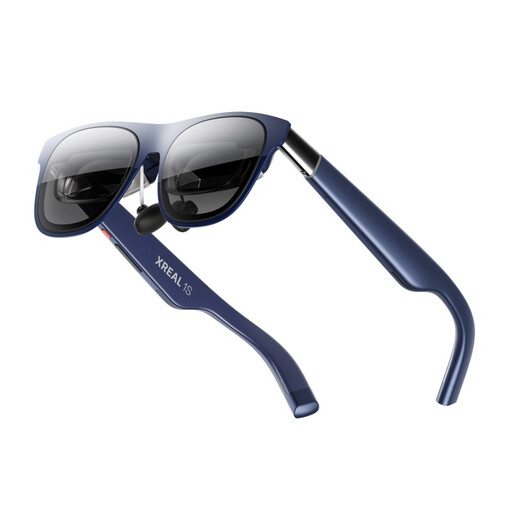
Why It Stands Out The XREAL 1S is positioned as XR glasses featuring an exceptionally large 500-inch virtual screen and a wide field of view. It's designed for broad compatibility with USB-C DP devices, making it a flexible choice for users across various ecosystems, from the iPhone 17 to the Steam Deck.
Key Features
Who Is It For? Users seeking the most immersive cinematic experience with a massive virtual image and a wide field of view. Its broad compatibility makes it attractive for those who want to connect the glasses to many different devices.
View the XREAL 1S on Joybuy.de
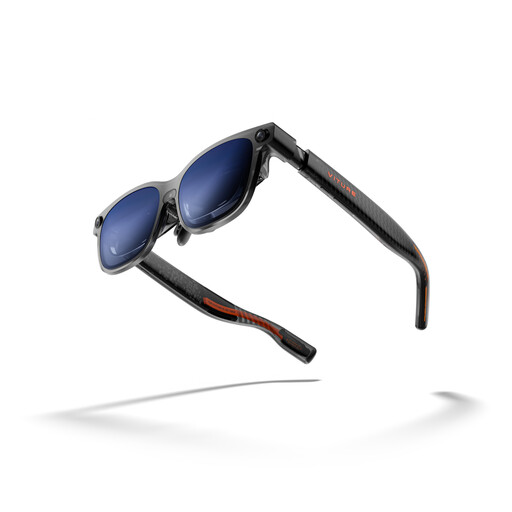
Why It Stands Out The VITURE Luma Ultra is a technology powerhouse that focuses on forward-thinking features like spatial computing. With a front camera and two depth cameras, it enables 6DoF (6 Degrees of Freedom) and hand gesture control (when paired with accessories). Its extremely high brightness and what the manufacturer claims are exceptionally sharp optics set it apart from other models.
Key Features
Who Is It For? Tech-savvy early adopters and power users who are looking for more than just a screen replacement and want to explore the possibilities of spatial computing and advanced AR features. The high brightness also makes it the top choice for users who frequently use their glasses in daylight.
View the VITURE Luma Ultra on Joybuy.de
The models featured here provide a good overview of the current market. If you want to compare more devices or search for specific features, you can find a wider selection in our main category.
Discover More AR Glasses on Joybuy.de
1. What's the difference between AR and VR glasses? VR (Virtual Reality) glasses create a completely digital world, blocking out your real-world surroundings. AR (Augmented Reality) glasses project digital information onto your real-world view. The models presented here are primarily "video glasses" that create a virtual screen while still allowing you to perceive your environment (usually in a dimmed capacity).
2. Can you watch 3D movies with AR glasses? Yes, many models like the XREAL 1S support playback of 3D content in a side-by-side format. Some glasses, such as the VITURE Luma Ultra, also offer software features that can convert 2D content into a 3D effect in real time.
3. Do AR glasses need their own battery? Most current AR glasses in a sunglasses-style form factor do not have an integrated battery. They are powered directly via the USB-C cable from the connected device (smartphone, laptop, console). This keeps the weight of the glasses low and ensures a high level of comfort.