
Same-day & Next-day Delivery

Quality Guaranteed

Unlock Your Welcome Offers: FREE Delivery | Up to 80% OFF | Free 30-day JoyPlus trial
Download the APP
The market for AR glasses is growing rapidly, but as the selection expands, so do the marketing promises, which often obscure more than they clarify. Many users invest in a device that ultimately fails to meet their expectations because crucial details were overlooked in the fine print. As your Joybuy Product Recommendation Officer, I'll help you decode the technical specs and avoid the three most common pitfalls, so you can make an informed decision.
Before we get to the recommendations, it's important to understand the typical stumbling blocks that can lead to disappointment.
To make the right choice, focus on these three objective criteria instead of being swayed by marketing buzzwords.
The field of view, measured in degrees (°), determines how much of your peripheral vision is filled by the virtual screen. A larger FOV (e.g., over 50°) provides a more immersive experience. Just as important is the resolution, typically stated as 1920x1080 pixels per eye. High-quality models use Micro-OLED displays, known for their high contrast and vibrant colours. Pay attention to the combination: a high resolution within a wide field of view ensures a clear and pleasant image that truly feels like a cinema-quality virtual screen.
Before buying, check if your devices (smartphone, laptop, gaming console) have a USB-C port that supports video output via DisplayPort Alternate Mode. This is the most common method for directly connecting video glasses. For devices without this port, like the Nintendo Switch or devices with an HDMI output, you will need a special adapter or a docking station. Manufacturers like VITURE or Rokid offer their own solutions for this, which often also integrate a charging function to preserve the connected device's battery.
The tracking capability determines how the glasses react to your head movements.
Here are some models tailored to specific needs that cleverly avoid the aforementioned pitfalls.
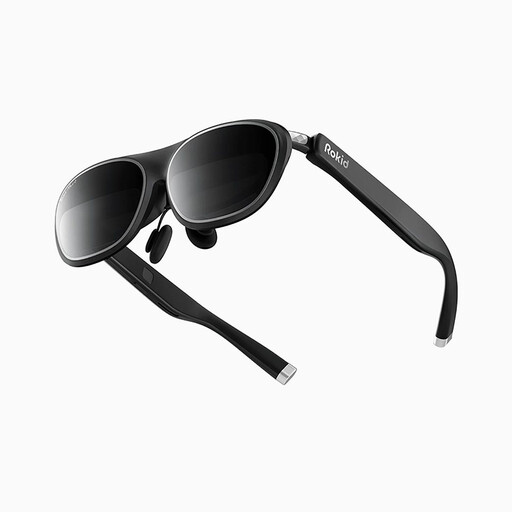
Why This Fits Their Persona: Ideal for users seeking a smooth and immersive experience with AR glasses for gaming and movies. The high refresh rate and easy vision adjustment make them a practical choice for long sessions.
The glasses bypass the comfort trap with an integrated diopter adjustment (0-600°), meaning many nearsighted users won't need additional prescription lenses. Compatibility is clearly specified for common consoles and PCs.
A 120 Hz refresh rate ensures extremely smooth motion in games. The lightweight 75g design is well-balanced for extended comfort.
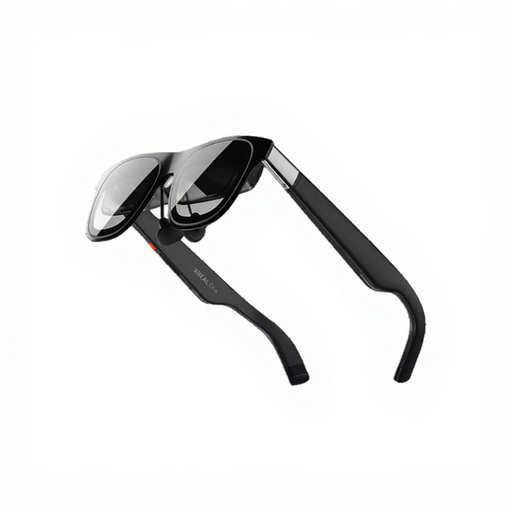
Why This Fits Their Persona: Perfect for digital nomads and professionals who need a multi-monitor setup on the go. These smart glasses with a display are lightweight and designed for productivity.
Instead of just promising a large screen, XREAL delivers concrete multi-monitor functionality with its software. The compatibility requirements (USB-C with DP) are clearly communicated, avoiding the trap of vague promises.
Native 3DoF tracking ensures stable screen positioning. Compatibility with the SpaceWalker software enables a virtual setup with up to three screens on Mac and PC.
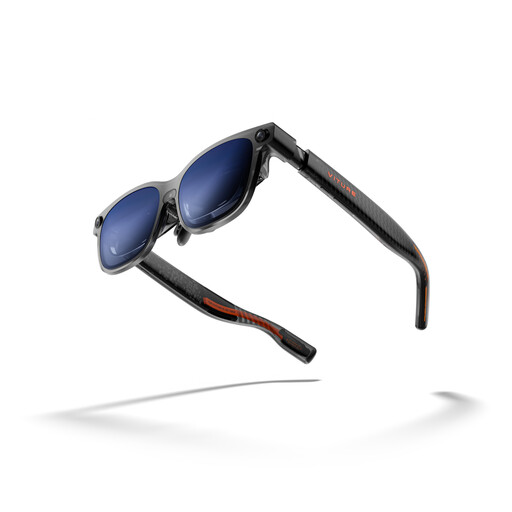
Why This Fits Their Persona: For users who want to push the boundaries of technology. These XR glasses offer advanced spatial computing features that go beyond mere media streaming.
These glasses justify their positioning with verifiable high-end specifications. Instead of vague promises, they deliver true 6DoF tracking and hand gesture control (with accessories), bypassing the compatibility trap with clear feature requirements.
Equipped with a triple-camera system for precise 6DoF tracking and spatial interaction. The 1200p resolution per eye provides an exceptionally sharp image.
We have compiled a complete, real-time updated list of products that fully meet these strict selection criteria and safety standards.
For many use cases like watching movies, gaming, or focused work, AR glasses can be a full-fledged alternative. They offer more privacy and a subjectively larger screen. However, for tasks that require constant awareness of the physical environment or collaboration with others in the same room, a conventional monitor often remains more practical. For long work sessions, high text clarity (a high PPD value) is crucial.
This depends on the specific model. Some glasses, like the Rokid Max 2, have a built-in diopter adjustment for nearsightedness up to a certain value. Other models require the purchase of separate prescription lens inserts that are fitted by an optician. It's important to check the product specifications for the supported diopter range or compatibility with prescription inserts.
AR (Augmented Reality) glasses overlay digital information onto the real world. You can see through the lenses and remain aware of your surroundings. They are typically lighter and designed for mobile use. VR (Virtual Reality) glasses, on the other hand, create a fully immersive, artificial environment, visually blocking you off from the outside world. The term XR (Extended Reality) serves as an umbrella term that can encompass both technologies as well as their hybrid forms.