
Lieferung heute & morgen

Qualitätsgarantie

Willkommens-Angebote freischalten: KOSTENLOSE Lieferung | Bis zu 80 % RABATT | Kostenlose 30-Tage-JoyPlus-Testphase
App herunterladen
AR glasses can turn your smartphone, handheld or laptop into a private big-screen display. But choosing a pair isn’t just about the quoted screen size. The key factors are your source device’s video output, how stable the image really is, how comfortable the glasses feel and whether they simply display a fixed image or offer additional XR features.
Figures such as 146, 201 or 267 inches describe a virtual screen, not a physical display. The size you perceive depends on factors including the field of view (FOV), viewing distance and optical design. A wider field of view can create a more immersive picture for films and games, but it doesn’t automatically mean higher resolution.
Many models require USB-C with DisplayPort output (DP Alt Mode). A USB-C port used only for charging or data transfer isn’t enough. Before buying, check whether your particular iPhone, Android phone, Mac, PC, Steam Deck, ROG Ally or Switch 2 can actually output a video signal.
Depending on the iPhone model, you may need an adapter or an additional docking solution. HDMI or USB-C docks are not always included with consoles either.
3D glasses can display compatible content in three dimensions. 3DoF, on the other hand, refers to three degrees of freedom in head movement. Depending on the system, this can let you anchor the virtual screen in space, recenter it or adjust it in response to head movements. 3DoF isn’t a replacement for full VR tracking, and it doesn’t mean you can move freely around a virtual environment.
A Micro-OLED display can deliver high contrast and precise images in a compact form. For games with fast-moving action, the refresh rate also matters. A 120Hz display can show compatible content more smoothly than a 60Hz mode. The glasses, cable and source device all need to support the relevant output.
Also check:
Brightness figures from different manufacturers aren’t always directly comparable. Treat them as a guide rather than the sole basis for your decision.
When choosing AR glasses for iPhone, the specific iPhone generation matters. For Android devices, video output must be supported as well as the USB-C port. If you’re looking for AR glasses for Steam Deck or AR glasses for PC handhelds, USB-C DisplayPort, power supply and cable management are especially important.
If you’re looking for AR glasses for Switch 2, check whether you need a compatible mobile dock or HDMI accessories. A bundle may be more convenient than buying the glasses on their own, provided it supports charging and video output at the same time.
Many models weigh around 60 to 85 grams. Just as important are the weight distribution, adjustable arms and choice of nose pads. Take regular breaks during longer film or gaming sessions. Depending on the model, manufacturers recommend taking a break every 30 to 60 minutes, or for 10 to 15 minutes each hour.
Video glasses and portable displays aren’t suitable for driving, cycling, operating machinery or any situation where you need to keep a full eye on your surroundings. They’re not safety glasses either.
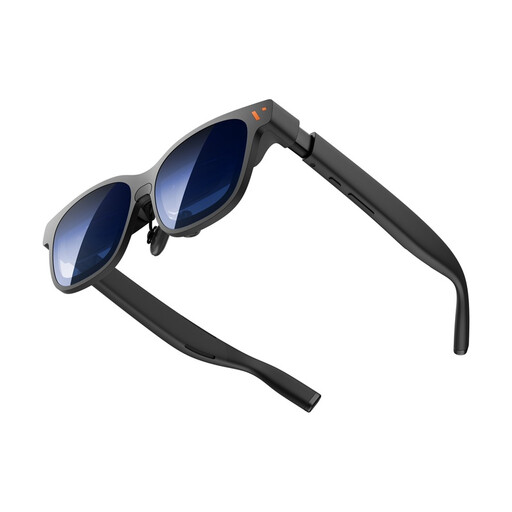
Why this product suits this profile: These glasses are for anyone who wants to use a smartphone, laptop or handheld as a portable big-screen display without a complex set-up. According to the product specifications, they support compatible USB-C devices and feature built-in dioptre adjustment from 0 to -5.0 D.
Compatibility isn’t defined by the USB-C connector alone. Check video output, supported devices and any accessories you may need before buying.
Sony Micro-OLED display, 120Hz, 146-inch XR display according to the product specifications, and a weight of 63 grams.
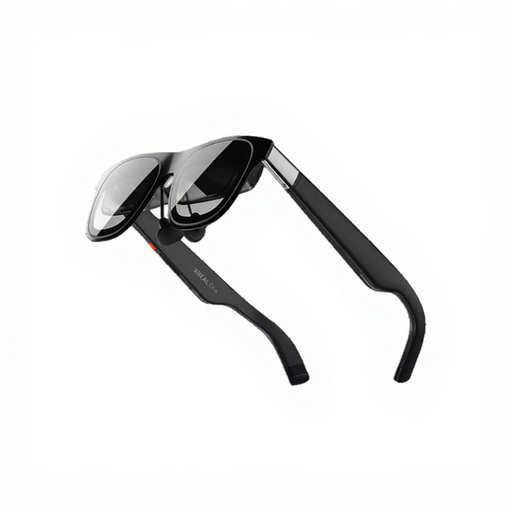
Why this product suits this profile: If you’re looking for AR glasses for gaming, films and mobile working with native spatial anchoring, the specifications state that this model has an integrated 3DoF system. You don’t need an app for basic viewing.
The native 3DoF feature bridges the gap between simple video glasses and a virtual screen that can be positioned in space.
OLED display, 120Hz, 50-degree FOV and X1 Spatial Computing chip, according to the product details.
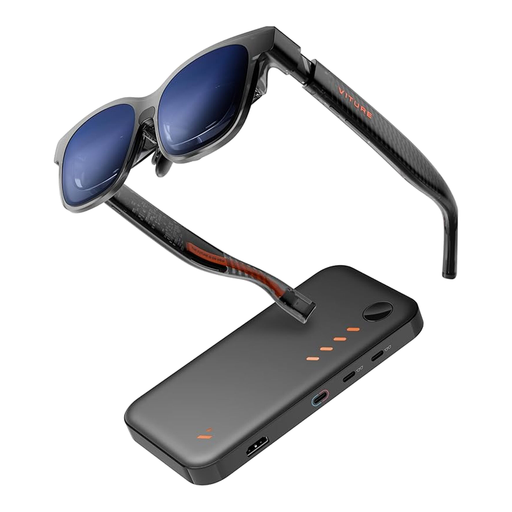
Why this product suits this profile: This bundle is designed for use with Switch 2 as well as HDMI and USB-C sources. According to the product description, the dock can support video output and simultaneous charging.
The bundle reduces the risk of having to source a separate dock for your console, power supply and video output.
HDMI and USB-C inputs according to the description, plus charging during use when connected to a power source.
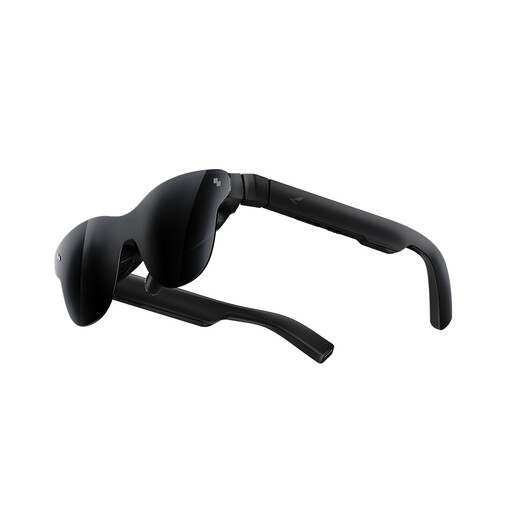
Why this product suits this profile: For films, 3D content and gaming, this model offers HDR10, 120Hz and a virtual 201-inch cinema screen, according to the product details. Its open-ear audio design means you can generally still hear sounds around you.
HDR10, 3D support and connection options are listed separately, making it easier to check picture quality and compatibility.
HDR10, 120Hz output, 3D playback and USB-C connection, according to the product description.
We’ve put together a complete, regularly updated list of products that meet these strict selection criteria and fully comply with the safety regulations in force in the EU.
No. In many cases, your smartphone needs USB-C with DisplayPort video output. iPhones may require additional adapters or docks. Before ordering, check the compatibility list for your model, operating system, connection standard and any accessories you might need.
The glasses themselves are often powered by the connected device. During longer sessions, this can reduce the battery life of your smartphone, handheld or laptop. A mobile dock or power bank with a suitable output can extend your usage time, provided your system supports it.
It depends on the fit, brightness, volume and how well you tolerate wearing them. Regular breaks are a good idea. If you feel dizzy or get a headache, eye discomfort or blurred vision, stop using them immediately. Never wear AR glasses while driving, cycling or operating machinery.