
Lieferung heute & morgen

Qualitätsgarantie

Willkommens-Angebote freischalten: KOSTENLOSE Lieferung | Bis zu 80 % RABATT | Kostenlose 30-Tage-JoyPlus-Testphase
App herunterladen
AR glasses, XR glasses and smart glasses differ considerably in their technical focus. Some models mainly work as portable displays for films and gaming, while others show translations, navigation or notes in your field of view. If you only look at claims such as “virtual 3D cinema screen” or an especially large screen size, you can easily overlook important details relating to compatibility, comfort and everyday usability.
A virtual screen size of 146, 201 or 215 inches describes the perceived image, not a physical display. What matters is whether the source device can actually output the image signal. Many video glasses require USB-C with DisplayPort or video output. A USB-C port alone is not always enough.
With iPhones, games consoles, older smartphones or HDMI devices, adapters, docks or additional accessories may be required. You should therefore check the compatibility list for the specific model before buying.
Figures in nits refer to display brightness. However, they do not on their own indicate how clear the image will look in every lighting condition. Optics, contrast, dimming and the fit also affect the result. A different model may be more suitable for watching films in a darkened room than for using the glasses on the go or in a bright office.
AI glasses with translation, navigation, image recognition or meeting notes usually require an app, a smartphone and, in some cases, an internet connection. Translations may be delayed or incomplete. Navigation and AI prompts should therefore never replace your own awareness in safety-critical situations.
Models also differ in terms of their camera, microphone and privacy features. Camera-free smart glasses may be better suited to offices, universities or public spaces, while models that can record offer different potential uses.
Several specifications are relevant when choosing glasses for films and gaming:
AR glasses for iPhone and Android are not automatically compatible with every smartphone. Look out for:
When using the glasses with a Nintendo console, HDMI source or older mobile phone, a compatible dock may be required.
Weight alone does not determine comfort. Nose pads, the shape of the arms, weight distribution, interpupillary distance and the option to adjust the prescription also play an important role. Some models offer an integrated short-sightedness adjustment, while others require prescription inserts or individually made lenses.
You should plan regular breaks during longer sessions. AR glasses are not safety glasses. When walking, cycling, driving or operating machinery, you must always be able to perceive your surroundings safely.
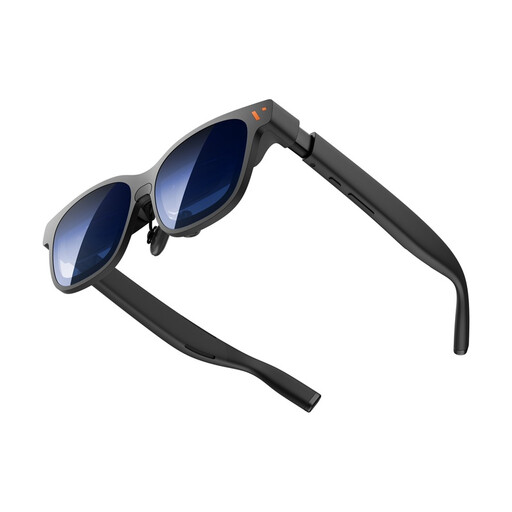
Why this product suits this profile: These glasses are aimed at users looking for a compact display for a smartphone, laptop, handheld console or streaming. Specifications include a 146-inch XR display, 120 Hz refresh rate and a weight of 63 g.
The integrated adjustment from 0 to -5.0 dpt can make prescription inserts unnecessary for many short-sighted users. Compatibility with USB-C devices is still required.
Sony Micro-OLED panel, 120 Hz playback and SpaceWalker support for compatible iOS, Android, macOS and Windows devices.
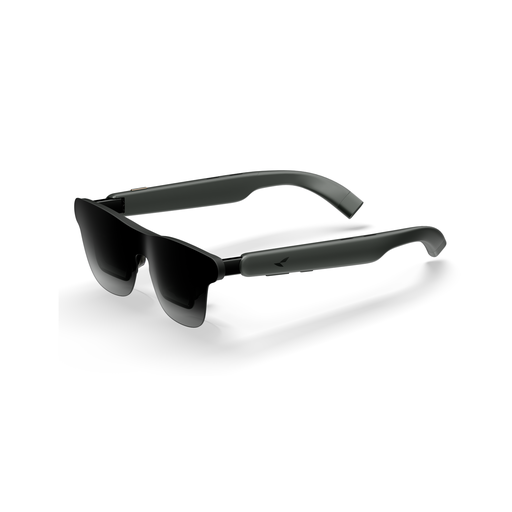
Why this product suits this profile: Film fans and gamers will appreciate the 59° field of view, virtual display of up to 267 inches and Dolby Vision support.
The technical specifications cover not only the display size, but also the field of view, 3DoF chip and connection requirements. This makes it easier to check compatibility before buying.
Dual-chip architecture, Dolby Vision and a quad-speaker system; the stated weight is 78 g.
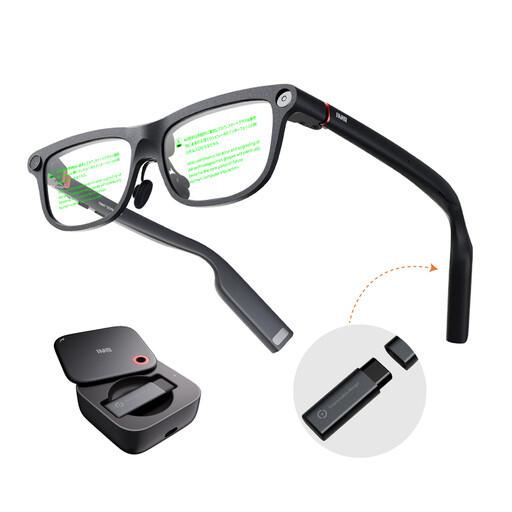
Why this product suits this profile: This model is designed for hands-free information, travel, work and communication. It offers translation in more than 98 languages, AR navigation and meeting notes.
The features are clearly focused on translation, navigation and productivity. Before buying, you should check the app, language and connection requirements.
MicroLED waveguide display with a stated brightness of 1,500 nits and a weight of 58 g.
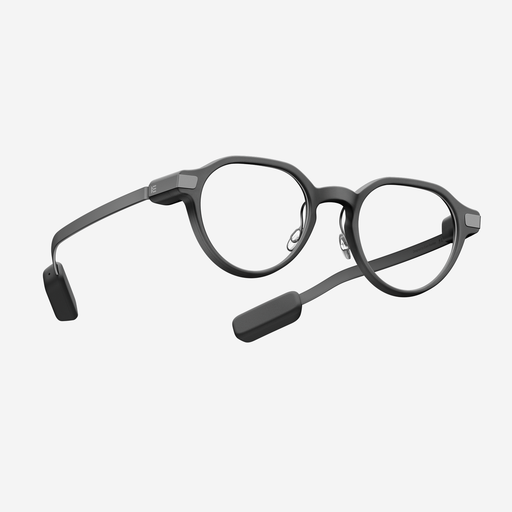
Why this product suits this profile: The camera-free design is particularly appealing for meetings, studying and public spaces. This model combines a discreet display with translation, navigation, a teleprompter and notifications.
The absence of a camera reduces a common privacy concern. Separate, individually made lenses are provided for prescription glasses.
Specifications include a weight of 36 g, a MicroLED display and up to two days of regular use per charge.
We have put together a complete, regularly updated list of products that fully meet these strict selection criteria and the safety regulations applicable in the EU.
It depends on the specific model and smartphone. A USB-C port with DisplayPort or video output is often required. iPhones and devices without a suitable port may need an adapter or dock. You should also check whether the manufacturer’s app is available for the operating system you use.
Not necessarily. Many display glasses draw their power directly from a smartphone, laptop or games console. Smart glasses with AI, a camera, translation or independent data processing, on the other hand, often have their own battery. Battery-life figures usually refer to a particular type of use and may vary with high display brightness or frequent audio and AI use.
Some models feature integrated dioptre adjustment, while others are designed for prescription inserts or individually made lenses. Short-sightedness, long-sightedness and astigmatism are not supported by every system. You should therefore check the precise vision-correction requirements against the manufacturer’s specifications before placing your order.