
Lieferung heute & morgen

Qualitätsgarantie

Willkommens-Angebote freischalten: KOSTENLOSE Lieferung | Bis zu 80 % RABATT | Kostenlose 30-Tage-JoyPlus-Testphase
App herunterladen
The idea is alluring: put on a pair of lightweight glasses and instantly dive into a private cinema with a huge screen or an immersive gaming world, no matter where you are. AR (Augmented Reality) glasses promise just that—a portable, virtual screen for your PS5, Steam Deck, or smartphone. However, the market is filled with marketing promises that often lead to disappointment in practice. Before you make a decision, it's crucial to understand the typical pitfalls that can lead to buyer's remorse.
As your Joybuy Product Recommendation Officer, I have analysed the most common issues buyers encounter and will show you what you really need to look out for.
To avoid these traps, you should focus on objective, technical features. These three parameters are crucial for a successful experience with smart glasses as a virtual screen.
Based on these objective criteria, we have selected a few models from the current range that are particularly well-suited for specific use cases.
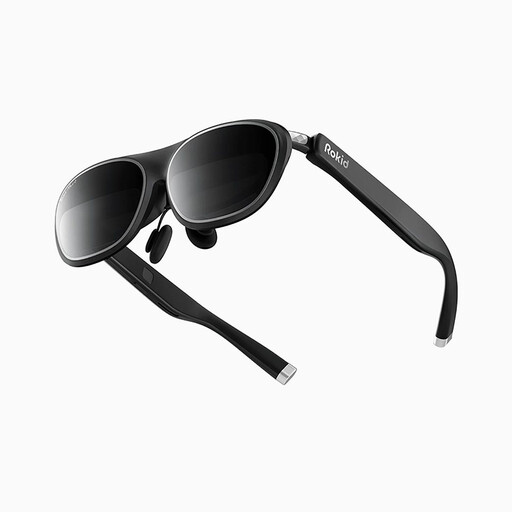
Why This Fits Their Persona: Ideal for demanding users who want smooth performance for gaming and a comfortable viewing experience for long movies. Its compatibility with consoles like the PS5 and handhelds like the Steam Deck makes it a versatile pair of gaming glasses.
Directly addresses the comfort pitfall with its integrated diopter adjustment for nearsightedness (0-600D). Instead of vague promises, it delivers concrete performance data with a 120 Hz refresh rate and Micro-OLED technology.
Integrated diopter adjustment for glasses wearers. A high refresh rate of 120 Hz ensures very smooth visuals in fast-paced games.
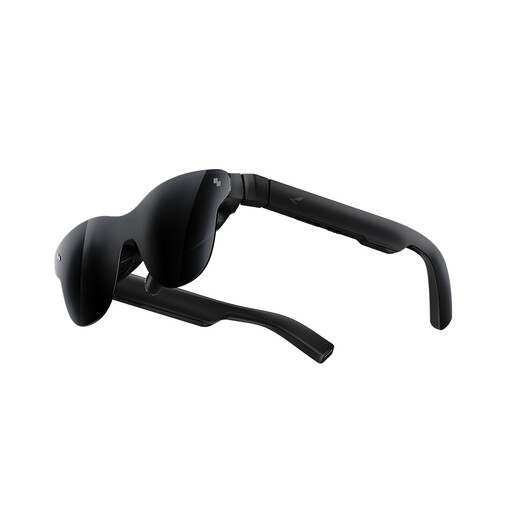
Why This Fits Their Persona: Perfect for commuters and travellers seeking a high-quality, private cinema experience for movies and series. Its broad compatibility makes it a hassle-free companion for a wide range of devices like iPhones, Android smartphones, and laptops.
Sidesteps the trap of vague image quality promises by explicitly mentioning HDR10 support. The broad, clearly defined device compatibility counteracts the "compatibility chaos." Eye protection certifications serve as objective proof.
One of the few glasses to support HDR10 for particularly vibrant colour reproduction. The plug-and-play connectivity with a multitude of devices makes setup simple.
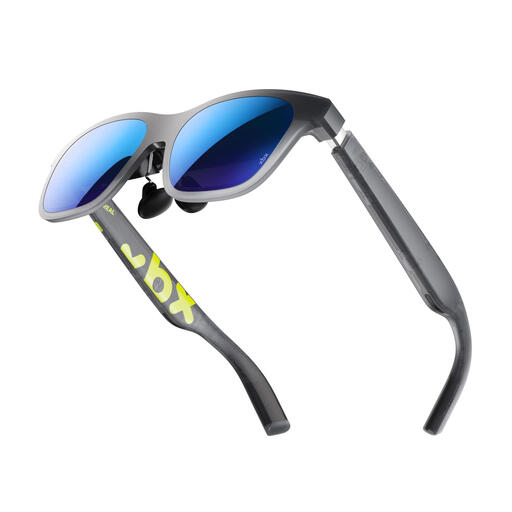
Why This Fits Their Persona: A solid choice for anyone wanting to try the core functionality of AR glasses—a large, portable screen—without complex extra features. The very low weight makes them ideal for getting started.
Focuses on the essentials: a bright display and low weight. This avoids the trap of feature-heavy but poorly implemented functions. The weight of just 62g is a concrete value that directly addresses the comfort aspect.
At 62 g, it is one of the lightest glasses of its kind, which enhances wearing comfort. The high brightness of 1600 nits allows for good visibility even in daylight.
That depends on your source device. Laptops and many Android smartphones with a USB-C port that supports DisplayPort Alternate Mode allow for a direct connection. For devices without this feature, such as the iPhone, the Nintendo Switch in handheld mode, or consoles like the PS5, a special adapter is required. This converts the HDMI signal and simultaneously provides power to the glasses.
For media consumption and gaming, AR glasses offer an excellent, private big-screen alternative. They can create an impressive 3D cinema experience. For productivity tasks that require hours of reading small text (e.g., programming, writing documents), a conventional monitor may still be the more comfortable solution due to its fixed focal length and more uniform sharpness across the entire surface.
Most AR glasses that function as an external screen do not have their own battery. They draw their power directly from the connected device (smartphone, laptop, Steam Deck). The usage time, therefore, depends on the battery capacity of the source device. This design is a deliberate choice to keep the weight of the glasses as low as possible.