
Lieferung heute & morgen

Qualitätsgarantie

Willkommens-Angebote freischalten: KOSTENLOSE Lieferung | Bis zu 80 % RABATT | Kostenlose 30-Tage-JoyPlus-Testphase
App herunterladen
AR glasses can turn your smartphone, laptop or games console into a private big-screen display. However, not every model is right for every use. If you focus only on claims such as ‘500-inch screen’, ‘120 Hz’ or ‘3D’, it’s easy to overlook important details about connectivity, comfort and compatibility.
This buying guide explains which technical specifications really matter and what to check before you buy.
Figures such as 146, 171, 201 or 500 inches describe a virtual display, not the size of a physical screen. To get a better idea of the viewing experience, also consider:
A virtual cinema screen also won’t automatically replace a TV. The glasses need a compatible source device and usually rely on the connected device or an accessory for power.
A USB-C port alone doesn’t guarantee video output. Your smartphone, tablet, PC or console must support USB-C DisplayPort or DisplayPort Alt Mode. For iPhone models, older Android devices, Switch 2 or HDMI sources, you may need an additional adapter, dock or specific accessory.
Before you buy, check:
HDR10 and Dolby Vision relate to picture quality, provided the source device and content support these standards. They don’t automatically mean that every app will output HDR.
3DoF tracking covers three axes of movement. It can, for example, keep a virtual screen fixed in space or stabilise it as you move your head. However, it isn’t a substitute for full 6DoF room tracking, which also tracks your position in the room. 3DoF is often enough for films, but the distinction matters more for interactive applications.
Models featuring Sony Micro-OLED display each pixel using an OLED panel. For films, games and dark scenes, contrast, colour reproduction and consistent sharpness all matter. Brightness figures such as 1,200 or 1,600 nits should be treated as manufacturer specifications; how bright the image actually looks depends on factors including dimming, surroundings and content.
If you’re considering 3D glasses, also check whether:
For commuters, travellers and frequent users, weight, nose pads and arms matter more than having the largest possible screen. Glasses weighing between 63 and 78 grams can fit differently depending on your face shape. Adjustable nose pads or arms can help you get a better fit.
If you’re short-sighted, look for dioptre adjustment. According to the manufacturer, the VITURE Pro 2 model can be adjusted from 0 to -5.0 dioptres. This may reduce the need for prescription insert lenses for many short-sighted users, but it’s no substitute for considering your own vision needs.
Built-in open-ear speakers generally let you hear sounds around you. Even so, set the volume so you can still hear alerts and announcements. Headphones or compatible audio accessories may be useful on trains and planes, or in shared spaces.
AR and XR glasses are not protective eyewear. Don’t use them while driving, cycling, crossing roads or operating machinery. If you experience a headache, dizziness or eye strain, take a break.
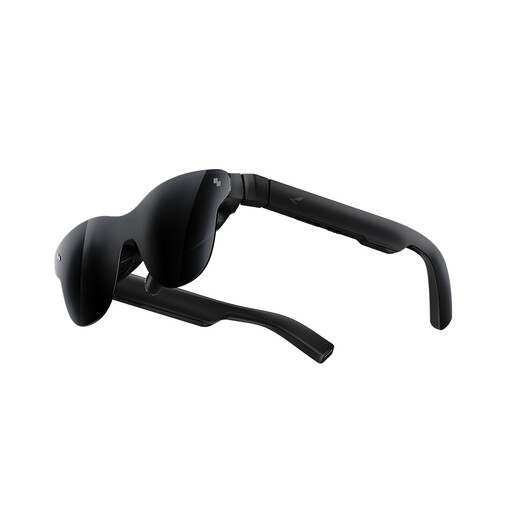
Why this product suits this profile: According to the manufacturer, this model combines HDR10, a virtual 201-inch screen and 120 Hz with a USB-C connection. It’s a good fit if you want to watch films and play games on compatible devices without a separate TV.
The product specifications specifically list compatible smartphones, Mac, Steam Deck and consoles. You should still check that your source device supports USB-C DisplayPort before buying.
HDR10, native 3D support according to the manufacturer, 120 Hz and four built-in speakers.
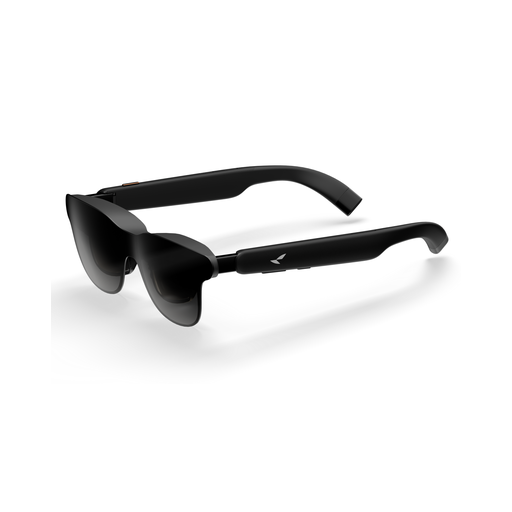
Why this product suits this profile: According to the manufacturer, this model is for users who value Dolby Vision, spatial 3DoF tracking and a light weight of 68 grams.
According to the manufacturer, the dual-chip architecture separates image processing from 3DoF tracking. This makes it easier to understand exactly what the advertised features offer.
Dolby Vision support, 3DoF chip, a 201-inch cinema display and a quad-speaker system.
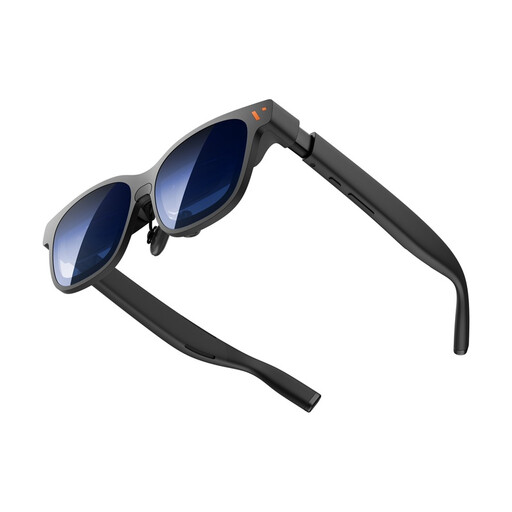
Why this product suits this profile: According to the manufacturer, this model is designed for remote working, studying and travelling, with a 146-inch display, 120 Hz, Sony Micro-OLED and built-in adjustment from 0 to -5.0 dioptres.
The product description specifically mentions compatible USB-C devices and possible accessory requirements for Switch 2 and HDMI sources.
Sony Micro-OLED, 120 Hz, a 50° field of view and support for the SpaceWalker app, which lets you use multiple virtual screens.
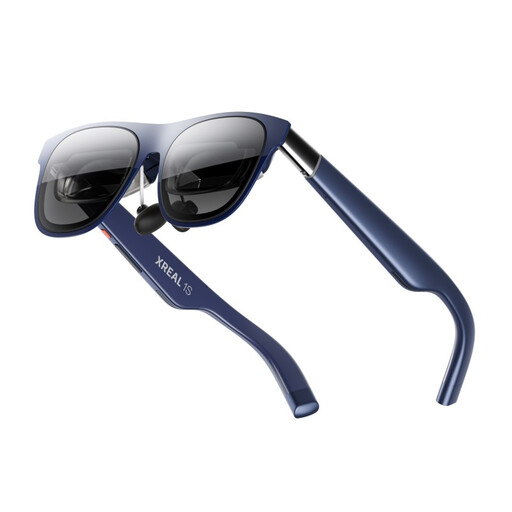
Why this product suits this profile: According to the manufacturer, the glasses support native 3DoF, REAL 3D, USB-C DisplayPort and devices such as Steam Deck, ROG Ally and compatible iPhone and Android models.
The product description clearly states the key requirement: a USB-C port with DisplayPort functionality. Check that your device meets this requirement before buying.
Native 3DoF, a 52° field of view, an X1 chip and support for a wide range of USB-C DP devices.
We’ve put together a complete, regularly updated list of products that meet these strict selection criteria and the safety regulations in force in the EU.
It depends on the model and smartphone. With XR glasses for iPhone and Android, the port must not only be USB-C; it also needs to support video output via DisplayPort. Devices without compatible video output may need an adapter or a special dock. Before buying, check the manufacturer’s compatibility list against your exact smartphone model.
According to the manufacturers, several models are designed for use with Steam Deck and Switch 2. With Steam Deck, USB-C video output is essential. Switch 2 may require additional accessories. It’s also worth checking power, audio output and the refresh rate you want before you buy.
There’s no single recommended wearing time for everyone. Set the brightness and volume to comfortable levels, and take regular breaks, especially when watching films, gaming for long sessions or working at a screen. Stop using the glasses if you experience eye strain, a headache, dizziness or discomfort. The device’s actual lifespan depends on factors including how you transport and clean it, the condition of the cable and how carefully you store it.