
Lieferung heute & morgen

Qualitätsgarantie

Willkommens-Angebote freischalten: KOSTENLOSE Lieferung | Bis zu 80 % RABATT | Kostenlose 30-Tage-JoyPlus-Testphase
App herunterladen
An AR headset can bring a portable large-screen display, hands-free prompts or AI features directly into your field of vision. However, not every model automatically meets every expectation: some products are primarily video glasses for films, while others work as smart glasses with audio and voice control. Others offer a genuine AR headset with a display, making them suitable for navigation, translation or presentations.
Anyone who focuses only on claims such as “huge screen”, “real-time AI” or “3D experience” can overlook important details. Three common buying misconceptions are particularly relevant:
Several technical specifications are crucial for AR headsets for gaming or AR headsets for films:
A virtual cinema measuring 146, 171, 201 or 267 inches should therefore be understood as the manufacturer’s stated perceived image size, not as the physical screen diagonal.
Before buying, check whether your smartphone, laptop, tablet or console can actually output an image signal. The following are particularly important:
An XR headset may be suitable for several image sources, while a simple pair of video glasses may only mirror a signal. For multiple virtual workspaces, you will often need a separate manufacturer app.
Weight alone does not determine whether a device is suitable for everyday use. Nose pads, arms, the shape of the glasses and the option to fit prescription lenses are also important. Some models weigh under 65 grams, while others are considerably heavier.
With AI glasses, cameras and recording functions, you should also pay attention to microphones, storage, app permissions and cloud processing. Glasses with ChatGPT or Gemini support can be useful for notes and voice queries; however, AI responses may be delayed or incomplete and should not be used for safety-critical decisions.
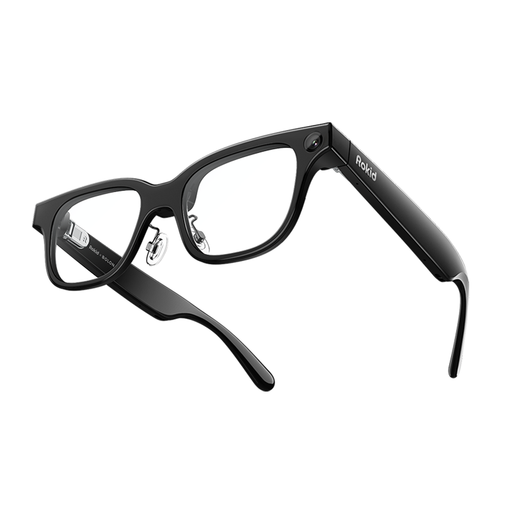
Why this product suits this profile: This model combines a display, AI features, navigation and real-time translation in a wearable design. Before buying, check the specific app and device compatibility.
The product name explicitly mentions a display, navigation and translation. However, language quality and functionality still depend on the app, network and end device.
Display-based AR features, plus ChatGPT and Gemini support according to the product information.
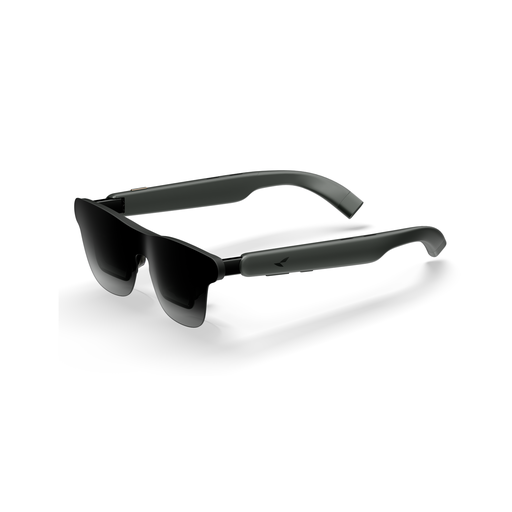
Why this product suits this profile: For films and gaming, the key features are a 59° field of view, a virtual display of up to 267 inches according to the product information, Dolby Vision support and 3DoF head tracking.
The relevant image specifications are clearly stated. Even so, size M and the 78 g weight should suit your head shape and intended usage time.
Dual-chip architecture, Dolby Vision support and a four-speaker system according to the manufacturer’s specifications.
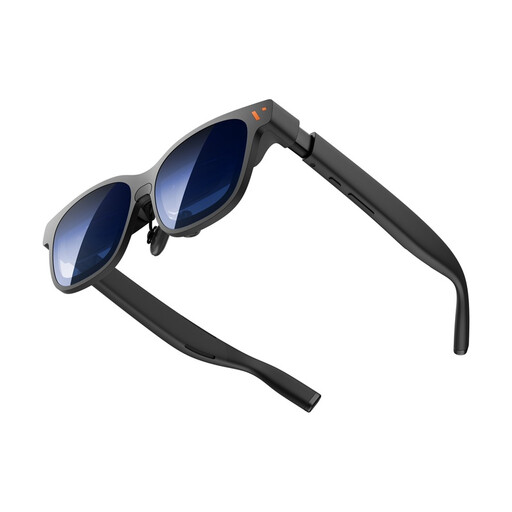
Why this product suits this profile: This portable display is aimed at users who want to game on the go, watch films or work with a compatible USB-C device.
The product information specifies USB-C video output, example devices and possible accessory requirements. This reduces the risk of buying the wrong product because of unclear connection details.
146-inch display, up to 120 Hz, integrated dioptre adjustment from 0 to -5.0 D and a weight of 63 g according to the product description.
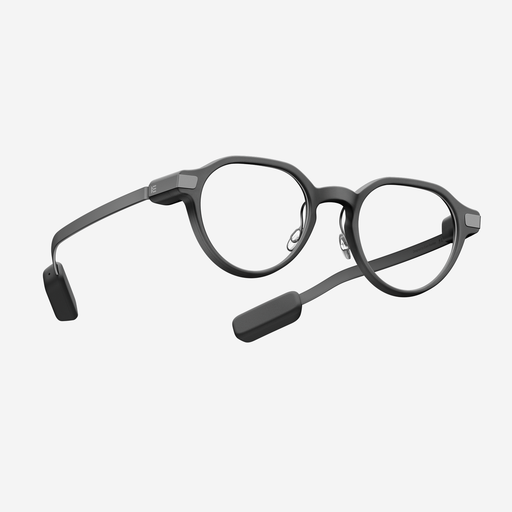
Why this product suits this profile: These camera-free smart glasses are designed for discreet prompts, teleprompter functions, navigation, notifications and everyday translation.
The absence of a camera addresses privacy concerns in professional and social environments. The app, account and smartphone connection remain important for the available functions.
36 g weight, Micro-LED display and, according to the product description, up to two days of regular use, plus translation in more than 35 languages.
We have put together a complete, regularly updated list of products that fully meet these strict selection criteria and the safety regulations applicable in the EU.
An AR headset is not protective eyewear. Display functions should not be used while driving, cycling, crossing roads or operating machinery. According to manufacturers’ safety information, prolonged use may cause visual fatigue, headaches or dizziness, among other symptoms. Taking regular breaks, using suitable brightness and keeping the volume moderate are advisable.
With translation glasses, camera models and smart glasses with real-time translation, additional costs may arise, for example for data connections, app subscriptions, cloud services, adapters or replacement parts. Also check the charging time, battery capacity and warranty conditions. Devices with lithium-ion batteries are subject to local regulations governing the disposal of electronic equipment.
No. The key factor is whether the smartphone supports the required image output. USB-C models often need to support DisplayPort output. Additional accessories may be required for certain iPhones, consoles or HDMI devices.
This depends heavily on display brightness, audio, translation, the camera and the network connection. Depending on the design, manufacturers’ specifications range from several hours to around two days with regular use. Actual battery life may vary.
An internet connection is not always required for straightforward image playback. AI queries, real-time translation, navigation and conversation summaries, on the other hand, often use an app, a connected smartphone and, in some cases, cloud services. Before buying, check which functions are available offline.