
Lieferung heute & morgen

Qualitätsgarantie

Willkommens-Angebote freischalten: KOSTENLOSE Lieferung | Bis zu 80 % RABATT | Kostenlose 30-Tage-JoyPlus-Testphase
App herunterladen
An AR headset can turn your smartphone, handheld console or laptop into a private virtual screen. Watching films on the train, gaming in a hotel room or setting up multiple virtual workspaces sounds straightforward enough. In practice, however, purchases often go wrong not because of the headset itself, but because of misleading information about connections, display size and vision correction.
Figures like 146, 171 or 201 inches describe a virtual image diagonal. The headset doesn't create a physical screen of that size. What really matters is how stable the image remains in your field of view, how large the field of view actually is, and whether the display is sharp enough for films, games or text.
A large virtual screen looks impressive for films. For spreadsheets, browser windows or small text, however, optics, resolution and edge-to-edge sharpness are more important than the inch figure alone.
Many people search for an AR headset for iPhone, an AR headset for Android or an AR headset for Steam Deck. A USB-C port alone doesn't guarantee that video signals will be transmitted. Your smartphone, laptop or console must support the appropriate video output.
With iPhones, depending on the model and connector, additional adapters may be required. The Nintendo Switch, Switch 2, PlayStation 4/5 and older mobile devices may also need extra accessories. So before you buy, you should check the following:
A video headset or XR headset sits close to your face. Pressure points on the nose and temples can become uncomfortable during long film or gaming sessions. If you're short-sighted, you should also check whether dioptres can be adjusted directly on the headset or whether additional corrective inserts are needed.
The distance between your eyes, known as the IPD value, can also affect picture quality. A headset with adjustable nose pads or arms can usually be better adapted to different face shapes. Weight is also relevant: even a few grammes can make a noticeable difference during several hours of use.
An OLED display or Micro-OLED display can deliver high contrast and deep blacks. For films and HDR content, brightness, colour reproduction and how the input signal is processed are also important. The term HDR alone doesn't tell you how well each individual video will be displayed.
When choosing, buyers should look at the following specifications:
A 3D headset can display native 3D films or convert 2D material into a spatial view. However, these functions depend on the software and the source material. A 3D gaming headset also doesn't automatically replace a VR headset: AR and XR headsets usually show a fixed or virtually positioned image, whereas VR systems block out the surroundings more completely.
A 120 Hz display can show motion more smoothly with compatible content than a display with a lower refresh rate. For fast-paced games, however, the hertz figure isn't the only thing that matters. The connection, signal processing, gaming device and software must all support the higher rate.
With a gaming headset, you should therefore check whether 120 Hz actually works with your Steam Deck, smartphone, PC or console. For streaming and films, a lower refresh rate may be sufficient, while fast camera movements in games can benefit from a higher one.
Open-ear speakers generally let ambient sounds through, but they don't replace individual volume control. On public transport, audio quality can be affected by background noise. Some models offer additional audio accessories that may be available separately.
For use on the go, a stable power supply and a suitable cable are also important. The headset itself is usually not a fully independent device; it receives picture and power from the connected device or an additional accessory.
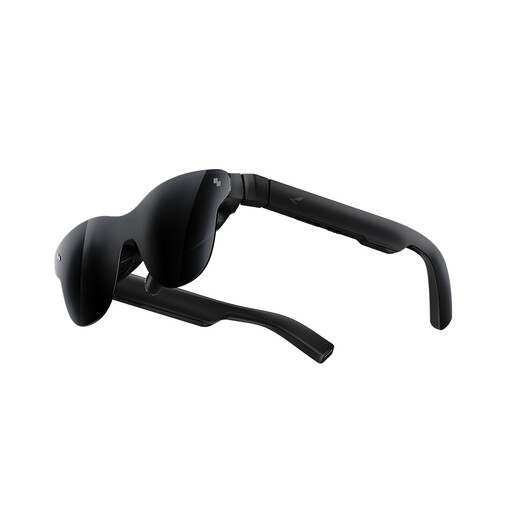
Why this product fits the profile: This headset is aimed at users who want to watch films, play games and enjoy 3D content across different devices. According to the product information, it supports iPhone, Android, Mac, Steam Deck and PlayStation via USB-C or compatible accessories.
The product description lists specific compatible devices and mentions the USB-C connection. Buyers should still check their own device's video output beforehand.
According to the manufacturer: HDR10, 120 Hz, 201-inch HueView 2.0 display, 3D support and a weight of 76 g.
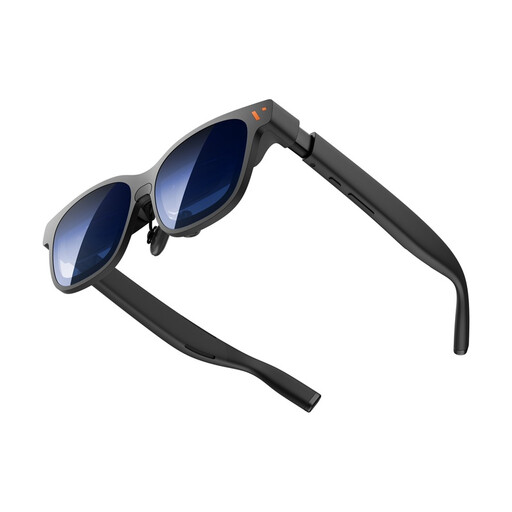
Why this product fits the profile: For users who work with text, spreadsheets and games, the specifications for edge-to-edge sharpness, integrated dioptre adjustment and software support are particularly relevant.
The product information mentions an adjustment range of 0 to -5.0 dioptres. Users with different prescriptions or special requirements should check for suitable corrective inserts beforehand.
Sony Micro-OLED, 1080p, up to 120 Hz, 1600 nits peak brightness, 146-inch display and 63 g weight according to the product description.
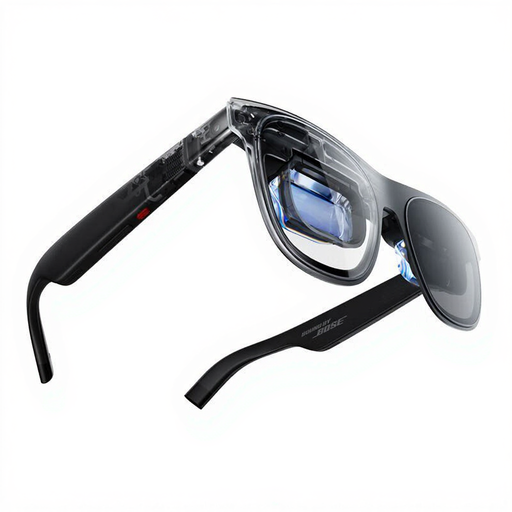
Why this product fits the profile: The combination of native 3DoF, a wide field of view and a 120 Hz display is ideal for users who want a stabilised virtual screen for gaming, commuting or working.
The product name explicitly mentions the X1 chip, 57° field of view and native 3DoF. Nevertheless, you should still check your device's output, cable and any potential adapters before buying.
X1 chip, native 3DoF, 57° field of view, 171-inch display and 120 Hz according to the product information.
We've put together a full, regularly updated list of products that meet these strict selection criteria and the safety regulations in force in the EU.
No. The smartphone must output a compatible video signal. With Android devices, USB-C with DisplayPort support is often required. With iPhones, adapters or additional accessories may be needed depending on the model.
Many models are designed to connect to the Steam Deck, provided the device outputs the video signal via USB-C. Before buying, check the cable standard, resolution, refresh rate and power supply. For longer gaming sessions, an additional power source may also be useful.
Power consumption depends on the headset, smartphone, laptop or handheld, as well as the brightness and refresh rate. A 120 Hz display can use more energy than a lower setting. When travelling, a power bank is therefore recommended, as long as it's compatible with the relevant connection and required power output.