Motion-sports group
If you want to copy racket swings or throwing movements together in front of the TV, check which sports and controllers the game supports. Nintendo describes this motion control for Nintendo Switch Sports Resort on Switch 2.


Choose your console based on the specific sports game and its local mode: the number of players isn’t the same as the number of people who can watch. For motion-controlled sports on your TV, consider Switch 2 or Switch OLED; for arcade football with traditional controllers, PS5 or Xbox Series S are also options. Check the controllers, TV mode and account requirements too, and make sure a digital-only model suits the games you want to play.
If you want to copy racket swings or throwing movements together in front of the TV, check which sports and controllers the game supports. Nintendo describes this motion control for Nintendo Switch Sports Resort on Switch 2.
If you want to play quick matches on one screen, check the local player limit, additional controllers and any account requirements. The German Xbox Store lists local multiplayer for two to four players in Rocket League; Epic Games’ Rocket League support explains the Xbox account requirements for split-screen.
If some of you will play while others watch or take turns later, plan for the screen and seating separately from the number of people playing at the same time. A Bitkom survey includes watching as a gaming activity, but doesn’t specifically cover this group of console buyers.
First decide whether motion controls, playing at the same time, watching together or the total cost for your group matters most.
| Priority | What to check before buying | Who is it important to? |
|---|---|---|
| Motion controls | The specific game and sport; suitable controllers and, if needed, a leg strap. | If we want to copy racket swings or throwing movements, I need a game that supports the sport we want to play, along with suitable controllers. Around 33% of consumers put motion controls first. |
| Playing locally at the same time | Player limit in the mode you want; number of suitable controllers and, if needed, accounts. | If everyone in our group wants to play at the same time, I want to know the local player limit for the specific game rather than relying on a general console specification. Around 27% of consumers prioritise playing together at the same time. |
| Watching and taking turns | TV output and set-up; player limit in the match mode. | If some of us want to watch first and join in later, I need a shared screen and an easy way for players to take turns. Around 20% of consumers prioritise watching and taking turns. |
| Upfront and ongoing costs | What’s included; account separately for games, extra controllers and disc or digital purchases. | If I want to budget for the console, games and other accessories before buying, I also check whether my existing games are compatible with the disc drive. Around 20% of consumers put the total cost first. |
The local player limit applies to the specific game and can even vary by sport in Nintendo Switch Sports Resort. Spectators don’t count as additional players.
Before choosing a console, check the local mode in the game you want and how many suitable controllers your group of players will need.
Nintendo Switch Lite doesn’t support TV mode. Nintendo Switch Sports doesn’t support handheld mode.
If you want to play Nintendo Switch Sports together on your TV, choose a Switch model that supports TV mode and check the game’s controller requirements.
Joy-Con 2 controllers aren’t compatible with the leg strap in Nintendo Switch Sports. Some older Switch games may also have limitations on Switch 2.
Before you buy, check that the specific game, its control method and any required accessories are all compatible.
Xbox Series S and PS5 Digital Edition don’t have a built-in disc drive. You can’t use existing game discs directly with these models.
Check whether you’re happy to buy your games digitally or need a console model with a disc drive.
A good option for local sports games with motion controls and for playing Nintendo Switch Sports on your TV.
One option for local arcade matches with traditional controllers, including Rocket League.
A digital console option for local multiplayer in Rocket League.
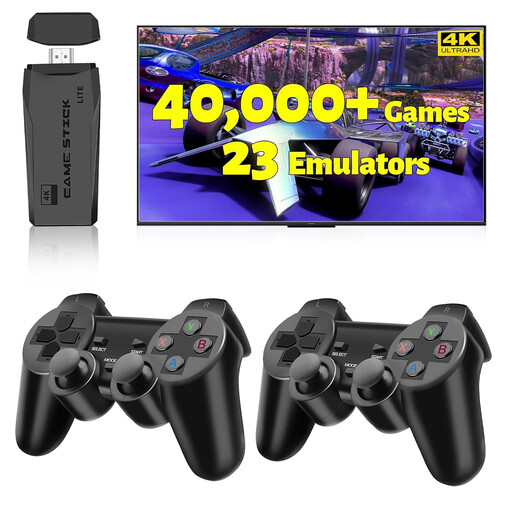
This selection includes consoles and an HDMI game stick for playing together on your TV. Check each listing to make sure it supports the sports game you want and the local mode you need.
 No image available
The product name describes an HDMI game stick for your TV with two wireless controllers. Before buying, check whether it includes the sports game you want and supports local play.
Features listed in the product name: 4K, over 20,000 games, 23 emulators and plug-and-play.
 No image available
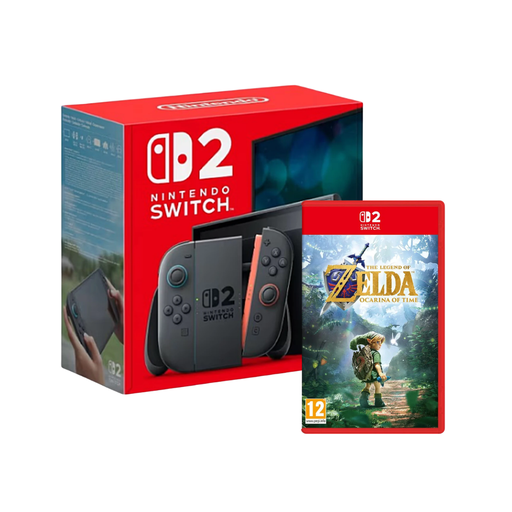
Switch 2 is an option for motion-controlled sports on your TV, provided the game you want supports this model. This bundle also includes The Legend of Zelda: Ocarina of Time.
Nintendo lists Nintendo Switch Sports Resort as exclusive to Switch 2; the offline player limit varies by sport. Joy-Con 2 controllers aren’t compatible with the leg strap in Nintendo Switch Sports.
 No image available
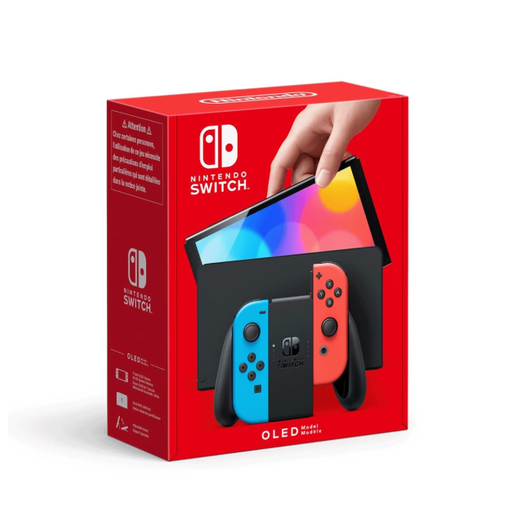
If you want to play Nintendo Switch Sports on your TV and don’t need sports games exclusive to Switch 2, the OLED model is a good Nintendo option.
Colour variant listed in the product name: Neon-Red/Neon-Blue. Nintendo Switch Sports doesn’t support handheld mode.
 No image available
If you want to play motion-controlled sports on your TV, check the specific game and its local player limit; in Nintendo Switch Sports Resort, this varies by sport.
Joy-Con 2 controllers aren’t compatible with the leg strap in Nintendo Switch Sports.
No, not automatically. Nintendo lists different offline player limits for Nintendo Switch Sports Resort depending on the sport; the German Xbox Store lists two to four local players for Rocket League. Other people can watch, but that doesn’t make them local players.
No. Nintendo doesn’t list handheld mode or Switch or Switch 2 Pro Controllers as compatible with Nintendo Switch Sports, and recommends TV mode for the best experience. Some sports and use of the leg strap have additional controller requirements.
Connect a TV-compatible console to your TV and check which controllers the sport you want to play supports. Nintendo advises using the correct wrist straps for Joy-Con and Joy-Con 2 when using them separately. Make sure there’s plenty of clear space to move around, too.
Not necessarily. Nintendo requires a Nintendo Switch Online membership to play Nintendo Switch Sports online, but not to play together on one console. For other online features, check the requirements for the game and service in question.
According to the German government’s family portal, games on physical media may only be made available to children and young people in public if they are approved and labelled for their age group (§ 12 paragraph 1 of the Youth Protection Act). This rule concerns making games available in public and is not a blanket statement about private use of every digital game. USK age ratings don’t indicate whether a game is educationally suitable.