If you’d rather stay seated on the side of the sofa, a console with the arcade sports game you want to play using a standard controller is the more obvious choice. If you want to make the sporting movements yourself, a Switch with a compatible Joy-Con game could be a good fit. Nintendo describes motion controls for Nintendo Switch Sports, but doesn’t confirm that they’ll work from every seat at the side of the room. Before you buy, check your view of the screen, the space available to move, whether the specific game is compatible and how many people you want to play with.
Who this console choice is right for
Arcade players on the sofa
If you mainly want to play with a standard controller from a seat at the side of the sofa, options include Mario Strikers: Battle League Football from Nintendo, NBA 2K Playgrounds 2 for PlayStation or Super Mega Baseball 4 for Xbox Series X|S.
Players who want to get moving
If you want to make the sporting movements yourself, Nintendo Switch Sports offers Joy-Con controls. Before you buy, check that you can see the screen clearly from your seat and have enough space to move around.
Local multiplayer
If you want to play together in person, your choice should suit your preferred sport, the local mode and the controllers it requires. Nintendo and PlayStation list local multiplayer options for certain games.
What to look for when buying
Arcade sports with a gamepad
A good fit if: You want to stay seated on the sofa and play football, basketball or baseball, for example. Start by choosing the specific game, then check which consoles it’s available for.
The trade-off: You won’t be making the movements used in a Joy-Con sports game, and some titles may have limitations on a different console generation.
Sports with Joy-Con motion controls
A good fit if: You want to make the movements yourself and can comfortably see the TV and reach the play area from your seat.
The trade-off: Nintendo Switch Sports doesn’t support Handheld Mode or the Pro Controller, and Joy-Con 2 aren’t compatible with this game’s leg strap.
When choosing between gamepad and motion-controlled sports from a seat at the side of the room, the main things to consider are the specific sport, how you’ll control it and what you need for playing together.
| What matters to you |
What to check before buying |
Who it matters most to |
| Playing from the sofa |
Check whether the sports game you want to play uses a standard controller and is available on your chosen console. |
If I want to stay seated and control the action with a gamepad, the controls are crucial. Around 36% of consumers put gamepad controls first. |
| Motion controls |
Check your view of the screen, the space available to move and whether the game and Joy-Con are compatible. |
If I want to make the sporting movements myself, I need enough space and a clear view of the screen. Around 29% of consumers prioritise motion-controlled sports. |
| Local multiplayer |
Check the player count and controller requirements for the specific game mode you plan to play. |
If several people are playing together in person, the local mode needs to suit our group. Around 21% of consumers mainly look for games they can play together. |
| Games and how you buy them |
Check the game library you want, the game version and, if relevant, whether there’s a disc drive and an online membership requirement. |
If I want to play more than one sports game or buy games on disc, the library and how I buy games matter most. Around 14% of consumers put these factors first. |
Common buying pitfalls
-
Assuming motion controls mean you can play comfortably from the sofa
Nintendo Switch Sports uses Joy-Con motion controls for some sports. That doesn’t automatically make it suitable for a particular seat at the side of the room.
First decide whether you want to stay seated or move around. For motion-controlled games, check your view of the screen and make sure there’s enough space around you.
-
Using accessories with Nintendo Switch Sports without checking compatibility
Nintendo says Joy-Con 2 aren’t compatible with the game’s leg strap. Original Joy-Con can be used wirelessly with Switch 2, but they can’t be attached directly to the console or charged on it.
Before you buy, check the specific sport and which controller combination it needs.
To use the leg strap controls on Switch 2, you may need original Joy-Con and a suitable way to charge them.
-
Planning to buy disc games for an all-digital console
The PS5 Digital Edition doesn’t have a disc drive; Microsoft describes the Xbox Series S as an all-digital console.
If you want to own or borrow games on disc, check whether the specific console version has a disc drive before you choose one.
With an all-digital version, you’ll need to buy games digitally.
Key brands at a glance
Nintendo
Nintendo Switch and Switch 2 offer different ways to play sports games using Joy-Con motion controls, as well as titles with local multiplayer modes.
- Nintendo Switch Sports supports Switch, Switch OLED and Switch 2 in TV Mode; Nintendo lists Switch Sports Resort for Switch 2.
- Nintendo Switch Sports doesn’t support Handheld Mode or the Pro Controller. Check whether each Switch game is compatible with Switch 2.
Sony PlayStation
PlayStation offers a way to play controller-based sports games such as NBA 2K Playgrounds 2.
- The German PlayStation listing describes NBA 2K Playgrounds 2 as a PS4 game that can also be played on PS5, and lists a local mode for 1–4 players.
- PlayStation notes that some PS4 features may be missing on PS5. The PS5 Digital Edition doesn’t have a disc drive.
Microsoft Xbox
Xbox Series X|S is a platform for controller-based sports games; EA lists Super Mega Baseball 4 for both Series models.
- If you want to play Super Mega Baseball 4, check that it’s available for your preferred Series model.
- Microsoft describes the Xbox Series S as an all-digital console. Super Mega Baseball 4 is described as arcade-inspired; that doesn’t apply to all Xbox sports games.
Joybuy products for arcade sports on your TV
This selection includes Nintendo Switch 2 bundles for playing games on your TV, as well as retro HDMI consoles for classic arcade games. For each model, check that it supports the sports game you want and the controls you need.
 No image available
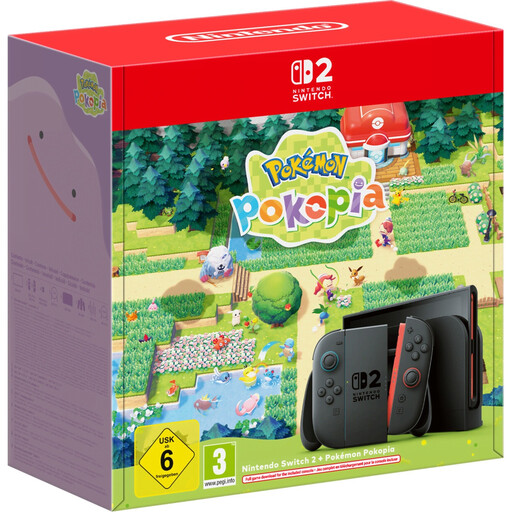
Nintendo Switch 2 with Pokémon Pokopia bundle
An option if you want to play Switch 2 games on your TV using Joy-Con controls; Nintendo lists Switch Sports Resort for Switch 2.
Check whether the sports game you want is included in the bundle or needs to be bought separately.
Joybuy
 No image available
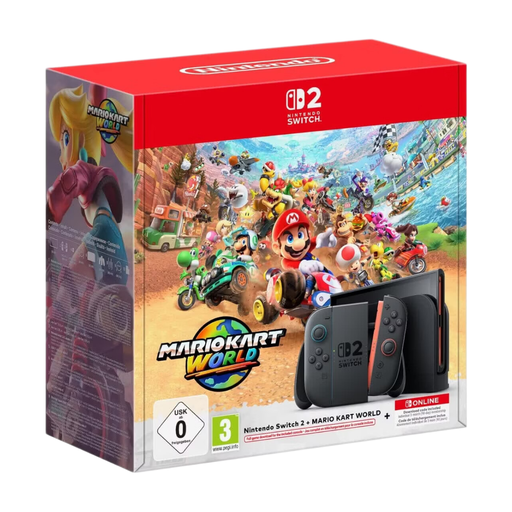
Nintendo Switch 2 Mario Kart bundle, 256 GB
A good fit if you want to play Switch 2 games on your TV; Nintendo lists Switch Sports Resort for Switch 2.
Joy-Con 2; Mario Kart World download; three months of Nintendo Switch Online. Check whether the sports game you want is included in the bundle or needs to be bought separately.
Joybuy
 No image available
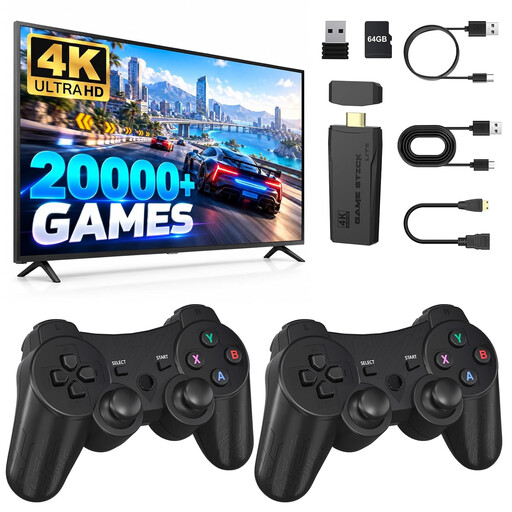
Retro game console, 20,000+ games, 23 emulators
A possible choice if you’re looking for classic arcade games to play on your TV with controllers.
The product description lists 20,000+ games, 23 emulators, 4K HDMI output and two wireless controllers. Check that it supports the game you want and the controls you need.
Joybuy
 No image available
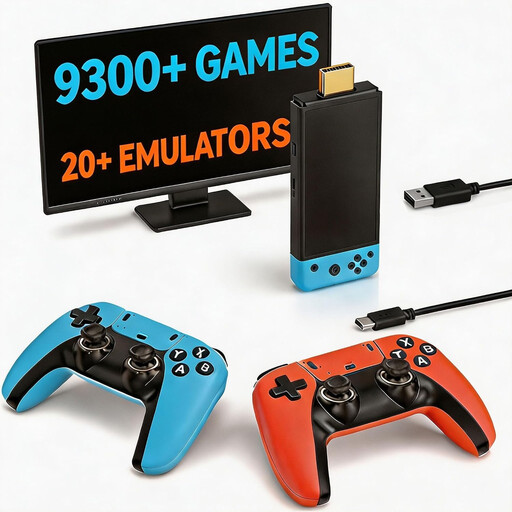
Retro game console with 9300+ classic games
An option if you want to play classic games on your TV with controllers.
The product description lists two controllers and an HDMI output. Check whether it includes the arcade sports game you want and whether it works with the controllers.
Joybuy
 No image available
Retro gaming console, 4K HDMI, two controllers
A possible fit for playing classic games on your TV with gamepad controls.
The product description lists an HDMI connection and two wireless controllers. Before buying, check that it supports the sports game you want and the right controls.
Joybuy
Frequently asked questions
Is a seat at the side of the sofa suitable for Nintendo Switch Sports?
You can’t tell from the seat alone: Nintendo describes Joy-Con motion controls, but doesn’t specify a suitable seating angle for every room. Check that you can see the screen clearly and make the movements you want with enough space around you. When using detached Joy-Con, wear the wrist straps.
Does Nintendo Switch Sports work on Switch Lite or with a Pro Controller?
No. Nintendo Switch Sports doesn’t support Handheld Mode or a Switch Pro Controller. Nintendo specifies Switch, Switch OLED or Switch 2 in TV Mode for the game; Switch Lite doesn’t support TV Mode.
How many people can play a sports game together?
It depends on the game and the sports mode. The German PlayStation listing for NBA 2K Playgrounds 2 specifies a local mode for 1–4 players. For other games, check the player count and controller requirements for the exact mode you want to play.
Do I need an online subscription to play sports games?
You don’t generally need an online subscription to play locally. Nintendo requires an active Nintendo Switch Online membership to play Nintendo Switch Sports online. The PlayStation listing for NBA 2K Playgrounds 2 specifies PS Plus for online play, as well as a local mode.
What should I consider if a child will be playing a sports game?
In Germany, the age-rating and labelling rules set out in section 12 of the Youth Protection Act apply when games on physical media are sold or supplied to minors in public. The USK notes that an age rating doesn’t indicate whether a game is educationally suitable; also pay attention to information about in-game purchases and communication.


