What should you consider when buying?
If you regularly compare two plans, first check how you’ll arrange your windows and how much desk space you have. Then see whether lines remain easy to make out at your usual scaling, and whether the monitor’s position and connections suit your workspace.
| What matters |
What to look for when buying |
Who should pay particular attention? |
| Seeing two plans at once |
Screen width and window layout; check a typical plan using the scaling you intend to use. |
If I want to see two drawings at once regularly, I need enough usable screen space without overlooking how much room I have on my desk. Around 33% of consumers prioritise being able to view both plans at once. |
| Reading lines and labels |
Test a typical plan view and scaling on the chosen screen size; check that your computer’s graphics output supports 3840 × 2160. |
If I check small labels and fine lines, I want to see whether they remain easy to read in the software view I actually use. Around 27% of consumers prioritise detail readability. |
| Setting up a quiet, suitable workspace |
Check there’s room for the stand or clamp, the adjustment options and any reflections at your desk. |
If I work at a quiet desk, I consider both whether the monitor can be positioned well and whether its operation is likely to bother me. Around 27% of consumers put a quiet, ergonomic setup first. |
| Connecting a laptop |
Check the video output, supported USB-C or Thunderbolt mode and the laptop’s required charging power. |
If I want to connect my laptop to the monitor and possibly charge it, the video signal and power supply need to suit my device. Around 13% of consumers prioritise laptop connectivity. |
4K monitors at Joybuy
The Joybuy products below include 4K options for comparing plans, from larger work displays to compact screens for viewing individual details. Compare screen space, setup and connections with your specific workspace.
 No image available
ASUS ROG Swift OLED PG32UCDMR, 32 inches, 4K UHD
The stated 32-inch screen size could work well for two plan windows; check readability at your usual scaling.
The product name lists 3840 × 2160. The description lists a height-adjustable stand with 80 mm of height adjustment, HDMI 2.1, DisplayPort 2.1a and USB-C with 90 W.
According to the description, the OLED care features should remain enabled to help look after the panel.
View at Joybuy
 No image available
Portable 23.8-inch 4K monitor, 3840 × 2160
The compact screen size could suit checking individual plan details. If you want to view two drawings side by side, take particular care to check that there’s enough screen space.
The description lists 3840 × 2160, 60 Hz, a built-in folding stand, USB-C and Mini HDMI connections.
View at Joybuy
 No image available
INNOCN CB27U1, 27 inches, 4K UHD
The 27-inch screen is a more compact option; check that two plan windows remain easy enough to read at your preferred scaling.
The product name lists 3840 × 2160, IPS, 120 Hz and PIP and PBP features. The description lists USB-C with 90 W and height adjustment.
View at Joybuy
 No image available
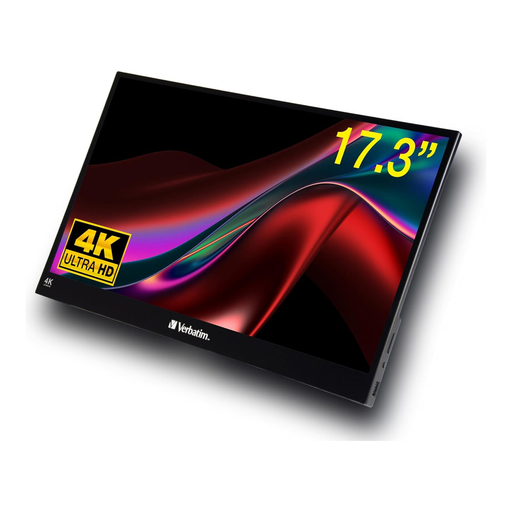
Verbatim portable touchscreen monitor, 17.3 inches, 4K
The small screen size could work for a compact view of details; compare it with your needs for viewing plan windows at the same time.
The product description lists 3840 × 2160, IPS, 60 Hz, HDMI and USB-C connections.
View at Joybuy
 No image available
KTC M27P6, 27 inches, 4K MiniLED
Its 27-inch 4K screen makes this a compact option; check how clearly you can read your typical plans at the scaling you intend to use.
The description lists 3840 × 2160, PBP, KVM, USB-C with 65 W, height adjustment, tilt and swivel. The product name also lists a 4K 160 Hz mode and an FHD 320 Hz mode.
View at Joybuy
Frequently asked questions
Is 27 inches enough for two architectural plans side by side?
Whether 27 inches is enough depends on your window layout, zoom and scaling. Compare two typical plans in the view you’ll actually use: both the 27-inch and 31.5-inch models considered here offer 3840 × 2160 pixels, but spread them across different-sized areas. If labels look too small on a 27-inch screen and you have enough desk space, the larger physical screen may suit your needs better.
What should I consider when setting up a monitor in my home office?
Check your viewing position, reflections and the adjustment options where you plan to use it. A clamp arm, such as the one on the LG 32UN880K-B, requires a suitable desk edge. ASR A6 applies to screen-based workstations and teleworking workplaces within its defined scope; it does not automatically apply to every home office.
Does the manufacturer’s warranty replace my rights if a monitor is faulty?
No. Your statutory rights for faulty goods are against the seller; a warranty is an additional voluntary benefit subject to its own terms. The consumer advice centre recommends checking the seller’s information and warranty terms separately.
What should I know about electricity use and disposal in Germany?
Monitors carry the EU energy label, with ratings from A to G. Check the label or EPREL entry for the specific model. Don’t put an old monitor in your household rubbish: the German Environment Agency lists local collection points and retailer take-back options, subject to the applicable conditions.
Can I cancel an online monitor purchase if I change my mind?
Consumers generally have the right to cancel a standard distance-selling contract. Section 355 of the German Civil Code (BGB) sets a 14-day period; the circumstances of the purchase determine when the period starts and whether any exceptions apply. The right to cancel is separate from your rights if the product is faulty.


