If you already own a compatible iPad or Galaxy Tab, a compatible stylus is usually the easiest way to sketch architectural details. On a computer, a graphics tablet without a screen could be a good choice if you’d like to draw on a separate surface; a pen display is suited to a workflow where you draw directly on the image on screen. In every case, check the exact device combination and connections: a manufacturer’s information about stylus features doesn’t automatically confirm compatibility with your CAD application.
Who are the different drawing solutions suited to?
For artists who already own a tablet
If you want to sketch architectural details on your iPad or Galaxy Tab, first check whether the stylus works with your exact device model. Apple Support UK lists the compatible Apple Pencil and iPad combinations; Samsung specifies which Galaxy Tab models work with the S Pen EJ-PX510BWEGEU.
For artists with a small computer desk
If you already work on a computer and don’t want to add another display, a compact graphics tablet without a screen could be a good option. Wacom describes the Small version of the One by Wacom as space-saving; when you draw, you’ll still be looking at your computer screen.
For artists who want to draw directly on screen
If you’d like to draw directly on the image on screen, a pen display such as the Huion Kamvas 13 could be a good option. Make sure you have the right connection and enough desk space; Huion lists additional USB-C requirements and a power supply for use with Android.
Which buying criteria matter most in a student room?
Stylus for an existing iPad
A good fit if: your exact iPad model is listed as compatible with the Apple Pencil you’ve chosen.
Things to weigh up: Apple says the Pencil (USB-C) pairs and charges via a cable, while the Pencil Pro pairs and charges magnetically and offers additional control features.
S Pen for a Galaxy Tab
A good fit if: you own a Galaxy Tab S9 FE or S10 FE listed by Samsung as compatible with the EJ-PX510BWEGEU.
Things to weigh up: Samsung describes pressure and tilt response for this version; a new Galaxy Tab S10 FE or FE+ comes with an S Pen, according to Samsung.
Graphics tablet without a screen for a computer
A good fit if: you draw on a computer and are happy for the drawing surface to be separate from the screen.
Things to weigh up: Wacom specifies a pressure-sensitive, battery-free pen; XPPen lists an active area of 16 × 9 cm for the Deco 640 and requires a compatible driver.
Pen display
A good fit if: you want to draw directly on the image on screen.
Things to weigh up: The display needs to be connected to a device; for Android, Huion lists additional connection requirements and a power supply for the Kamvas 13.
| Priority |
What to check before buying |
Who it matters most to |
| Device compatibility |
Check the exact tablet generation against the full stylus model number. Apple Support UK and Samsung UK both list specific compatible device models. |
If I want to keep using my existing tablet, the stylus needs to be the right fit; around 33% of consumers put compatibility first. |
| Control for detailed lines |
Check tilt, pressure and tool features separately, and make sure your drawing app supports the features you want. Apple and Samsung describe features for specific stylus and device combinations. |
For fine architectural details, I want to control my strokes precisely; around 27% of consumers care most about line control. |
| Space and drawing workflow |
Measure your workspace, including your keyboard and any stand you might use. Decide whether you want to draw on a tablet, on a separate surface while looking at a computer screen, or directly on a display. |
At a small desk, I want to keep enough room to work and know where I’ll be looking while I draw; around 20% of consumers prioritise space and workflow. |
| What’s included and accessories |
Check whether a stylus is already included and what cables, adapters or power supplies your device needs. Samsung says the Galaxy Tab S10 FE and FE+ come with an S Pen; Huion lists additional requirements for Android. |
If I want to use the accessories I already own and avoid unnecessary extras, what’s included matters; around 20% of consumers focus most on accessories and overall requirements. |
Avoid common buying mistakes
-
Choosing by device brand alone
A stylus isn’t necessarily compatible just because your tablet and stylus are from the same brand. Apple lists different Pencil and iPad combinations; Samsung specifies which Galaxy Tab models work with the S Pen EJ-PX510BWEGEU.
Before you order, check the exact device generation against the full stylus model number.
A stylus that doesn’t fit could mean extra hassle arranging a return or replacement.
-
Buying a stylus that’s already included
A new Galaxy Tab S10 FE or FE+ comes with an S Pen, according to Samsung. What’s included may vary depending on the specific offer.
Check the contents of the offer before ordering a separate stylus.
An extra stylus may be unnecessary if one is already included.
-
Assuming a pen display is a standalone second tablet
A pen display needs to be connected to a device. For the Kamvas 13, Huion lists specific USB-C requirements and an additional power supply for Android.
Check the connections and power requirements against your device, and make sure you have enough room for the complete set-up.
Depending on the connected device, you may need extra cables or a power supply.
Key brands and their stylus solutions
Apple
The Apple Pencil (USB-C) and Apple Pencil Pro are different stylus options for the iPad models listed as compatible with each one.
- For the USB-C stylus, Apple lists tilt detection, plus pairing and charging via a cable.
- For the Pencil Pro, Apple lists additional control features and magnetic charging.
- Compatibility depends on the exact iPad and Pencil models; manufacturer information isn’t an independent drawing test.
Samsung
The S Pen EJ-PX510BWEGEU is a stylus version specified by Samsung for the Galaxy Tab S9 FE and S10 FE.
- Samsung lists pressure and tilt response for this version.
- This information doesn’t confirm compatibility with every Galaxy Tab or S Pen. A new Galaxy Tab S10 FE or FE+ comes with an S Pen, according to Samsung.
Wacom
The One by Wacom is a graphics tablet without a screen, available in Small and Medium for working with a computer.
- Wacom describes a pressure-sensitive, battery-free pen; the Small version takes up little desk space.
- You’ll still need a separate screen to draw.
XPPen
The Deco 640 is a compact graphics tablet without a screen, for use with supported devices and systems.
- XPPen lists an active area of 16 × 9 cm.
- The manual says a compatible driver is needed for the tablet to work properly; depending on the version, a USB adapter may not be included.
Huion
The Kamvas 13 is a pen display for anyone who wants to work directly on the image on screen.
- Huion lists several connection options.
- Android use requires USB-C compatibility and an additional power supply. This doesn’t confirm compatibility with a specific architecture or CAD application.
Joybuy products for drawing on tablets
The Joybuy products featured here are styluses for iPads or capacitive touchscreens, and could be suitable if you want to carry on working with a tablet.
 No image available
iPad stylus with USB-C charging port
For sketching on the iPad models it supports; the description lists tilt detection and palm rejection.
The stylus charges via USB-C. According to the description, its magnetic attachment is for storage and doesn’t support wireless charging.
View at Joybuy
 No image available
iPad stylus with tilt function and 2X fast charging
For drawing on selected iPad models; the description lists tilt support and palm rejection.
The product name lists iPad models from 2018 to 2026. Still check your exact iPad model rather than assuming the year range means it works with every device. For charging, the description specifies compatible 5 V USB power adapters.
View at Joybuy
 No image available
iPad stylus with USB-C fast charging
For sketching and drawing on compatible iPads; the description lists tilt sensitivity and palm rejection.
The product name lists iPads from 2018 to 2025. Check that your exact model is included before buying.
View at Joybuy
 No image available
ZSPEED Wireless Charging Stylus Pen
For the iPad models listed in the product name: iPad Pro 11″ 4/3/2/1, Pro 12.9″ 6/5/4/3, Air 4/5 and Mini.
The description lists tilt sensitivity and palm rejection. The product name specifies wireless charging; check compatibility with your exact model before buying.
View at Joybuy
 No image available
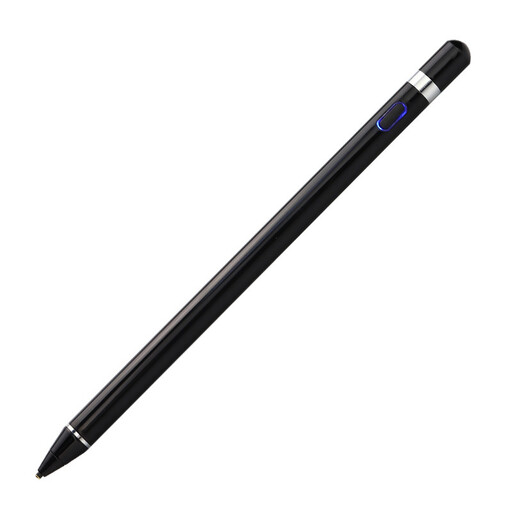
VoxorAI HL-U05 active stylus
The description lists drawing and a pressure-sensitive tip for capacitive touchscreens.
An integrated battery is listed. The title and description mention iOS, iPad and Android; check support for your specific device and drawing app.
View at Joybuy
Frequently asked questions
Does every Apple Pencil work with every iPad?
No. Apple Support UK lists compatible combinations by Pencil and iPad model. Check your full iPad model and the required iPadOS version against the list for the Pencil version you’re considering.
Will I need to buy a separate S Pen straight away for the Galaxy Tab S10 FE?
A new Galaxy Tab S10 FE or FE+ as described by Samsung comes with an S Pen. Check what’s actually included with the specific offer, particularly for replacement or second-hand purchases.
What should I check when setting up a graphics tablet or pen display?
Check the operating system, driver and connections for the exact model. The XPPen manual requires a compatible driver for the Deco 640; for the Kamvas 13 with Android, Huion specifies USB-C requirements and an additional power supply.
What should I know about faults and buying online in Germany?
Your statutory rights against the seller if goods are faulty are different from a voluntary guarantee. For newly purchased goods, you can generally assert your statutory rights within two years of receiving them. For a distance contract with a consumer, there is generally a 14-day right to cancel; statutory exceptions and the rules on when the cancellation period begins should be noted. Verbraucherzentrale explains your rights if goods are faulty; §§ 312g and 355 BGB govern the right to cancel.


