If you’ll be holding your tablet for long periods in bed, start by comparing more manageable models around 11 inches. If you often read full-page plans and illustrations, consider a larger display of around 13 inches and try it with an actual book page. Manufacturers’ specifications highlight the trade-off: larger models offer more screen space, but they also weigh more. Whether your particular book is easy to read and annotate will also depend on its file format, the app you use and what’s included in the box.
Which tablet size is right for you?
For plans and illustrations
If you read architecture books or plan drawings, a larger display can show more of the page at once. Apple lists iPad Air models with an actual display diagonal of 12.9 inches, while Samsung gives 13.1 inches for the Galaxy Tab S10 FE+. Check small labels against a sample page from your book, though.
For reading without support
If you’ll be holding your tablet yourself for long periods in bed, weigh up its weight alongside its screen area. Apple lists the 11-inch iPad Air Wi-Fi model at 464 g; Samsung gives 497 g for the 10.9-inch Galaxy Tab S10 FE, and Xiaomi lists 500 g for the 11.2-inch Pad 7.
For readers who take notes
If you want to highlight text or add sketches, check that the app supports your book’s file format and see what’s included with the exact tablet model. Samsung lists an S Pen in the box with the Galaxy Tab S10 FE series. Apple lists compatible Pencil models, but no Pencil in the stated iPad Air box contents.
What should you look for when buying?
A more manageable tablet around 11 inches
A good fit if: You read without support for long periods and zoom in on plans when needed. Apple lists the 11-inch iPad Air Wi-Fi model at 464 g; Samsung gives the Galaxy Tab S10 FE a screen size of 10.9 inches and a weight of 497 g.
The trade-off: You’ll see less of a page at once. Check legends and small labels on a sample page.
A larger tablet around 13 inches
A good fit if: You often look at plans or large illustrations and can prop up the device. Apple lists the 13-inch iPad Air Wi-Fi model at 616 g; Samsung gives the Galaxy Tab S10 FE+ a screen size of 13.1 inches and a weight of 664 g.
The trade-off: With these models, the larger display comes with more weight. That won’t necessarily make them more comfortable to hold for long reading sessions.
| What matters |
What to check before buying |
Who it matters most to |
| Reading large book pages |
Try a full page from the actual book, then zoom in on details; test both portrait and landscape orientations. |
If I want to see floor plans, photos and small legends together, I’ll check the actual book page rather than just the screen diagonal. Around 36% of consumers say that being able to read large book pages is their top concern. |
| Weight while reading |
Compare the weight of the exact device and connectivity model; try holding a similar weight in your usual reading position. |
If I’ll be holding the tablet without resting it on anything, its weight matters more to me than being able to see a whole page at once. Around 29% of consumers put weight first when reading without support. |
| Reading in the evening |
Test the brightness, reflections and, if available, reading mode with a book page in your usual lighting. |
If I read in bed in the evening, I want to adjust the display to suit my surroundings while still being able to judge colours in illustrations. Around 21% of consumers prioritise a comfortable display for evening reading. |
| Book app and notes |
Check the book’s file format and terms of use, as well as the app’s features and what’s included with the exact model. |
If I want to open my books, highlight text or add sketches, the app needs to support the file and the note-taking features I want. Around 14% of consumers say access to books and note-taking are their top concerns. |
Common misconceptions when buying a tablet
-
Comparing display size alone
The larger iPad Air and Galaxy Tab FE models listed weigh more than their smaller counterparts. The device weights don’t include a case.
Compare screen area and weight together, and try an actual book page in your usual reading position.
-
Assuming every e-book can be freely resized
Text and page layout vary by format. The Verbraucherzentrale notes that the PDF e-books it offers are not accessible.
Check the format and sample pages of the architecture book you’re considering before settling on a particular screen size.
-
Assuming a stylus and charging adapter are included
What’s in the box varies by model and package. Samsung lists an S Pen with the Galaxy Tab S10 FE series, but no charging adapter. Apple lists compatible Pencil models, but no Pencil in the stated iPad Air box contents.
Check what’s included with the exact model and make sure the stylus works with the app you want to use and your tablet.
Key brands at a glance
Apple
The iPad Air is available in listed 11-inch and 13-inch models.
- Apple lists the Wi-Fi models at 464 g for 11 inches and 616 g for 13 inches.
- An Apple Pencil isn’t included with the listed iPad Air; check separately which stylus models are compatible.
Samsung
According to Samsung, the Galaxy Tab S10 FE and FE+ offer two screen sizes, with different trade-offs between screen area and weight.
- Samsung lists the FE at 10.9 inches and 497 g, and the FE+ at 13.1 inches and 664 g, both as Wi-Fi models. An S Pen is included in the stated box contents.
- The listed weights are for the devices without a case; Samsung says a charging adapter isn’t included.
Xiaomi
The Pad 7 is a mid-sized Android option with a listed 11.2-inch display.
- Xiaomi lists a weight of 500 g, a 3:2 display and a reading mode.
- Display specifications alone don’t tell you how easy a particular book file will be to read. Try a sample page and check what’s included if you need any accessories.
Lenovo
The Idea Tab Pro Gen 2 is a large-format Android option; a stylus bundle is listed for the German ZAHD0616SE model.
- Lenovo lists a 13-inch display with 3504 × 2190 pixels for this model.
- Lenovo notes that accessories vary by package and region. Check the exact model and make sure its reading features suit your book file.
Joybuy tablets for reading architecture books
This selection includes tablets for large book pages and note-taking, as well as an 11-inch model for reading without support. Check the book file itself and what’s included with your chosen model before deciding.
 No image available
UXD 13.4-inch Android 16 tablet, 256GB, with keyboard, mouse and stylus
The 13.4-inch format is worth considering if you want to view large book pages and add notes with a stylus.
The product title lists an FHD IPS touchscreen with 1920 × 1200 pixels, 256 GB of storage, plus a keyboard, mouse and stylus in the package.
View at Joybuy
 No image available
TECLAST ArtPad Pro, 12.7-inch 2K display, 256GB, with T-Pen
The 12.7-inch display is an option for viewing large illustrations. The stylus listed in the product title is worth considering if you want to add sketches or annotations.
The title lists a 2K display, 256 GB of storage, a pressure-sensitive T-Pen, a protective case and an English-language Bluetooth keyboard.
View at Joybuy
 No image available
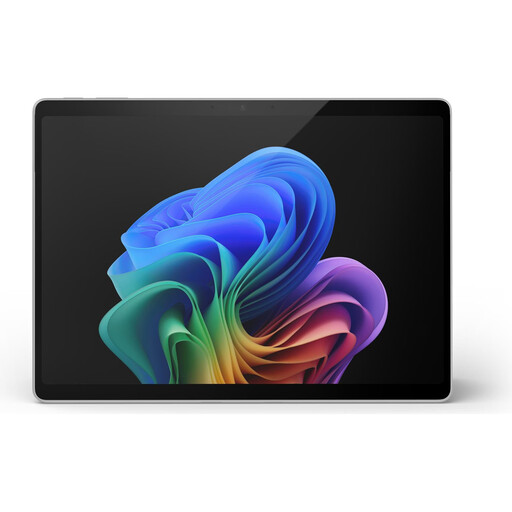
Microsoft Surface Pro 11, 13-inch, Snapdragon X Plus, 16GB, 512GB
The 13-inch touchscreen is a good size for large book pages, but bear in mind the listed weight of 0.90 kg if you’ll be holding it for long periods.
The product details list Windows 11 Pro, 16 GB of memory and 512 GB of storage. This is a 2-in-1 device that works as both a laptop and a tablet.
View at Joybuy
 No image available
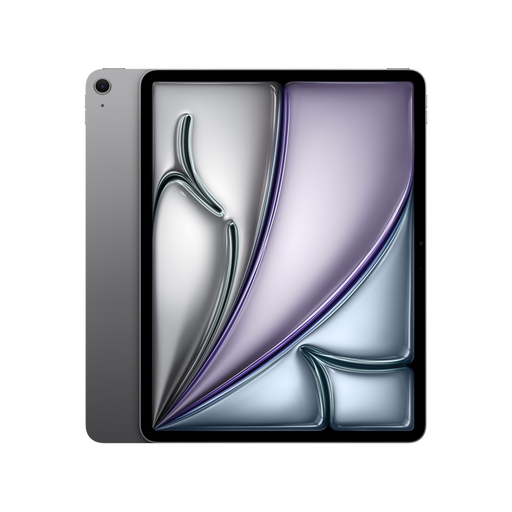
Apple 13-inch iPad Air (M4, 2026), Wi-Fi, 128GB, Space Grey
The 13-inch display is worth considering if you often view large pages and can prop the device up while reading.
Apple lists the 13-inch iPad Air Wi-Fi model at 616 g. An Apple Pencil isn’t included in the stated box contents; check compatibility and what’s included if you plan to take handwritten notes.
View at Joybuy
 No image available
Apple 11-inch iPad Air (M4, 2026), Wi-Fi, 128GB, Blue
The 11-inch format is a good option if you’ll be holding the tablet while reading and zooming in on a page when needed.
Apple lists the 11-inch iPad Air Wi-Fi model at 464 g. An Apple Pencil isn’t included in the stated box contents; check separately which Pencil models are compatible.
View at Joybuy
Frequently asked questions
Is an 11-inch tablet big enough for architecture books?
It depends on your book’s page layout and font size. Try an actual sample page at full size first, then zoom in on the legends. The screen diagonal alone doesn’t guarantee that everything will be easy to read.
How do I set up PDF reading and note-taking?
First, check your book’s file format and which app is designed to open it. Adobe offers a mobile Acrobat Reader app for iPad and Android; you may need a Pro subscription for more advanced PDF editing features. Check the book’s terms of use to find out whether you’re allowed to open and annotate that particular file.
Should I budget extra for a stylus or charger?
It depends on the exact model and package. Samsung lists an S Pen in the box with the Galaxy Tab S10 FE series, but no charging adapter. Apple lists compatible Pencil models, but doesn’t include a Pencil with the iPad Air; Xiaomi also says that a power adapter isn’t included with the Pad 7.
What are my rights when buying a tablet online in Germany?
For eligible distance purchases, you generally have a 14-day right to cancel from the date of delivery. The European Union’s consumer information also explains return costs and exceptions. If a device is faulty, it states that you have at least two years of statutory consumer rights; these are separate from any additional manufacturer’s warranty.


