What should you consider when buying?
First decide on the image size for the furthest seat, then check whether the intended projector position allows for that image width.
| Buying priority |
What to check |
Who is it important to? |
| Details from a distance |
Measure the distance from the furthest seat, along with the available image width and height; judge the image size against the content of the programmes you actually watch. |
If I want to read drawings and small on-screen text from the back of the sofa, getting the image height right is the priority. Around 36% of consumers prioritise this level of detail. |
| A suitable projector position |
Check the throw ratio, desired image width and distance between the lens and the image area. Only plan to use zoom and lens shift within the range available on the specific model. |
If the shelf or ceiling position is fixed, consumers need to check whether it can deliver the desired image width. Around 29% put this positioning question first. |
| Picture with ambient light |
Take the lighting at your usual viewing time and the planned image size into account; compare brightness figures only when they use the same measurement basis. |
If I can’t always darken the room, I want to judge how the picture will look in the available light. Around 21% of consumers prioritise suitability for ambient light. |
| Content sources and accessories |
Check the preferred way to access content, connections, audio setup and included accessories for the specific model. |
Consumers who want to get architecture programmes up and running easily and plan for any necessary accessories pay particular attention to these points. Around 14% put them first. |
Joybuy products
This selection includes portable projectors and ultra-short-throw models. For each device, check whether its listed features suit your viewing distance, projector position and desired image size.
 No image available
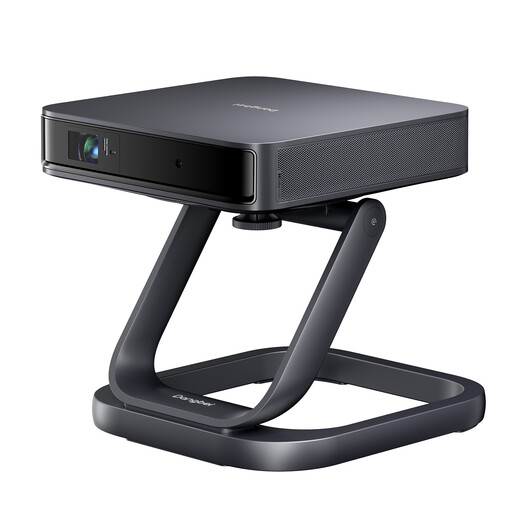
Dangbei Atom Portable Laser Projector with Dangbei Atom Special Desktop Stand included as a gift
Described as a portable laser projector; check that your planned position can accommodate the image width you need.
Joybuy
 No image available
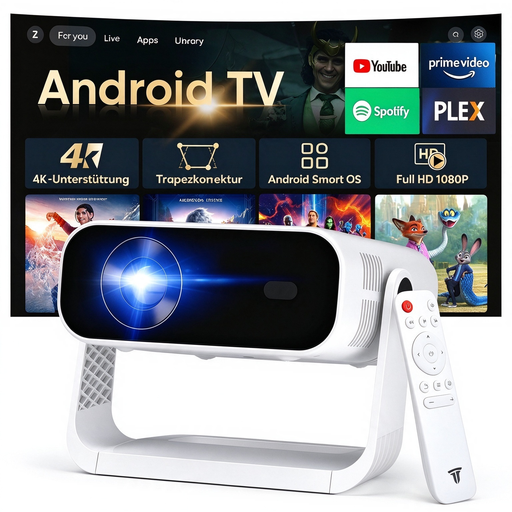
SRESNAIL AE211-B Portable Smart Projector
Designed for flexible positioning; check in advance whether the built-in smart system suits your preferred way to access content.
The title lists 240 ANSI lumens, Wi-Fi 6, Bluetooth 5.4 and an Android 14 smart system. 4K video decoding doesn’t mean the projector has native 4K resolution.
Joybuy
 No image available
Philoent Ultra-Short-Throw Smart Projector
Described as an ultra-short-throw projector; check that the screen you plan to use is suitable for this specific type of projector.
The title lists Wi-Fi 6, Bluetooth 5.4 and automatic keystone correction. The product name specifies 4K/1080P support.
Joybuy
 No image available
XBJ Portable Projector with Native 1080P Resolution
The rotating stand may be useful if you need flexible positioning; check that it suits your planned position and projection surface.
The title lists 700 ANSI lumens, native 1080P, 4K support, autofocus and a stand that rotates through 280°.
Joybuy
 No image available
XGIMI Aura 2 4K Ultra-Short-Throw Laser Projector
Designed to sit close to the wall; match your desired image size to the available space and a suitable screen.
The title lists 2,300 ISO lumens, Dolby Vision and IMAX Enhanced. ISO lumens shouldn’t be compared with ANSI lumens unless they share the same measurement basis.
Joybuy
Frequently asked questions
Is a long viewing distance the same as a long throw distance?
No. Viewing distance is the space between the viewer and the image area; throw distance is the space between the projector and the image area. First plan the image size for the furthest seat, then check the lens specifications against the possible projector position.
How can I plan the image size for detailed architecture programmes?
Measure the viewing distance and available image height, then check the result against the content of the programmes you actually watch. Epson suggests a viewing distance of up to four times the screen height as a guide for detail-focused content. For small text and drawings, this is a helpful starting point, not a rule for every home cinema.
Will any ALR screen work with an ultra-short-throw projector?
No, you can’t assume that every screen will be compatible. Epson describes the ELPSC35 specifically as being designed for Epson ultra-short-throw laser projectors; check the screen and projector as a specific combination.
What other claims should I distinguish when buying?
Your statutory rights against the seller and a voluntary manufacturer’s warranty are separate. Also check whether the screen, mount and preferred content source and audio setup are included.
What should I look out for when it comes to product safety and disposal?
EU consumer information lists electrical and electronic equipment as categories requiring CE marking. The CE mark is a manufacturer’s declaration, not an independent quality mark. The German Environment Agency notes that old appliances must be collected separately and can be handed in free of charge at municipal collection points, among other places.


