
Lieferung heute & morgen

Qualitätsgarantie

Willkommens-Angebote freischalten: KOSTENLOSE Lieferung | Bis zu 80 % RABATT | Kostenlose 30-Tage-JoyPlus-Testphase
App herunterladen
AR glasses can turn a smartphone, notebook or handheld console into a virtual-screen display. Instead of playing games or watching films on a small screen, the content appears on a large virtual display. For this to work in everyday use, however, several technical requirements need to be compatible.
Many purchasing decisions fail not because of the stated screen size, but because of connection issues, a lack of device compatibility or an uncomfortable fit. This guide explains which specifications matter before buying AR glasses and which model may suit different usage profiles.
Figures such as 146, 201 or 267 inches describe a virtual display, not a real screen area. The Field of View (FOV), resolution, optics and fit of the glasses are also important. A larger virtual image is not automatically sharper or more comfortable.
For text, spreadsheets and in-game HUDs, consistent sharpness right to the edges is important. For films, on the other hand, a wider field of view can enhance the feeling of having your own private cinema screen. If you focus only on the stated screen size, you may overlook these differences.
AR glasses for iPhone and Android often require a USB-C connection with DisplayPort Alternate Mode, also known as USB-C DisplayPort or USB-C DP. A USB-C port that only charges or transfers data is not sufficient.
Depending on the model, iPhones may require an adapter, a suitable cable or an additional hub. AR glasses for Steam Deck, ROG Ally, Mac or PC will also only work directly if the relevant device supports video output via USB-C. Before buying, you should therefore check the device, connection type and required accessories together.
3D glasses, or AR glasses with 3D support, can display compatible content in three dimensions or convert 2D material using software. 3DoF, on the other hand, stands for three rotational degrees of freedom. This allows the glasses to respond to head movements such as turning, tilting and swivelling.
Native 3DoF functions can be useful for virtual workspaces or a fixed virtual screen. However, they do not replace full 6DoF tracking and do not turn the glasses into a completely standalone VR experience. The functions available also depend on the app, operating system and connected device.
OLED and Micro-OLED displays offer high contrast by design. When choosing a model, you should also pay attention to resolution per eye, FOV, maximum brightness and refresh rate. A portable 120 Hz display can deliver smoother motion in compatible games. However, both the source device and the content must also support this refresh rate.
Brightness is generally measured in nits. Higher values can be useful in bright surroundings, but they are not the only indication of quality. Contrast, colour tuning, dimming and the optical design also affect the image.
Before buying, we recommend running through the following checklist:
You should also check that AR glasses for gaming are compatible with your preferred operating system and gaming platform. A direct USB-C connection is often convenient for Steam Deck and ROG Ally, while consoles with an HDMI connection may require additional hardware.
Weight alone only partly determines comfort. Nose pads, arms, weight distribution, dioptre adjustment and the option to use prescription lenses are also relevant. Integrated adjustment from 0 to -5.0 dioptres may be useful for some short-sighted users, but it does not replace individual advice from an optician.
AR glasses are not safety glasses. While using them, you should remain aware of your surroundings and never wear them while driving, cycling or operating machinery. If you experience tiredness, dizziness or discomfort, take a break. Read the manufacturer’s safety instructions before using the glasses for the first time.
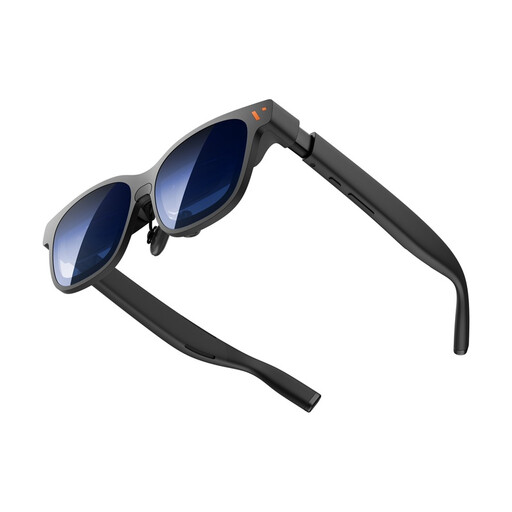
Why this product suits this profile: These glasses are aimed at users who want to get started with compatible smartphones, laptops or handheld devices without a complicated setup. They offer a virtual 146-inch display, 120 Hz and dioptre adjustment from 0 to -5.0.
The product details explicitly identify compatible USB-C devices and possible additional requirements for Switch, HDMI and older smartphones.
Sony Micro-OLED, 120 Hz, a weight of 63 g and support for the SpaceWalker app on compatible operating systems.
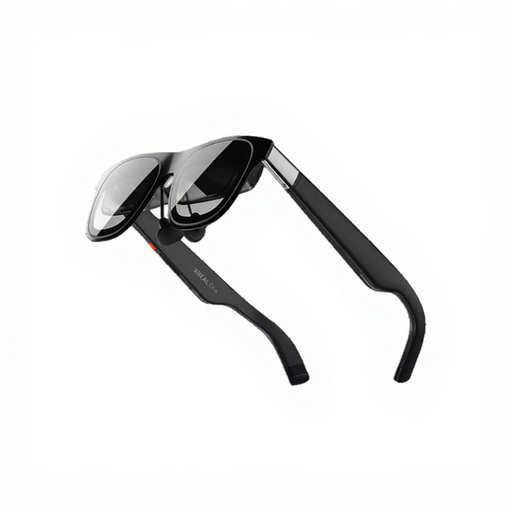
Why this product suits this profile: For users who prefer an integrated spatial experience while working or gaming, this model offers native 3DoF support, 120 Hz and a 50° field of view.
The specification points to USB-C with the required DP output. This makes it possible to check compatibility carefully before buying.
1920 × 1080 pixels, 120 Hz, 3 ms latency according to the product details, and audio tuned by Bose.
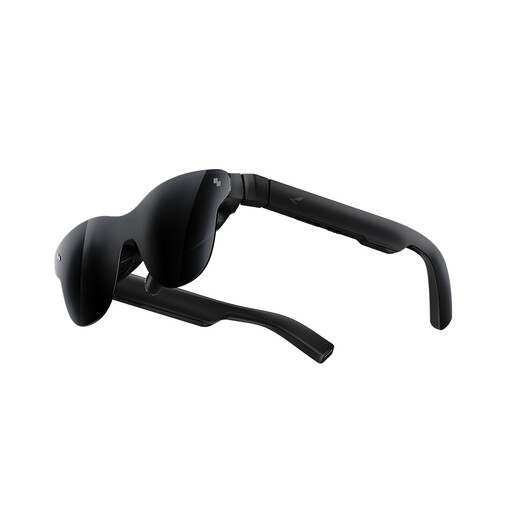
Why this product suits this profile: This model is designed for films, 3D content and gaming. It offers a virtual 201-inch cinema screen, HDR10, 120 Hz and USB-C connections for multiple devices.
The details distinguish between native 3D content and software-based 2D-to-3D conversion. This helps prevent unrealistic expectations for every video.
HDR10, 120 Hz support, 3D functions and four integrated speakers according to the product description.
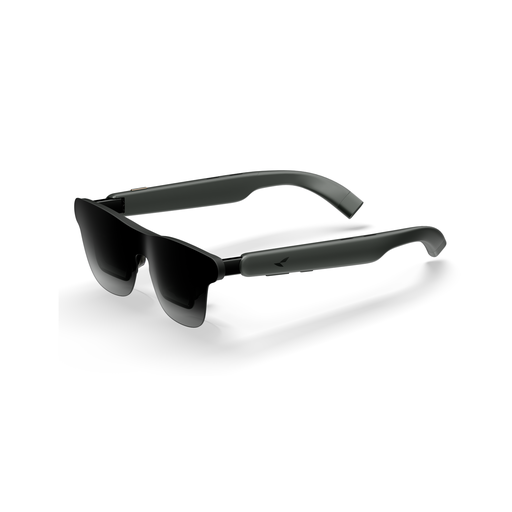
Why this product suits this profile: If you are looking for a wide field of view and spatial tracking when watching films, this model offers a 59° FOV, a 3DoF chip and Dolby Vision support.
The product description explicitly includes safety and usage guidance. For longer sessions, plan regular breaks and use an appropriate volume and brightness level.
59° field of view, a stated 267-inch projection, Dolby Vision and a quad-speaker system according to the manufacturer’s specifications.
We have put together a complete, regularly updated list of products that fully meet these strict selection criteria and the safety regulations applicable in the EU.
That depends on the specific smartphone and connection. USB-C with DisplayPort output is often required. With iPhones, the model, adapter and accessories can be decisive. Before buying, check the compatibility list for the product in question.
Yes, provided that the Steam Deck supports video output via USB-C and the glasses accept this standard. For AR glasses for Steam Deck, resolution, refresh rate and cable management are also relevant. For games running at 120 Hz, the console must also support the corresponding output.
The glasses themselves do not normally incur regular running costs. However, additional expenses may arise for adapters, compatible cables, mobile docks or optional apps and accessories. 3D and streaming services also have their own requirements, depending on the platform you use.