
Lieferung heute & morgen

Qualitätsgarantie

Willkommens-Angebote freischalten: KOSTENLOSE Lieferung | Bis zu 80 % RABATT | Kostenlose 30-Tage-JoyPlus-Testphase
App herunterladen
AR glasses and smart glasses combine wearable displays, audio, AI features and smartphone integration. Depending on their design, they can serve as private video glasses for use on the go, XR glasses for gaming, or discreet display smart glasses for navigation, translation and presentations.
However, product names often overlap. AI glasses are not automatically augmented reality glasses, and video glasses with a Micro-OLED display do not necessarily offer camera, navigation or translation functions. It is therefore worth taking a close look at the technology, compatibility and suitability for everyday use before buying.
Details such as “virtual screen size” describe a perceived projection rather than a physical monitor. Other important factors include:
A large virtual image may be less practical than a smaller, clearly displayed image if edge sharpness is poor or brightness is limited.
Many XR glasses require a smartphone, laptop or games console with USB-C video output. A USB-C port alone is not enough. Depending on the device, adapters, docking stations or additional software may be required.
For iPhone models, older Android devices, HDMI sources and consoles, buyers should check the compatibility list in advance. Apps such as SpaceWalker may also offer different functions depending on the operating system.
Camera-free smart glasses may require less explanation in offices, universities or public areas. Models with a camera, on the other hand, are suitable for recording while cycling or for outdoor use, but must be used with privacy and house rules in mind.
When considering battery life, it is important to distinguish between display-only playback, AI use, audio, camera recording and standby. Manufacturer claims usually relate to defined usage scenarios and should not be taken as a general battery-life figure for every application.
For gaming and films, Micro-OLED displays, a high refresh rate and a sufficient field of view are important criteria. Micro-OLED glasses can deliver high-contrast images in a compact design. For spreadsheets, presentations and subtitles, however, consistent sharpness across the entire field of view is particularly important.
Integrated dioptre adjustment can make it easier to use the glasses without additional prescription inserts. However, it does not replace individual advice from an optician and does not automatically support astigmatism or long-sightedness.
The weight of smart glasses is distributed across the nose pads, arms and front section. Even a low overall weight can become uncomfortable if the balance is not right. Look for:
For long train journeys, work sessions or presentations, the fit is at least as important as the display resolution.
Before buying, check how the glasses work with iPhone, Android, Mac, Windows, Steam Deck, Switch or other consoles. For outdoor models, protection ratings such as IP54, IPX4 or IP5X are also relevant. These ratings describe protection against dust and water under specified conditions, not unrestricted use in heavy rain or while swimming.
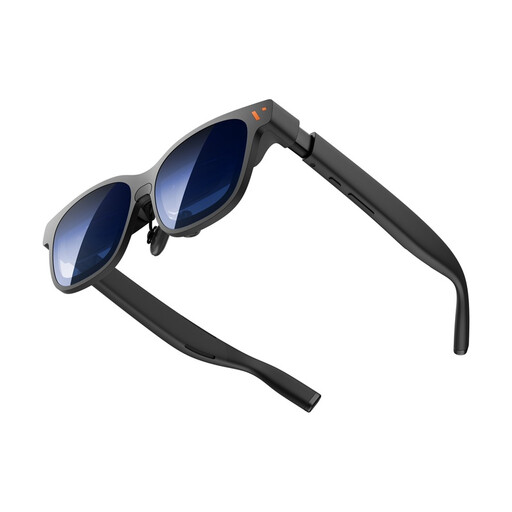
Why this product suits this profile: According to VITURE’s specifications, these video glasses offer a 146-inch XR display with 1080p resolution, up to 120 Hz and Sony Micro-OLED technology. They are aimed at users who want to use a smartphone, laptop or handheld device as a private screen source.
The integrated adjustment from 0 to -5.0 dpt can eliminate the need for additional inserts for short-sighted users. The source device’s USB-C video output should still be checked before purchase.
63 g weight, 120 Hz support and compatibility with selected iPhone, Android, Mac, PC and console devices, according to the manufacturer’s specifications.
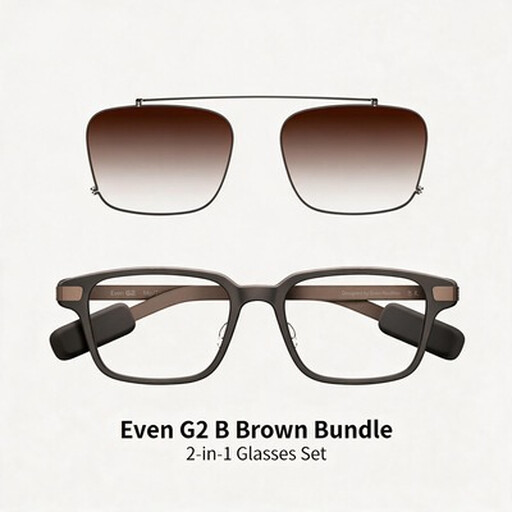
Why this product suits this profile: According to Even Realities’ specifications, these camera-free display smart glasses are designed for professionals, students and presenters. Features include a Micro-LED display, live translation, a teleprompter, navigation and AI-assisted conversation functions.
The lack of a camera addresses privacy concerns in professional environments. The advertised voice and AI functions depend on the app, account and supported languages.
36 g weight, plus up to two days of regular use and up to two weeks with the charging case, according to the manufacturer’s specifications.
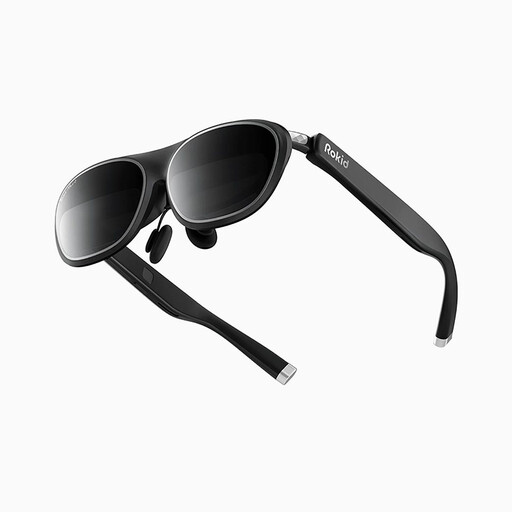
Why this product suits this profile: According to Rokid’s specifications, these AR glasses offer a 215-inch image, 120 Hz, a 50° field of view and Micro-OLED technology. They are designed for films, games and compatible devices such as PCs, Steam Deck or selected consoles.
According to the product details, the glasses do not require their own battery and are powered by the connected device. Compatibility and power supply should nevertheless be checked before purchase.
120 Hz playback, integrated adjustment up to -6.0 dpt according to the manufacturer’s specifications, and support for various gaming devices.
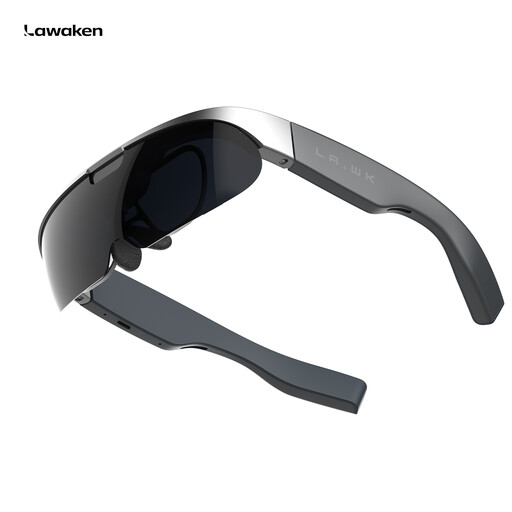
Why this product suits this profile: According to LAWAKEN’s specifications, this model combines AR navigation, camera recording, open-ear audio playback and sports functions. It is aimed at cyclists and outdoor users who want to access data and communication while active.
The product details state 8 hours of use, IPX4 water protection and IP5X dust protection. Camera use and use on the road must comply with privacy and safety regulations.
8 MP camera, 4K video specification, Bluetooth 5.3, UV380 and a 24-month limited replacement warranty, according to the manufacturer’s specifications.
We have put together a complete, regularly updated list of products that fully meet these strict selection criteria and the safety regulations applicable in the EU.
It depends on the model and smartphone in question. Some devices require USB-C with DisplayPort or comparable video output. Depending on the generation, iPhones may require adapters or specialist accessories. Before buying, check the specific model list and the requirements of the associated app.
Battery life varies depending on display brightness, audio, AI features, camera use and connection type. According to manufacturer claims, camera-free models with notification or translation functions can last for up to two days. Display glasses without their own battery often draw power from the connected device.
They can discreetly display directions, notifications or translations. However, reliable results require an active smartphone connection, compatible apps, sufficient battery charge and, where necessary, an internet connection. When cycling or using the road, keeping your attention on your surroundings should always take priority.