When watching art documentaries, first plan the image height for your seating position, then check whether the projector can achieve your desired image width from the planned position. Epson Deutschland suggests a viewing distance of up to four times the image height for detail-rich content. This is a guide, not a fixed rule for every documentary; you’ll also need to make sure the projection distance, ambient light and screen suit your room.
Who should take extra care when choosing?
Detail-focused viewers sitting further back
If you want to make out paintings, labels and subtitles from further away, plan the image size around your intended seating position. Epson Deutschland suggests a viewing distance of up to four times the image height for detail-rich content.
Documentary fans watching in a living room that isn’t fully darkened
With ambient light, consider the image size, room lighting and projection surface together. Epson Deutschland describes ALR screens as surfaces designed to direct the projector’s light towards the viewer and reject light coming from other angles.
Viewers with limited options for projector placement
If you sit a long way from the screen but can’t position the projector wherever you like, the throw ratio matters, as may the specific model’s optical adjustment range. BenQ Deutschland explains throw ratio as the distance between the projector and screen in relation to the image width.
What to look for when buying
Fixed projector position
A good fit if: the projector and screen will stay in fixed positions, with enough distance between them for your planned image width.
Consider: Calculate the specific model’s throw ratio. Your viewing distance alone won’t tell you how wide an image the projector can produce.
Offset or restricted position
A good fit if: furniture, a wall or a mount makes central placement difficult, and the documented optical adjustment range can accommodate the offset.
Consider: Adjustment ranges vary by model. According to XGIMI, the maximum horizontal shift on the XGIMI HORIZON 20 Max is only possible when vertical shift is set to zero.
Projector close to the screen
A good fit if: you sit a long way from the image but can’t or don’t want to place the projector far from the projection surface.
Consider: Check the achievable image size, the required projector position and whether the projection surface is suitable for the specific device.
For detail-rich content, Epson Deutschland suggests a viewing distance of up to four times the image height. This isn’t a mandatory minimum size for every documentary. Plan the screen area to suit your room, and assess it under your usual lighting conditions.
| What to consider |
What to check before buying |
Who it matters most to |
| Image details from a distance |
Plan your viewing distance, desired image height, aspect ratio and the legibility of a typical scene together. |
If I want to make out details in paintings and subtitles from a seat further back, choosing an appropriately sized image is essential. Around 31% of consumers prioritise being able to read details from a distance. |
| Colour and resolution |
Compare the resolution and explicitly stated colour-space specifications of the exact model, as well as the quality of the content being played. |
When viewing vivid works of art, I want to appreciate the colours and fine detail without assuming that a technical colour-space specification guarantees the same result with every source. Around 25% of consumers put colour and fine detail first. |
| Picture in ambient light |
Consider the light falling on the projection surface and viewing area, image size, model-specific brightness specifications and screen together. |
If I can’t fully darken my living room, I want the projection to suit the actual lighting conditions. Around 19% of consumers prioritise watching with ambient light. |
| Placement in the available position |
Divide the projector-to-screen distance by the desired image width and compare the result with the model’s throw ratio; check optical adjustment ranges and any limitations. |
If furniture or the room layout restricts where I can put the projector, I need a model that can achieve the planned image width from that position. Around 13% of consumers prioritise suitable placement despite having limited options. |
| Playback and ongoing costs |
Check that the connections and audio setup work with your existing devices; check accessories and the light source specifications for the relevant operating mode. |
If I want to use my existing source devices and audio equipment, a suitable connection without unnecessary extra planning is important to me. Around 12% of consumers prioritise straightforward playback and predictable costs. |
Common planning mistakes
-
Confusing viewing distance with projection distance
Viewing distance is the distance between the viewer and the screen. Projection distance is the distance between the projector and the screen, and it needs to suit your desired image width.
Start by planning the image size from your seating position. Then check the projector position and the specific model’s throw ratio.
An unsuitable position could mean you have to rearrange your room.
-
Comparing projector brightness alone
Ambient light, image size and the projection surface all affect how the picture looks in the room. Epson Deutschland describes ALR screens as one way to reject light coming from other angles; suitability depends on the surface and placement.
Assess the planned screen area in your usual lighting conditions and check that the screen is suitable for the type of projection.
Depending on your room, extra light control or a suitable screen could add to the planning involved.
-
Assuming vertical lens shift means horizontal adjustment
Vertical optical lens shift doesn’t mean the projector can also be shifted horizontally. Specifications also apply only to the model they refer to.
If you need to position the projector off-centre, check the horizontal optical adjustment range specifically, along with any conditions. XGIMI notes a limitation on the maximum horizontal shift for the HORIZON 20 Max.
If the adjustment range isn’t sufficient, you may need a different mount or position.
Using brands as a guide to suitable model ranges
Epson
Epson offers home cinema and compact projectors, including the EH-TW7100 and models in the Lifestudio range.
- Epson Deutschland explains how viewing distance, image content and the projection surface work together when planning your setup.
- The features of individual models and light sources can’t be assumed to apply to the whole range.
BenQ
BenQ offers home cinema projectors such as the W2720i and explains how to calculate throw ratio.
- For the W2720i, BenQ Deutschland specifies 4K UHD, 2.500 ANSI-Lumen, 4LED and 98% Rec.709 coverage.
- These model-specific specifications aren’t independent proof of colour reproduction for every art documentary.
XGIMI
The home cinema range includes the HORIZON 20 Max, which XGIMI lists as offering optical adjustment options.
- XGIMI lists horizontal and vertical lens shift for this model.
- According to XGIMI, maximum horizontal shift requires vertical shift to be set to zero; picture-quality claims are not independent measurements.
Valerion
The VisionMaster Max is a home cinema model with optical zoom and vertical lens shift.
- Valerion lists a throw ratio of 0,9–1,5:1 and vertical optical lens shift for this model.
- This doesn’t confirm horizontal optical shift; allow for optional accessories separately.
Projectors at Joybuy
The Joybuy products below have different specifications for picture and placement. For your room, check the planned image size, projector position and connections for each one.
 No image available
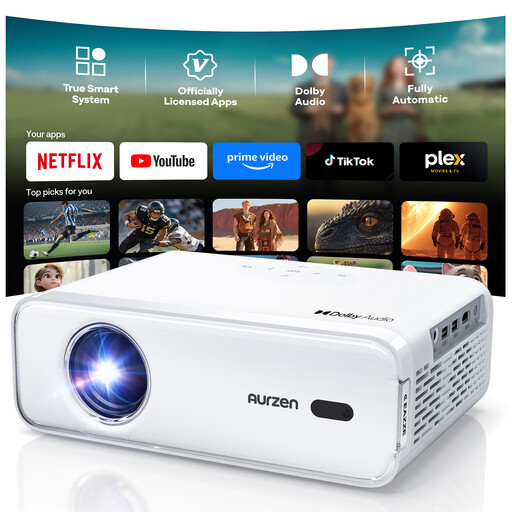
Aurzen Smart Projector, native 1080P
The stated native 1080P resolution is worth considering for documentaries with fine detail; the actual picture also depends on the source and settings.
Autofocus and automatic keystone correction are listed. According to the product description, automatic keystone correction is limited to ±15°.
View at Joybuy
 No image available
ETOE Dolphin 2 RGB Laser, 1080P
If you’re looking for a projector with a built-in battery, the product title states a battery life of up to two hours. The brightness specification alone doesn’t tell you how well the picture will look in a particular room with ambient light.
Specifications include native 1080P, 800 ANSI-Lumen, 110% BT.2020 colour gamut and a built-in battery with up to two hours’ runtime. The title also mentions HDMI 2.1 and USB-C.
View at Joybuy
 No image available
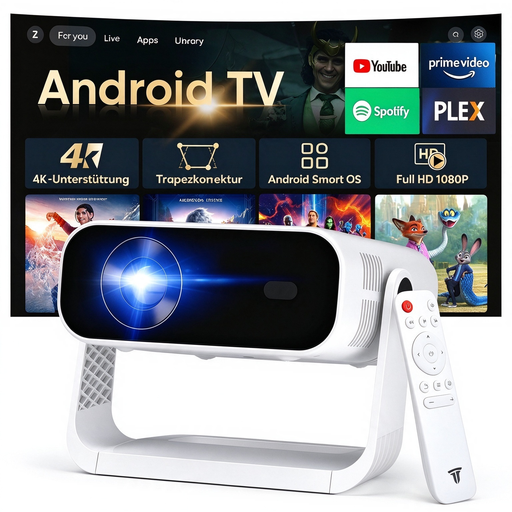
SRESNAIL AE211-B Projector
If you’re planning how to play documentaries, the product description lists Android 14 and built-in apps. Check that they support the content you want to watch.
Specifications include 240 ANSI-Lumen and 4K video decoding. The decoding specification doesn’t mean the projector has native 4K resolution.
View at Joybuy
 No image available
Philoent Ultra-Short-Throw Projector
If you want to place the projector close to the projection surface, its description as an ultra-short-throw projector is a reason to check carefully what image size it can achieve from your planned position.
The product description lists autofocus and automatic 4D keystone correction. Wi-Fi 6 and Bluetooth 5.4 are also specified.
View at Joybuy
 No image available
Projector with built-in apps and digital zoom
If you want to adjust the image size during setup, the product title lists 50–100% digital zoom and 180° rotation.
The stated image size is 50–200 inches. The title also lists HDMI and USB, plus compatibility with devices including TV sticks, iOS, Android and laptops.
View at Joybuy
Frequently asked questions
Is sitting a long way from the screen the same as having a long projection distance?
No. Viewing distance is how far you are from the screen; throw ratio compares the distance between the projector and screen with the image width. Plan these two distances separately.
How can I check the setup before ordering a projector?
Measure the available image width and the distance between the projector and screen. Divide the distance by the image width and compare the result with the model’s throw ratio. If the projector will be positioned off-centre or at a height, also check its documented optical adjustment ranges.
What should I consider for playback and maintenance?
Check that the connections and audio setup work with your existing source devices. Light source lifespan specifications apply to the relevant operating mode and don’t guarantee that an individual device will last exactly that long.


