What should you look for when choosing a monitor?
Choose QHD or 4K based on whether your usual window layout works at your preferred scaling and whether you check images visually. Also make sure USB-C is suitable for your laptop and workspace.
| Priority |
What to check before buying |
Who is this important to? |
| Screen reader and keyboard testing |
Arrange code and the form preview at your usual text size; plan separate tests for labels, focus and error messages. |
If I develop forms mainly with a keyboard and screen reader, I need a visual workspace that suits me; around 36% of consumers put this screen reader and keyboard workflow first. |
| Readability with magnification |
Test your own text size and zoom level with your usual windows; don’t judge the usable workspace by pixel count alone. |
If I read code and the preview with enlarged text, both need to remain usable at my chosen scaling; around 29% of consumers prioritise readability with text magnification. |
| Visual checks of artwork |
Consider whether you assess images visually yourself or mainly check their accessible descriptions and presentation. |
If I regularly check submitted images visually, how they appear and their details matter to me; around 21% of consumers prioritise visual art checks. |
| Laptop connections |
Check USB-C video output, the charging power you need and the connections actually required by your specific monitor and laptop. |
If I often connect my laptop at my workspace, I want to avoid unnecessary separate connections, provided the devices are compatible; around 14% of consumers prioritise an easy laptop connection. |
Joybuy monitors for visual portal and image checks
This selection features high-resolution monitors for code, portal previews and additional visual image checks; it doesn’t replace screen reader and keyboard testing.
 No image available
MSI MAG 274UPDFDE E16M 27-inch monitor
An option if you check image details visually as well as working with code and form views.
The product name lists UHD at 160 Hz or FHD at 320 Hz, as well as Mini-LED and Rapid IPS.
Joybuy
 No image available
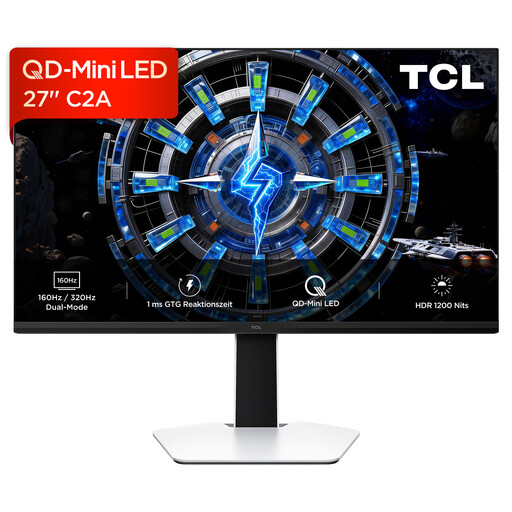
TCL 27C2A QD-Mini-LED monitor
This may suit you if you also assess the portal view or submitted images visually.
The product name lists QD-Mini LED, 160 Hz and an FHD mode at 320 Hz. Check the exact resolution of the model variant before buying.
Joybuy
 No image available
INNOCN 40C1U 40-inch ultrawide monitor
A potential choice if you want to arrange your development environment and preview side by side.
The product name lists 5K resolution at 5,120 × 2,160 pixels, IPS, 100 Hz, a 21:9 format and USB-C with 65 W Power Delivery.
Joybuy
 No image available
INNOCN CB27U1 27-inch 4K UHD monitor
An option if you also check portal views and submitted images visually.
The product name lists 3,840 × 2,160 pixels, IPS, 120 Hz and USB-C with 90 W Power Delivery.
Joybuy
 No image available
KTC M27P6 27-inch 4K Mini-LED monitor
This may suit you if you check image details visually as well as working with code and form views.
The product name lists 4K at 160 Hz or FHD at 320 Hz, plus USB-C with 65 W Power Delivery and a KVM switch.
Joybuy
Frequently asked questions
Do I need a 4K monitor for screen reader testing?
No. A monitor’s pixel count doesn’t prove that a portal is accessible. Check the actual content, forms and keyboard usability; if you also work visually, test readability at your own scaling.
How should I set up my monitor for enlarged text?
First, choose a comfortable position and text scaling, then try working with code, the form and the preview. Check the portal’s reflow separately: for the relevant WCAG criterion, the W3C Web Accessibility Initiative describes a view 320 CSS pixels wide, which is roughly equivalent to starting with 1,280 CSS pixels at 400% zoom; some content is exempt.
Does an art submission portal in Germany have to be accessible under the BFSG?
You can’t determine this from the term “art submission portal” alone. The Federal Government Commissioner for Matters relating to Persons with Disabilities notes that, for services in electronic commerce, relevant factors include whether a digital service is provided in response to an individual request in connection with a consumer contract; exemptions for microenterprises may also apply. The German Federal Government gives 28 June 2025 as the date the BFSG came into force. The operator, contractual function and any applicable exemptions must be assessed for the specific portal; a monitor can’t meet website requirements on its behalf.
Does a sharp display make submitted artwork accessible to screen readers?
No. A display can’t replace a text alternative for informative images. The W3C Web Accessibility Initiative recommends tailoring the alternative to the image’s purpose and context; complex images may need a more detailed text equivalent.


