Developers using NVDA
If you write code and want to test submission forms with NVDA yourself, Windows is the key operating system consideration. NV Access describes NVDA as a screen reader for Windows.


Start by choosing a laptop based on the screen reader you use for your work and testing: NVDA requires Windows, while VoiceOver is built into Mac. If your portal needs to be tested with both screen readers, plan to access both operating systems. Then compare the exact device configuration and what’s included, and test forms manually too.
If you write code and want to test submission forms with NVDA yourself, Windows is the key operating system consideration. NV Access describes NVDA as a screen reader for Windows.
If you already work with macOS and want to test the portal with VoiceOver, you can include the Mac’s built-in screen reader in your workflow. Apple Support explains how to use VoiceOver on Mac.
If your testing covers both NVDA on Windows and VoiceOver on Mac, choose your main laptop for everyday development and arrange separate access to the other test environment. The W3C Web Accessibility Initiative notes that some checks require manual assessment.
A good fit if: You use NVDA directly on your development device or specifically test the portal with it. NV Access describes NVDA as a screen reader for Windows.
Bear in mind: A Windows workflow doesn’t automatically cover additional testing with VoiceOver on Mac.
A good fit if: You mainly work with macOS and use its built-in screen reader, VoiceOver. Apple provides documentation for VoiceOver on Mac.
Bear in mind: NVDA is a Windows screen reader, so you’ll need access to a Windows environment to test with it.
A good fit if: Your portal testing needs to cover both NVDA on Windows and VoiceOver on Mac.
Bear in mind: A single operating system doesn’t natively provide both screen readers described here, so arrange separate access to the second environment.
| Consideration | What to check before buying | Who it matters most to |
|---|---|---|
| Screen reader and operating system | Decide whether you need NVDA on Windows or VoiceOver on Mac for your work and testing. | If I want to use the screen reader directly on my development device, its operating system needs to be compatible. Around 36% of consumers prioritise having the right screen reader environment. |
| Working on several development tasks at once | Compare the RAM and SSD in the exact model with your planned use of an editor, browser and testing tools. | If I use several tools at once while developing, I check the specifications of the exact configuration. Around 29% of consumers prioritise specifications for development work. |
| Testing the portal and its art content | Consider the screen size and your workspace; also plan to manually test forms and submission steps. | If I need to test forms and displayed art content, I want to combine visual checks with screen reader and keyboard testing. Around 21% of consumers put portal testing first. |
| Portability and what’s included | Check the ports and charging requirements for the specific offer, and whether a power adapter is included. | If I work in different places, the device’s size and a suitable set of included accessories matter to me. Around 14% of consumers prioritise portability and included accessories. |
VoiceOver is built into Mac, while NV Access describes NVDA as a screen reader for Windows. A laptop with only one of these operating systems won’t automatically cover the other screen reader workflow.
Before choosing, make a note of the screen reader and operating system combinations you need for your work and portal testing.
If you need to test both environments, plan for additional access to the other one.
The W3C Web Accessibility Initiative notes that some accessibility checks can’t be automated and require manual assessment.
Also go through the submission process using a keyboard and the screen reader you plan to use.
Manual checks and any follow-up work take time.
Power adapter details differ between the specific models described: HP says the EliteBook AD3G8ET#ABD includes a power adapter; no charger is listed for the MacBook Air offer mentioned here.
Before buying, check the exact model and what’s listed as included with that offer.
If a suitable power adapter isn’t included, you may need to buy one separately.
The specific EliteBook model described is a Windows option for working with NVDA.
The MacBook Air M5 is a macOS option for development and testing workflows using the built-in VoiceOver screen reader.
The Dell Pro 14 PC14250 is a Windows range with configurable business laptops.
This selection features Windows laptops for development work and testing with NVDA. Choose the specifications and device size that suit your workflow for each model.
 No image available
Windows laptop for an NVDA workflow; this model is listed with Windows 11 Professional.
14-inch WQXGA display, 64 GB RAM, 1 TB SSD and Thunderbolt 4.
 No image available
Windows laptop for an NVDA workflow; this model is listed with Windows 11 Professional.
16-inch WUXGA display, 32 GB RAM and 1 TB SSD.
 No image available
Windows laptop for an NVDA workflow; this model is listed with Windows 11 Professional.
16-inch WUXGA display, 64 GB RAM, 2 TB SSD and Thunderbolt 4.
 No image available
Windows laptop for an NVDA workflow; this model is listed with Windows 11 Professional.
13.8-inch touchscreen, 16 GB RAM, 512 GB SSD and two USB 4.0 ports.
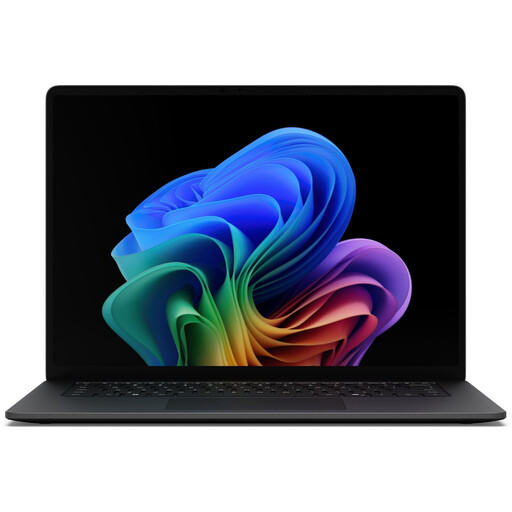 No image available
Windows laptop for an NVDA workflow; this model is listed with Windows 11 Professional.
15-inch touchscreen, 16 GB RAM, 512 GB SSD and Thunderbolt 4.
Yes, if you want to use NVDA on your laptop: NV Access describes NVDA as a screen reader for Windows. To test with VoiceOver on Mac, you’ll need access to a macOS environment instead.
Apple lists the Command-F5 keyboard shortcut for turning on VoiceOver. Then work through the submission steps using the keyboard. The fact that VoiceOver is available doesn’t, on its own, tell you whether the portal is accessible.
No. The W3C Web Accessibility Initiative explains that some checks require manual assessment. So, alongside automated tests, carry out a manual review using a keyboard and the screen reader you plan to use.
Check what’s included with the specific product model. HP lists an included power adapter for the HP model AD3G8ET#ABD described here; no charger is listed for the MacBook Air offer mentioned here. You can’t assume that every model from a brand comes with the same accessories.
You can’t tell from the label “art submission portal” alone. The Federal Accessibility Agency describes electronic commerce services as including, for example, an individual request from a consumer with a view to entering into a consumer contract. It also notes an exemption for certain micro-enterprises that provide services. Whether a particular portal is covered depends on its operator, purpose and contract process. The rules described by the Federal Accessibility Agency have applied since 28 June 2025.