
Lieferung heute & morgen

Qualitätsgarantie

Willkommens-Angebote freischalten: KOSTENLOSE Lieferung | Bis zu 80 % RABATT | Kostenlose 30-Tage-JoyPlus-Testphase
App herunterladen
An ASRock Mini PC Barebone is designed for buyers who want to choose the case, processor and ports themselves, but prefer to stay flexible with RAM, SSD and operating system. This format suits home-office workstations, small businesses, digital signage installations and compact developer setups.
However, buying a mini PC without an operating system requires a closer look at the technical specifications. Compact dimensions alone tell you little about upgradeability, connectivity or the installation effort involved later on.
With a barebone, depending on the model, no operating system, no RAM and no SSD are included. Before buying, you should therefore check:
If you don't plan for these components, you could easily misjudge the actual total cost.
A device with multiple USB and display ports is only practical if your existing cables and monitors are compatible. When looking at a mini PC with quad-display support, you should pay attention to the exact signal routing. On the ASRock 4x4-BOX models, three DisplayPort outputs are sometimes provided via USB-C. This may require suitable USB-C or DisplayPort cables.
It's also worth checking the network ports: a mini PC with 2.5Gb LAN needs a compatible infrastructure of router, switch, cables and the device at the other end to achieve the corresponding transfer speed.
A compact case saves space, but offers less room for additional drives or large cooling solutions. That's why the actual available slots are important. An upgradeable Mini PC Barebone should at least have clearly designated RAM slots, as well as interfaces for an SSD and, where applicable, SATA drives.
For office work, web applications, video conferencing and running multiple programs at once, both an AMD Ryzen Mini PC and an Intel Core i5 Mini PC are suitable. The ASRock 4x4 BOX-5600U uses an AMD Ryzen 5600U with six cores and twelve threads. The 4x4 BOX-5400U is also based on an AMD Ryzen processor and is designed for everyday multitasking tasks.
The ASRock NUC BOX-1240P uses a 12th-generation Intel Core i5-1240P. When choosing, it's not just the brand name that matters, but the combination of processor model, RAM, cooling and the software you plan to use.
For virtual machines, image editing, development environments or many applications open simultaneously, a mini PC with up to 64 GB RAM can make sense. The ASRock models mentioned feature two 260-pin SO-DIMM slots and support DDR4-3200 memory up to a total capacity of 64 GB.
Before ordering, you should check whether the desired memory capacity is achieved with two matching modules. You should also clarify whether the retailer actually supplies the device without RAM or offers a different configuration.
The 4x4-BOX models each offer one M.2 Key-M interface for an SSD and one SATA3 interface. The NUC BOX-1240P adds to this basic equipment with two 2.5Gb LAN ports, USB4 or Thunderbolt 4, and several USB 3.2 Gen2 ports.
For workstations with multiple monitors, the HDMI and DisplayPort versions are relevant. The systems mentioned support up to four screens, although the actual resolution and refresh rate depend on the processor, port, cable and monitor. TPM 2.0 can be a technical requirement for compatible operating systems and security concepts; however, it does not replace a complete IT security strategy.
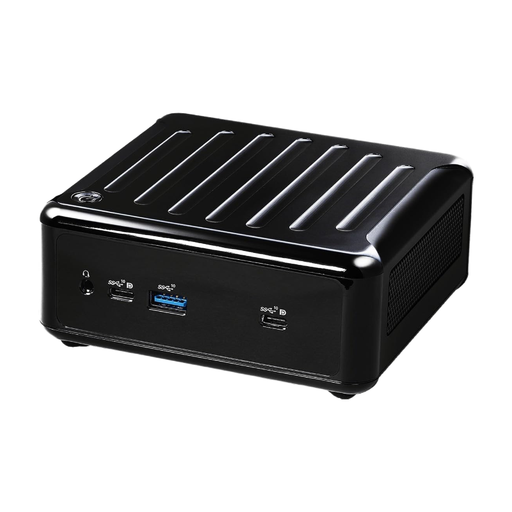
Why this product fits the profile: This compact system is ideal for office work, home office and media playback when you're looking for a barebone with an AMD processor and flexible memory configuration.
The specifications clearly state barebone operation, two SO-DIMM slots, and M.2 and SATA3 storage options. This allows you to plan for missing components before purchase.
Up to 64 GB DDR4-3200, quad-display output, 1Gb and 2.5Gb LAN, and Wi-Fi 6E.
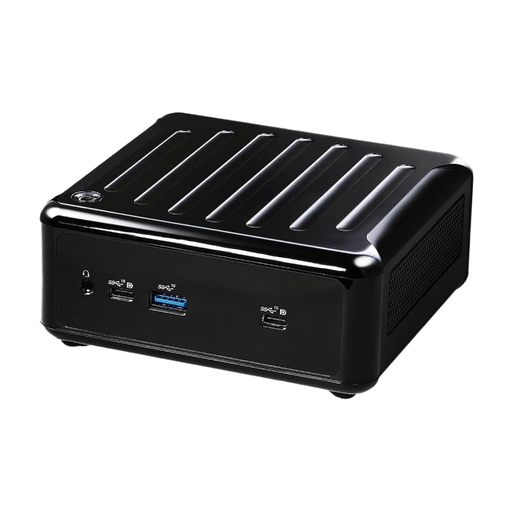
Why this product fits the profile: The Ryzen 5600U with six cores and twelve threads is designed for parallel office applications, browser tabs and productive everyday tasks.
The interfaces and barebone status are clearly described. Users can select RAM, SSD and operating system separately according to their needs.
Two RAM slots up to 64 GB, M.2 and SATA3 storage, four display outputs and 2.5Gb LAN.
Why this product fits the profile: The Intel Core i5-1240P, two 2.5Gb LAN ports and USB4 or Thunderbolt 4 are suited to more demanding office, development and network environments.
Instead of general performance claims, the product description specifies the processor, memory standard, LAN types and display interfaces in detail.
Four display outputs, two 2.5Gb LAN ports, up to 64 GB DDR4 and TPM 2.0.
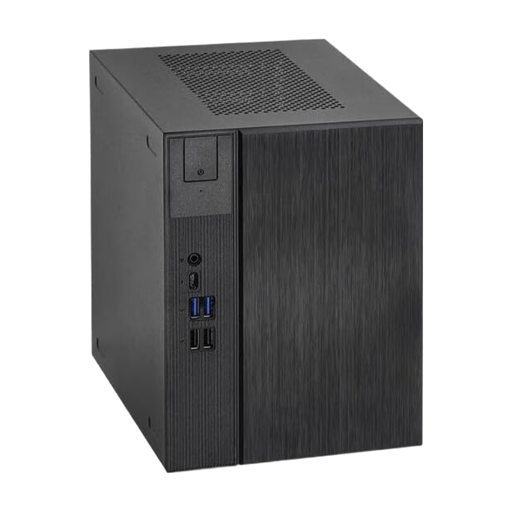
Why this product fits the profile: The tower format with an AM5 platform and 500W power supply is aimed at users who need more room for components and future upgrades.
The larger form factor avoids the limitations of many particularly small systems. Before buying, you should check the compatibility and contents of the components you want.
AM5 platform, tower format, 500W power rating and SSD support.
We've put together a complete, regularly updated list of products that fully meet these strict selection criteria and the safety regulations in force in the EU.
After installing the RAM and SSD, you'll need to install the operating system. For Windows, you'll need to budget for a licence, installation media and, where necessary, drivers. With Linux, you should check whether Wi-Fi, graphics, audio and specific ports work with your chosen distribution.
Electricity costs depend on workload, power profile, connected devices and operating hours. For a realistic estimate, you can measure the actual power consumption in use with a meter. For digital signage or server-like tasks, you should also consider ventilation, dust protection and an automatic restart after a power cut.
The ASRock 4x4-BOX models and the NUC BOX-1240P are described as barebones or without a pre-installed operating system. You should therefore plan for the operating system, licence, RAM and SSD separately before ordering.
According to the product specifications, the 4x4-BOX and NUC models mentioned support up to 64 GB DDR4-3200 via two SO-DIMM slots. The modules must be technically compatible; you should check the maximum capacity again against the model documentation before installation.
The 4x4-BOX and NUC models mentioned have outputs for up to four displays. The actual achievable resolution and refresh rate depend on the port type, cables, monitors and the graphics solution being used.