Readers of star charts and illustrated atlases
If you read fixed page layouts with illustrated plates and fine labels, the available screen area and how your specific file is displayed are important factors to consider.


When choosing a tablet for astronomy books from the library, first check whether you can open the specific title you want to borrow on the device. For star charts and illustrated plates, the next consideration is how clearly you can read the whole page, including its labels. Larger screens give fixed page layouts more room, but are less portable. A stylus or a matte screen is only worth prioritising if it suits the way you read and the file you use.
If you read fixed page layouts with illustrated plates and fine labels, the available screen area and how your specific file is displayed are important factors to consider.
Before buying, check that the app, operating system and, where applicable, copy protection are compatible with your library’s borrowing service.
If you read for extended periods under library lighting, compare screen surfaces in the conditions you’ll actually use them in. Manufacturer claims about eye comfort are no substitute for seeing how a screen looks for yourself.
| What matters to you | What to check before buying | Who should consider it? |
|---|---|---|
| Star charts and illustrated plates | Open a typical book page and check the labels, image details and how much you need to zoom. Apple lists the iPad (A16) as 11 inches, Samsung the Galaxy Tab S10 FE as 10.9 inches and Lenovo the Idea Tab Pro as 12.7 inches. | If I want to take in as much of a chart and its labels as possible on one page, I test the readability with my own file. Around 28% of consumers put this page view first. |
| Borrowing from the library | Check your library’s borrowing service, the version it uses and a specific title. For protected files, also check the requirements for external reader apps. | If you want to borrow a particular astronomy title and open it on your tablet, check how your library’s service works before buying. Around 28% of consumers prioritise library access. |
| Glare at your reading spot | View your own file under typical lighting, and compare fine lines and colour gradations too. TCL describes the NXTPAPER 11 Plus screen as matte. | If reflections are a problem where you usually read, how the screen looks with your own file matters. Around 17% of consumers put this concern first. |
| Making notes in books | Check whether a stylus is included with the exact model and whether your reading app supports annotation. Samsung says the S Pen is included; Apple lists compatible Pencil models for the iPad (A16), but does not include a Pencil in the stated box contents. | If I want to make handwritten notes as I read, I check both the accessories and how annotation works in the app. Around 16% of consumers put note-taking first. |
| Portability and ease of use | Weigh up the device’s size and the exact model’s weight, including any case you’ll need. Apple lists the Wi-Fi model of the iPad (A16) at 477 g. | If you often carry your tablet between the shelves and reading table, or hold it in your hand, you’ll need to balance screen space against size. Around 11% of consumers prioritise ease of use. |
The divibib GmbH Onleihe Help pages list an older Fire OS app for Onleihe 2.0, but do not support the Onleihe 3 app on Fire tablets.
Check which version of Onleihe your library uses, and test the intended reading process with a specific title.
Screen size and resolution describe the device, but don’t tell you whether the labels in your file will be readable without frequent zooming.
Before choosing a more portable or larger tablet, compare a typical illustrated plate at a zoom level that feels comfortable to you.
Apple lists Pencil compatibility for the iPad (A16), but does not include a Pencil in the stated box contents; Samsung says the Galaxy Tab S10 FE comes with an S Pen.
Check the packaging details for the exact model and whether your app allows annotations.
You may need to buy a compatible Pencil separately for the iPad, so check which accessories are included with the specific offer.
The iPad (A16) is an 11-inch iPadOS option for colour pages and app-based borrowing.
The Galaxy Tab S10 FE is a 10.9-inch Android option for readers who are also considering a stylus.
The Idea Tab Pro has a 12.7-inch screen for reading fixed page layouts at a table.
The NXTPAPER 11 Plus is an 11.5-inch colour tablet option if the screen surface is important to you.
This selection includes tablets with larger screens for digital reading, as well as more compact options. If you’re borrowing from a library, also check that the app and file format work with your library’s service.
 No image available
The Xiaomi Pad 8 is an Android tablet worth considering for digital reading.
This version is listed in Pine Green, with 8 GB RAM and 256 GB of storage.
 No image available
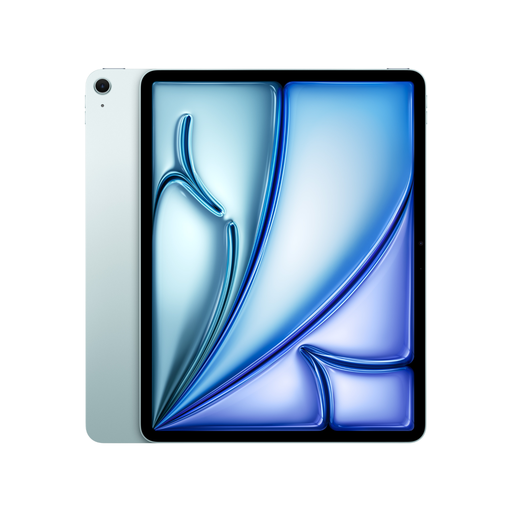
The large screen could be useful for reading fixed book pages at a table.
The product description lists a 13-inch screen, 2732 × 2048 pixels, an anti-reflective coating and a weight of 616 g for this version.
 No image available
The 12.1-inch format could be useful for fixed page layouts and illustrated plates when reading at a table.
The product description lists a resolution of 2560 × 1600 pixels, an IPS screen with 249 PPI, Android 15 and a weight of around 525 g.
 No image available
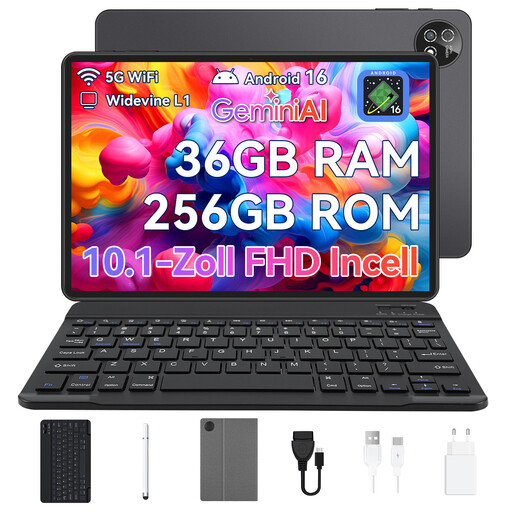
The 10.1-inch format is an option if you want to read digitally on a smaller tablet.
The title lists 36 GB RAM (6+30), 256 GB of storage, Unisoc T310 and Wi-Fi, with a keyboard and protective case included.
 No image available
The compact 8.8-inch format is worth considering if you often want to hold your tablet in one hand.
The product title lists 12GB+256GB, Android 14 and Qualcomm Snapdragon 7+ Gen3. The title states that an adapter is not included.
Find a specific title through your library and check which borrowing service and version of Onleihe it uses. For the Onleihe 3 app, the divibib GmbH Onleihe Help pages list iOS 15.1 or later, with access to the Apple App Store, or Android 10 or later, with access to Google Play. External reader apps have additional DRM requirements.
No. According to the divibib GmbH Onleihe Help pages, the Onleihe 3 app is not available for Fire tablets. The provider says you can still access Onleihe on the web using the Silk browser; an older guide to the Onleihe 2.0 app does not confirm support for Onleihe 3.
No. Not every app is automatically suitable for protected loan files. The divibib GmbH Onleihe Help pages say external reader apps need DRM capability and a valid Adobe ID or ByteBooks ID. Test the intended reading process with a suitable title.
Check your own book page for reflections and small labels in your usual reading spot. A matte screen or manufacturer claims about eye comfort won’t tell you how easy your specific file will be for you to read.
Check what’s included with the exact model and whether your reading app allows annotations in the file you’ll be using. Compatibility or an included stylus alone doesn’t guarantee that annotations will work with every protected loan file.