Daytime viewers
If you watch astronomy programmes in daylight, consider image size, projector brightness and the light falling on the screen together. ProjectorCentral explains that ambient light can wash out the picture.


When daylight falls on your projection surface, start by reducing the incoming light and checking your planned image size. A higher stated lumen figure alone won’t guarantee that dark scenes in space remain visible. If you have enough distance, a conventional projector could be an option; if space is limited, an ultra-short-throw projector with a specifically compatible screen offers another solution. ProjectorCentral explains how ambient light can affect image contrast. Manufacturer specifications, meanwhile, describe the device rather than the result you’ll get by your particular window.
If you watch astronomy programmes in daylight, consider image size, projector brightness and the light falling on the screen together. ProjectorCentral explains that ambient light can wash out the picture.
If shadows and deep blacks matter more to you than having the largest possible screen, pay particular attention to the light falling on the projection surface. ProjectorCentral explains how ambient light can affect contrast.
If you’re choosing between projecting from further away and placing a device close to the wall, check that you have a suitable screen too. Epson describes the ELPSC35 as a screen for certain ultra-short-throw projectors.
A good fit if: You have enough distance for your desired image width and can limit the light falling on the screen.
The trade-off: Throw ratio and positioning vary by model. A high stated brightness won’t automatically protect dark scenes from window light.
A good fit if: You want to place the device close to the wall and can use a compatible screen. Epson lists the EH-LS670B as an ultra-short-throw model and the ELPSC35 as a screen for certain models.
The trade-off: The projector and screen must be compatible. Even this combination won’t automatically replace light control when strong daylight comes through the window.
A good fit if: The main issue is light from high windows brightening the projection surface, and you can block the light or position the image elsewhere.
The trade-off: How much a change to the room helps depends on the incoming light. It won’t prove that a low-brightness device is suitable for daylight viewing.
First, identify your main constraint: incoming light, dark image details, space for the projector or ongoing use. Then compare the relevant device specifications and check how they’ll work in your room.
| What matters | What to check when buying | Who is it most relevant to? |
|---|---|---|
| Visibility in daylight | Check the projection surface at the time you’ll use it; compare brightness figures with a clearly stated measurement basis. | If I want to watch during the day, the amount of light falling on the screen is crucial. Around 36% of consumers say daytime visibility is their main concern. |
| Dark scenes in space | Assess dark scenes in the lighting conditions you expect to use; don’t assume contrast figures are based on testing with an open window. | When watching astronomy programmes, I want to see shadows and gradations, not just have a large screen. Around 29% of consumers prioritise being able to make out dark scenes. |
| Throw distance and space | Measure the available distance and desired image width; check the throw ratio and compatibility with the specific screen. | If there’s little room between the wall and where the projector could go, I need to work out which setup will fit first. Around 21% of consumers prioritise available space. |
| Light source and connections | Check the light source type and the operating mode used for the stated lifespan; make sure the connections work with your playback device. | If I plan to use the projector regularly, I’ll also check maintenance needs and how to connect my playback device. Around 14% of consumers put these practical considerations first. |
Window light falling on the image can affect contrast. What’s more, brightness figures based on different measurement methods aren’t necessarily directly comparable.
Start by considering the light conditions and image size. Then compare figures that use the same stated measurement basis and check how you can limit the incoming light.
Blocking out light or choosing a screen to suit your setup may need to be part of your room planning.
A screen’s light-reflecting properties need to suit the direction of projection. Epson designed the ELPSC35 for certain ultra-short-throw projectors, not long-throw models in general.
Before buying, check the direction of projection and the compatibility information for your specific model.
If the screen isn’t compatible, you may need to choose another one.
The throw ratio links the distance of the device to the image width it can produce. A larger image won’t automatically make dark scenes easier to see.
Measure the available distance, then compare it with your desired image width and the throw ratio of the specific device.
Epson states 5,000 hours for the EH-TW7000 in Eco mode. This figure doesn’t apply to every brightness setting.
Check the light source type, operating mode and maintenance requirements of the specific model.
If you choose a lamp projector, you may need to factor a future lamp replacement into your maintenance plans.
Acer lists 4,000 ANSI lumens in Standard mode, 4K UHD output and a throw ratio of 1.5–1.65 for the H6815BD.
For the EH-TW7000, Epson lists lens shift and 3,000 lumens of white and colour brightness. The EB-W55 offers WXGA and 4,000 lumens of white and colour brightness, while the EH-LS670B offers ultra-short-throw projection with 3,600 lumens.
BenQ describes the TH575 as a Full HD home projector with 3,800 ANSI lumens for bright rooms, and the MH5005 as a Full HD meeting-room projector with 3,800 ANSI lumens.
ViewSonic lists the PX704HD as a Full HD lamp projector with 4,000 ANSI lumens, two HDMI inputs and a throw ratio of 1.48–1.62.
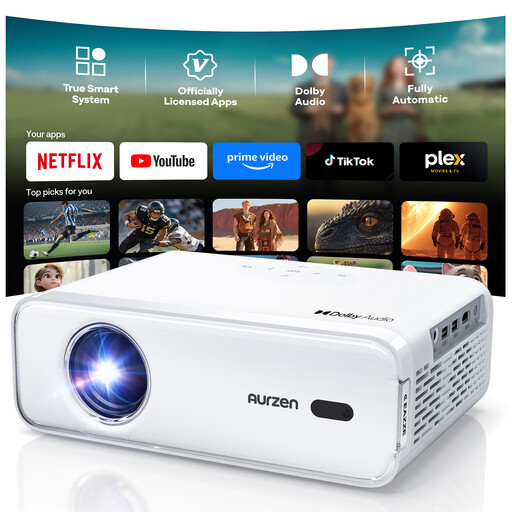
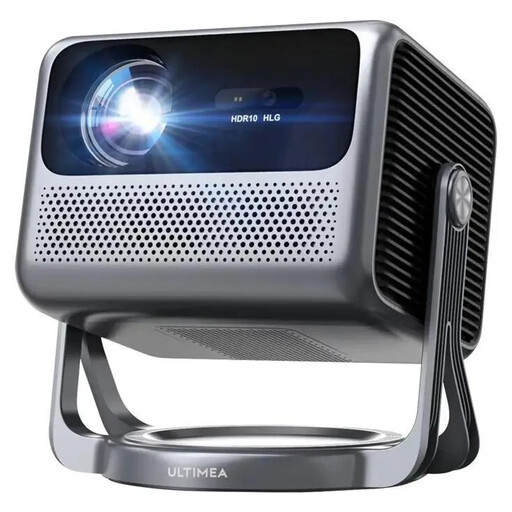
The Joybuy products below include home cinema and mini projectors, including one described as an ultra-short-throw model. Check the brightness, setup and picture quality of each specific model in your own room.
 No image available
Could suit shoppers looking for Full HD playback and flexible ways to connect their devices. The specifications alone don’t prove that dark scenes will be visible in daylight.
The product description lists native 1080P, HDR10, HDMI, USB and dual-band Wi-Fi.
 No image available
Could suit shoppers looking for streaming features and a compact setup. Its 600 ANSI lumens don’t guarantee that blacks will remain visible in incoming daylight.
The product description lists 600 ANSI lumens, 1080P Full HD, HDR10, HLG and a throw ratio of 1.25:1.
ToF autofocus and 6D keystone correction are also listed.
 No image available
Could be worth considering if you have limited space, provided the setup described as ultra-short-throw suits your room and screen.
The title lists 4K/1080P; the description lists 1080P, HDMI, Wi-Fi 6 and Bluetooth 5.4.
Autofocus and automatic 4D keystone correction are also listed. Check that the screen is compatible with your planned projection direction.
 No image available
Could suit shoppers looking for built-in apps and flexible positioning. Check the stated image size against the space available before buying.
The title lists an image size of 50 to 200 inches, digital zoom of 50–100% and 180° rotation.
Automatic image correction and compatibility with HDMI, TV sticks, USB drives, iOS, Android and laptops are also listed.
 No image available
Could suit shoppers looking for a portable mini projector with an adjustable stand. The brightness figure alone doesn’t tell you how dark scenes will look by a bright window.
The title lists 1080p and 250 ISO lumens. Don’t compare the ISO lumen figure directly with brightness values stated using a different measurement basis.
An integrated 160° stand, autofocus and keystone correction are also listed.
There’s no guarantee. Check how the brightness figure was measured, and above all, whether window light will fall on the area where you plan to project: ambient light can affect image contrast.
No. The way the screen handles light needs to suit the type of projection. Epson specifically lists the ELPSC35 for certain ultra-short-throw laser projectors and names the compatible models.
Measure the available distance and the image width you want, then compare both with the throw ratio of the specific device. Check your playback device’s connections too; for example, Epson lists two HDMI ports on the EH-TW7000.
No. Epson gives 5,000 hours for the EH-TW7000 specifically in Eco mode. Compare lifespan and brightness only when the operating mode is stated, and check the maintenance requirements of the specific model.