
Lieferung heute & morgen

Qualitätsgarantie

Willkommens-Angebote freischalten: KOSTENLOSE Lieferung | Bis zu 80 % RABATT | Kostenlose 30-Tage-JoyPlus-Testphase
App herunterladen
Anyone looking to develop, fine-tune or run large AI models locally will often be searching for a compact AI supercomputer with ample memory capacity. The ASUS Ascent GX10 AI Supercomputer is aimed at developers, data scientists, research teams and businesses that do not want to route every inference request through a cloud API.
However, the specifications are only meaningful when they match the intended workflow. A high PetaFLOPS figure cannot replace a suitable software environment, and 128 GB of unified memory will not automatically be sufficient for every model. The following guide helps put marketing terminology into context and avoid common purchasing mistakes.
According to ASUS product information, the ASUS Ascent GX10 delivers up to 1 PetaFLOP with FP4. FP4 is a low-precision data format that is primarily relevant to specific inference and optimisation scenarios. Actual performance is influenced by training duration, model architecture, quantisation, software version and the data pipeline.
Anyone who regularly trains models should therefore look beyond theoretical peak performance. Available memory, support for the frameworks being used and thermal stability under sustained loads are equally important.
According to the listed product specifications, the GX10 features 128 GB of LPDDR5X unified memory. The CPU and GPU access a shared memory pool. This can reduce data transfers between the processor and graphics unit, making it particularly relevant for local AI inference with large models.
However, the memory is specified as permanently integrated LPDDR5X. Unlike a traditional desktop PC, it is not designed for later upgrades. Before buying, calculate the required model size together with the operating system, containers, intermediate data and other running processes.
The ASUS Ascent GX10 comes with NVIDIA DGX OS, an Ubuntu-based operating system; Windows is not pre-installed according to the product description. This environment can be a good fit for CUDA, PyTorch, TensorFlow, Jupyter and TensorRT workflows. Teams that depend on Windows-specific software, however, must check compatibility first.
Containers, drivers, Python versions and existing dependencies should also be factored into the purchasing decision. A pre-installed software stack reduces setup time, but it does not replace a review of your own development environment.
With the NVIDIA GB10 Grace Blackwell, the CPU and GPU operate within a coherent memory architecture. According to ASUS product information, a single GX10 supports AI models with up to 200 billion parameters, depending on the model, quantisation and application. Two systems can be connected via NVIDIA ConnectX-7; support for models of up to 405 billion parameters is cited for certain scenarios.
These figures are not a universal performance guarantee for every model. Before buying, check:
The ASUS configuration considered here features a 4 TB NVMe SSD via PCIe 5.0 x4. This provides room for models, datasets, containers and checkpoints. However, storage requirements can grow quickly with local AI workloads, particularly when multiple model variants or training snapshots need to be retained.
A 1 TB version of the ASUS Ascent GX10 is also listed. It may be sufficient for pure inference, prototyping or smaller datasets, but offers less headroom for extensive local development environments. Check whether a NAS, high-speed external storage or a separate data drive should be included in your setup.
For individual workstations, Wi-Fi 7 and 10GbE are available. For networked workloads, NVIDIA ConnectX-7 is relevant; according to the product information, speeds of up to 200 Gb/s are cited depending on the connection. The achievable speed also depends on the switch, cabling, connected devices and configuration.
The compact chassis measures approximately 150 × 150 × 51 mm. A dual-fan system with seven-stage control supports operation under load. Even so, the device should not be placed in an enclosed cabinet. ASUS specifies a 240 W power supply and recommends leaving sufficient clearance around the ventilation openings. For a professional workstation, a stable power supply, regular backups and adequate room ventilation are also advisable.
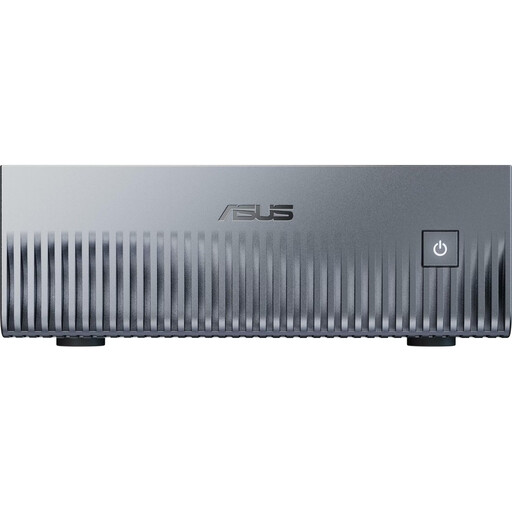
Why it fits: This configuration is aimed at developers looking for a compact entry point into local AI inference and model prototyping.
The 128 GB of unified memory is clearly specified. At the same time, the 1 TB SSD should be checked against your own model and dataset requirements before purchase.
According to the product information, NVIDIA DGX OS, CUDA, PyTorch and TensorFlow are pre-installed; the chassis measures approximately 150 × 150 × 51 mm.
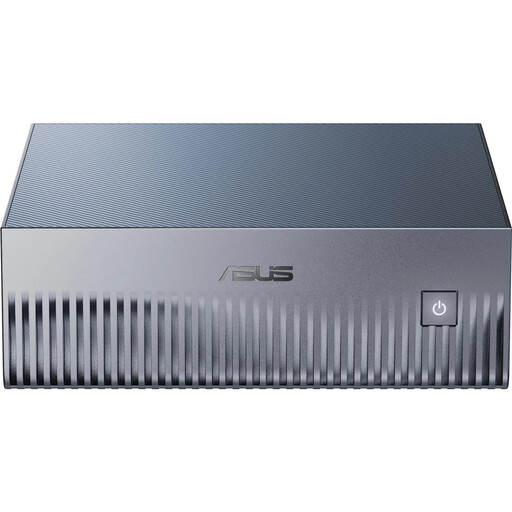
Why it fits: Suitable for teams that want to manage extensive models, containers and datasets locally.
The FP4 performance figure should not be considered in isolation. Before ordering, compare the frameworks, quantisation and model size with your own workflow.
According to ASUS product information, the specification includes 128 GB of LPDDR5X unified memory, a 4 TB PCIe 5.0 NVMe SSD, Wi-Fi 7 and 10GbE.
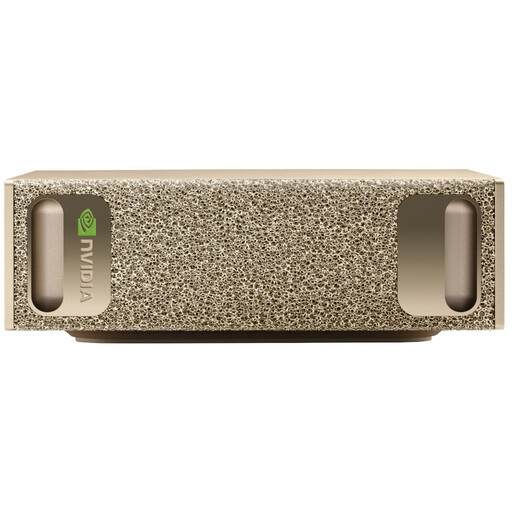
Why it fits: An option for professional environments where NVIDIA software, 10GbE and integration with existing Linux or container infrastructures are priorities.
The Linux and DGX OS requirements should be considered in advance. For existing business software, the relevant department should verify interfaces and remote-management capabilities.
According to the product data, the listed specification includes 128 GB of LPDDR5X memory, a 4 TB SSD, Wi-Fi 7, 10GbE and additional high-speed networking ports.
We have put together an up-to-date selection of GB10 systems so you can compare memory configurations, connectivity and intended use at a glance.
For initial setup, you will need a monitor connected via HDMI 2.1, a keyboard, a network connection and the supplied 240 W power adapter. Since Windows is not pre-installed, setup is performed through NVIDIA DGX OS. Local AI inference eliminates API fees, but you will still need to account for electricity, storage and backup costs, as well as potential investment in networking hardware.
With sustained high utilisation, consider the power consumption of the entire workstation. Good ventilation not only helps prevent thermal throttling but also supports reliable long-term operation. Models and training data should be backed up regularly to a separate storage medium.
The device ships with NVIDIA DGX OS, which is based on Ubuntu, rather than Windows. This environment is designed for CUDA- and Linux-oriented AI development. If you require Windows applications, plan for compatibility checks, virtualisation or a separate computer.
According to ASUS product information, a single system supports models with up to 200 billion parameters. Actual usability depends on quantisation, context length, model architecture and other memory requirements. For larger models, connecting two GX10 systems via NVIDIA ConnectX-7 may be relevant.
The 128 GB of unified memory is permanently integrated LPDDR5X memory and cannot be replaced like desktop RAM. The specific SSD configuration should be checked carefully. The 4 TB version provides more internal storage for models and datasets than the 1 TB version; external or networked storage solutions remain advisable for backups.