
Lieferung heute & morgen

Qualitätsgarantie

Willkommens-Angebote freischalten: KOSTENLOSE Lieferung | Bis zu 80 % RABATT | Kostenlose 30-Tage-JoyPlus-Testphase
App herunterladen
The search for a new ultrabook can quickly become overwhelming. Especially with premium models like the ASUS Zenbook 14 OLED Ryzen AI, manufacturers promote a wealth of technical terms. However, not every new feature is equally relevant for every user. As your Joybuy Product Recommendation Officer, I'll help you identify the crucial features and avoid common purchasing pitfalls to ensure your investment pays off in the long run.
Before you make a decision, you should be aware of two common marketing practices that often lead to poor purchasing decisions.
To ensure a Ryzen AI ultrabook meets your needs, you should closely examine three core areas.
Modern processors like the AMD Ryzen AI 7 350 integrate a powerful NPU. This specialized unit accelerates AI-based tasks without burdening the main CPU. The result is smoother system performance and longer battery life during video conferences (through automatic background blur or eye contact correction) and when using AI software. Pay attention to the specified NPU performance in TOPS—a value around 50 TOPS is considered future-proof.
An OLED display offers superior contrast and colour reproduction. But here, too, there are differences.
A lightweight laptop for university and work should not only be light but also robust and well-connected.
Based on these criteria, we have identified a few models that are particularly well-suited for specific user groups.
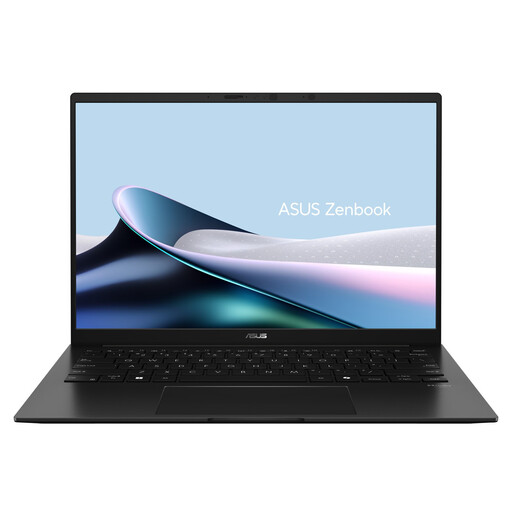
Why This Fits Their Persona: Ideal for users who are constantly on the move. The low weight and high battery capacity allow for productive work on the train, at university, or in a café without constantly needing to find a power outlet.
With a 75 Wh battery, it offers reliable, real-world endurance, sidestepping the trap of unrealistic battery life claims. The 50 TOPS NPU of the Ryzen AI 7 350 is a concrete, future-proof performance metric.
Extremely lightweight at just 1.2 kg with a durable aluminium chassis. The bright WUXGA OLED display with 100% DCI-P3 is also well-suited for visual tasks.
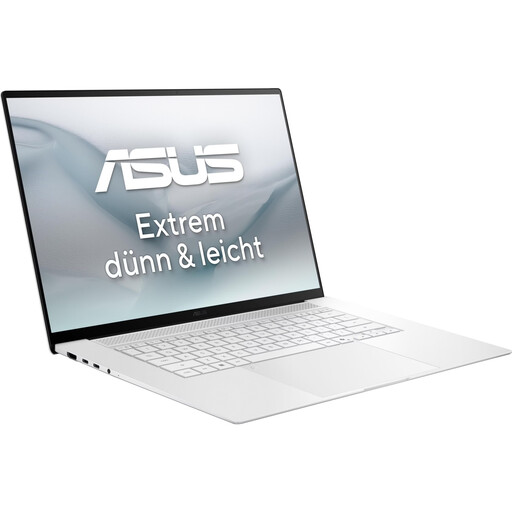
Why This Fits Their Persona: Perfect for content creators who need a colour-accurate, high-resolution display and plenty of power for photo and video editing. The larger 16-inch screen provides more screen real estate.
The 3K 120 Hz OLED display goes far beyond standard panels, offering the sharpness and fluidity needed for professional creative work. The Ryzen AI 9 processor and 32 GB of RAM deliver the necessary processing power.
Outstanding display quality with 2880 x 1800 pixels and 500 nits of brightness. The AMD Radeon 880M graphics and powerful processor can handle even demanding applications.
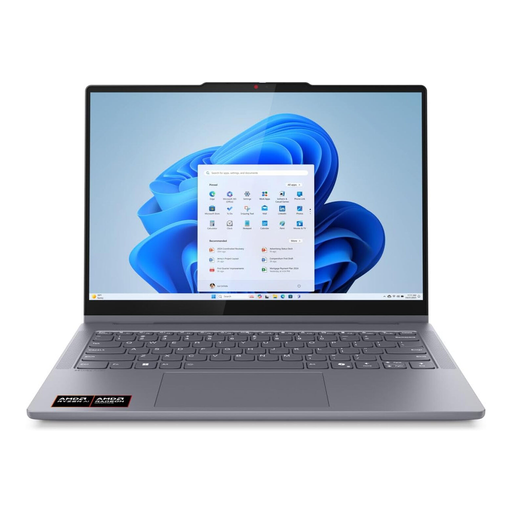
Why This Fits Their Persona: For users who value flexibility. The 2-in-1 design allows it to be used as a laptop for typing, a tablet for browsing, or in tent mode for watching movies.
It combines the advantages of an OLED touch display with the power of the AMD Ryzen AI 7 350 processor. This gives you both a high-quality display and future-proof AI performance in one flexible device.
The 360-degree hinge offers maximum versatility for work, creativity, and entertainment. The variety of ports, with two USB-C and two USB-A ports, is very practical for everyday use.
We have compiled a complete, real-time updated list of products that fully meet these strict selection criteria.
1. What is the practical benefit of Ryzen AI in everyday use? The integrated NPU in Ryzen AI processors accelerates specific tasks based on artificial intelligence. A common example is video conferencing: features like automatic background blur, eye contact correction, or ambient noise suppression run directly on the NPU. This offloads the main processor, resulting in smoother overall performance and longer battery life. In the future, more and more applications will benefit from this specialized hardware.
2. How do I care for an OLED display to prevent burn-in? Modern OLED laptops like the Zenbook 14 have built-in protection mechanisms. ASUS calls this "OLED Care," which includes features like pixel shifting (imperceptibly shifting the image) and a special screen saver. As a user, you can also help by using Dark Mode in Windows 11 and applications, setting the taskbar to auto-hide, and having the screen turn off automatically after a short period of inactivity.
3. Can I upgrade the RAM or SSD on the ASUS Zenbook 14 later? On most modern ultrabooks, including the ASUS Zenbook 14 OLED (UM3406KA), the memory (RAM) is soldered directly onto the motherboard and cannot be upgraded. Therefore, it's important to choose a suitable configuration (e.g., 16 GB of RAM) from the outset. The M.2 SSD, however, is generally accessible and can be replaced with a larger capacity model if needed.