What should you look for when buying?
First, check that you can carry out your own development and testing workflow comfortably using the keyboard and browser tools. Then compare the specific configuration with the local applications you use, your workspace and the project budget available.
| Consideration |
What to check when buying |
Who should consider it? |
| Developing and testing keyboard access |
Check the keyboard layout and usability; test key journeys using Tab, Shift+Tab and Enter. |
If I want to test bids, forms and dialogue boxes without a mouse, I need a suitable keyboard and a testing process that works well. Around 31% of consumers put keyboard testing first. |
| Running development tools at the same time |
Decide which local services you need, then compare the memory and SSD in the specific model. |
If I run several development tools at once, the specification that suits my software stack matters more than a processor name alone. Around 25% of consumers prioritise local services and working with multiple tools at once. |
| Screen and ports |
Check the screen size and ports against the keyboard, monitor and other peripherals you already have. |
If I want to see code, the website and test results at the same workstation, the right amount of screen space and the necessary connections matter. Around 19% of consumers prioritise the screen and ports. |
| Working in different locations |
Consider weight, charging needs and any adapters or peripherals you’ll need to take with you. |
If I work on the project in different places, I want to be able to plan for the laptop and the accessories I need. Around 13% of consumers put portability first. |
| Project budget and support |
Take the full specification you need into account, and distinguish your statutory rights from a voluntary warranty. |
If the project budget is limited, I want to fund the necessary equipment and know who to contact if something goes wrong. Around 12% of consumers prioritise budget and after-sales support. |
Joybuy laptops for development work
The following Joybuy options include Windows laptops for development work, with configurations for local tools, external peripherals and mobile workstations. You’ll need to test your website’s keyboard accessibility separately, whatever laptop you choose.
 No image available
HP ZBook Power 16 Ryzen 7 8845HS
A potential choice if you use local development tools and need ports for a fixed workstation.
16-inch WUXGA display, 32 GB RAM, HDMI 2.1 and Thunderbolt 4.
View at Joybuy
 No image available
HP ZBook X G1i 16 Intel Core Ultra 7 255H
This configuration is designed for development work with multiple tools running at once and external peripherals.
32 GB RAM, 1 TB SSD and Windows 11 Pro; 16-inch WUXGA display, plus HDMI and USB ports.
View at Joybuy
 No image available
HP ZBook 8 G1i 16 Intel Core Ultra 7 265H
This configuration is worth comparing if you use several local development tools and additional peripherals.
64 GB RAM, 2 TB SSD and Windows 11 Pro; 16-inch WUXGA display, HDMI 2.1 and Thunderbolt 4.
View at Joybuy
 No image available
Microsoft Surface Laptop 7 Snapdragon X Plus 16 GB RAM 512 GB SSD
A potential option if you’re considering a mobile Windows workstation with a touchscreen.
Windows 11 Pro, 16 GB RAM, 512 GB SSD, 13.8-inch touchscreen and 1.34 kg; USB 4.0 and Thunderbolt 4.
View at Joybuy
 No image available
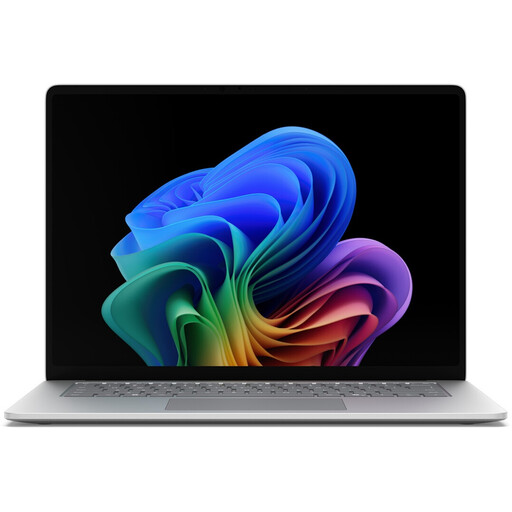
Microsoft Surface for Business 8th Edition Intel Core Ultra 5 335
Compare this configuration if you’re looking for a larger built-in workspace for development at a fixed workstation.
Windows 11 Pro, 16 GB RAM, 512 GB SSD and a 15-inch touchscreen with 3270 × 2180 pixels and 120 Hz; USB 4.0 and Thunderbolt 4.
View at Joybuy
Frequently asked questions
Does a laptop with an easy-to-use keyboard automatically make an auction website keyboard-accessible?
No. Test the bids, forms and dialogue boxes on the website itself without a mouse. The W3C Web Accessibility Initiative highlights keyboard accessibility, visible focus and a way to exit components where focus could otherwise become trapped as important things to check.
How do I start keyboard testing once my laptop is set up?
Test the key journeys on your website using Tab, Shift+Tab and Enter. Microsoft Learn also documents keyboard access in the Edge developer tools and checks for focus, forms and sequence. Check the journeys yourself rather than relying solely on an automated report.
Will I need an adapter for an external keyboard or monitor?
It depends on the laptop’s ports and your peripherals. Apple lists two Thunderbolt 4 ports on the 13-inch MacBook Air with M5; Lenovo also lists USB-A and HDMI for the ThinkPad E14 Gen 7 Intel range. Check that the connectors you need are available on the specific laptop configuration.
Who should I contact if my laptop is faulty?
The seller is your point of contact for statutory rights, while a voluntary warranty may have its own terms. Whether a specific fault gives you a claim depends on the purchase and the fault in question. Verbraucherzentrale explains the difference between statutory rights and a warranty.
Does a German charity auction website necessarily fall under the BFSG?
Not in every case. According to the explanations from the Federal Accessibility Centre, the requirements apply to certain digital services connected with entering into a consumer contract; there is an exemption for micro-enterprises providing services. Whether a particular auction and the organisation running it are covered depends on the circumstances. Keyboard accessibility remains a worthwhile development goal either way.


