Solo audio drama performers
If you record characters one at a time, you can keep your position as consistent as possible and close to the microphone, then check how clearly your voice comes through at your recording spot.


For recording characters one at a time, a directional dynamic microphone is a sensible starting point, provided you can position it close to you and keep it in a consistent place at your recording spot. RØDE also recommends choosing the quietest space you can; if you’re recording dialogue with several people at once, you’ll need to plan microphone positions and manage sound bleed. Neither a directional pickup pattern nor digital noise processing can reliably eliminate household noise.
If you record characters one at a time, you can keep your position as consistent as possible and close to the microphone, then check how clearly your voice comes through at your recording spot.
If you’re recording dialogue at the same time, you’ll need to consider microphone positions and possible sound bleed between voices, as well as noise in the room.
If you switch between quiet and loud passages, test recordings can help you assess levels, microphone placement and the sound of the room at your chosen recording spot.
First, decide whether you’ll record characters one at a time or all at once. Then test the room and check that the connection, mount and monitoring options suit your recording setup.
| What you need | What to check before buying | Who it matters most to |
|---|---|---|
| Clear vocals despite background noise | Check the polar pattern and possible microphone positions; record and listen back to speech and pauses at your recording spot. | If I’m recording a character close to the microphone and keeping my position consistent, I want to hear how the voice and background noise come together at my chosen spot. Around 36% of consumers prioritise clear vocals despite household noise. |
| Dialogue recorded at the same time | Check your recording workflow, number of microphones, positions and compatible inputs for your recording chain. | If we’re recording dialogue at the same time, I want to position voices separately and account for sound bleed. Around 29% of consumers put characters speaking simultaneously first. |
| Connection and setup | Check whether the specific model has a USB or XLR connection, a headphone socket and a mount included. | If I want to record on a computer and monitor my voice as I perform, I look for a suitable connection and a practical way to mount the microphone. Around 21% of consumers prioritise a simple connection and setup. |
| Quiet and loud passages | Test-record quiet lines and loud exclamations; check the level controls and connection options for the specific version. | If my scenes switch between quiet and loud voices, I want to be able to listen back to and check the recording in the right place. Around 14% of consumers put different vocal nuances first. |
An advertised feature is no substitute for a quiet recording spot, and it won’t reliably eliminate room reflections or background noise.
Test speech and pauses at your actual recording spot, then listen to the test recording before choosing a model.
Moving to a different recording spot may mean making more test recordings and spending time on new takes.
With several microphones, one person’s voice may also be picked up by the others’ microphones. RØDE recommends pointing microphones away from one another when recording several people.
Before buying, decide whether characters will record at the same time, then plan your microphone positions and suitable inputs.
Setting up several performer positions may require extra microphones, inputs and setup time.
Audio-Technica offers the AT2040 and AT2040USB with different connections; the Sennheiser Profile Streaming Set includes an arm in its listed contents. Shure distinguishes the MV6 and MV6 Gen 2 as different model generations.
Check the full model name, generation, connection and contents of the specific offer.
Depending on the connection, your setup may require a suitable cable, interface or mount.
The AT2040 models offer different connection options for voice recording.
The PodMic USB is a dynamic voice microphone with USB and XLR connections; the NT1 5th Generation is a separate condenser option.
The MV7+ is a dynamic model with USB and XLR connections; the MV6 is a separate USB model.
The Profile Streaming Set is a USB option with a condenser capsule and listed accessories for a desk setup.
This selection includes USB and USB/XLR microphones for voice recording, including dynamic models and a USB condenser microphone. For each model, check the connection and mount, and make a test recording in your room.
 No image available
For recording characters close to the microphone, with USB recording and headphone monitoring.
Dynamic microphone with USB and XLR connections and a cardioid pickup pattern. Boom arm included; according to the description, the gain control and headphone monitoring work in USB mode. A separate cable is needed for XLR; the description says the desk clamp fits desks less than 2 inches thick.
 No image available
For voice recording where you want to use USB monitoring or try an XLR setup.
Dynamic microphone with USB/XLR connections and a cardioid pickup pattern. The description recommends a speaking distance of 2 to 6 inches and lists a desk stand. XLR cable and microphone arm aren’t included; according to the description, the microphone’s function buttons are only available over USB.
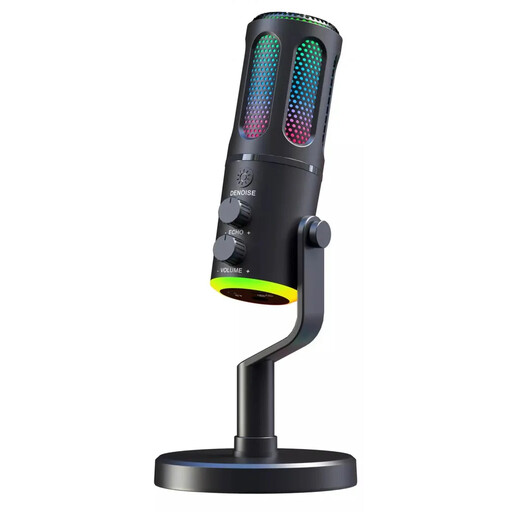 No image available
For wired voice recording when you’re planning to use a USB connection and headphone monitoring.
The product description lists a cardioid pickup pattern, desk stand and monitoring through the headphone socket.
 No image available
For voice recording with a USB or XLR connection and a desk stand included in the set.
Dynamic microphone with cardioid pickup pattern, USB-C, XLR, gain control and a headphone socket for monitoring.
 No image available
A USB condenser microphone for voice recording, best used after checking your recording spot for background noise and echo.
USB-C connection, three condenser capsules and several selectable pickup patterns, including cardioid. The product description lists direct monitoring.
One microphone may be enough if you record characters one at a time and keep your position similar for each recording. If several people speak at once, you should plan microphone positions and account for possible sound bleed; RØDE recommends pointing microphones away from one another.
Record speech and pauses at your chosen spot, then listen for background noise and echo. RØDE recommends using a room as far as possible from sources of noise and taking steps to reduce reflections; afterwards, check how the finished recording sounds.
That depends on the model and the connection you want to use. According to the manufacturer, the Sennheiser Profile Streaming Set includes an arm and a USB-C cable; the Audio-Technica AT2040 is an XLR microphone and needs a suitable interface for computer recording. Check the connections and contents of the specific offer.
Section 201 of the German Criminal Code (StGB) makes it a criminal offence to record another person’s private spoken words without authorisation, as well as certain uses of such a recording. If other people might be audible in your recordings, check whether recording is permitted; the provision doesn’t allow for a blanket statement about every fictional scene you record yourself.