Audio drama teams with multiple voices
If several performers need to record at the same time on separate tracks, the number of dedicated microphone preamps matters – not simply the total number of inputs and outputs.


Choose your interface based on how many microphones you want to record at the same time on separate tracks: two microphone preamps are enough for up to two microphones connected directly, while more voices call for more preamps. An interface won’t eliminate room echo; Shure points out that microphone placement and room acoustics remain separate factors. Also think about headphone outputs and, if needed, recording without a computer.
If several performers need to record at the same time on separate tracks, the number of dedicated microphone preamps matters – not simply the total number of inputs and outputs.
When recording voices in an untreated room, you need to consider microphone distance and room acoustics separately from your interface. Shure explains that a microphone can’t improve the acoustic environment.
If you want to record scenes without a computer permanently connected, consider a recorder that also works as an audio interface. Zoom describes the H6essential as suitable for both ways of working.
A good fit if: You record alone, one person at a time, or with no more than two separately miked voices.
Trade-off: Extra line inputs aren’t extra microphone preamps, and even a compact interface won’t change room echo.
A good fit if: Several performers need to use their own microphones at the same time and record on separate tracks.
Trade-off: Also count how many headphone connections you need. More microphone preamps don’t automatically mean better room acoustics.
A good fit if: You want to record audio drama scenes without relying on a fixed computer setup.
Trade-off: Check how interface mode works and whether it suits your computer and monitoring workflow; recording on the go won’t eliminate echo.
| What you need | What to check before buying | Who is it important to? |
|---|---|---|
| Clear speech in a reverberant room | Plan microphone placement and positioning together; assess the room with a test recording. | If I want to record dialogue as clearly as possible in an untreated room, I need to consider both the space and the distance from the microphone. Around 29% of consumers put minimising distracting room echo first. |
| Separate tracks for simultaneous dialogue | Match the number of microphones needed at the same time to the stated number of microphone preamps. | For several roles speaking at once, I need enough microphone inputs for direct connection so that the voices can be recorded separately. Around 29% of consumers prioritise the number of microphone preamps for this reason. |
| Monitoring while recording | Check the number and control options for headphone outputs, as well as the monitor mixes available. | When we review takes together, I want to know how many people can listen at the same time and whether the outputs can be adjusted to suit. Around 24% of consumers put monitoring control first. |
| Recording without a fixed computer setup | Check whether you need standalone recording, computer use or both, and how many external microphones you want to connect. | If I want to record scenes in different locations, it matters to me whether the device works without a computer permanently connected. Around 18% of consumers prioritise a mobile recording workflow. |
According to the manufacturer, the MOTU M4 has two microphone inputs and two additional line inputs. So its four analogue inputs don’t mean you can connect four microphones directly.
Count the stated microphone preamps rather than relying on the total number of inputs and outputs.
Setting up your equipment and adapting the room may take extra practical effort.
Audient lists two headphone outputs for the EVO 8; according to the manufacturer, the PreSonus Studio 1824c also has two. A larger cast may therefore need more monitoring positions than the device provides directly.
Plan for the number of speakers, separate microphone tracks and headphone connections as three distinct requirements.
If more people need to listen at the same time, you may need an additional headphone distribution system.
The 4th Generation Scarlett 2i2 is a compact option with two microphone preamps for small casts.
The M4 is worth considering for setups with up to two microphones connected directly, plus additional line signals.
The EVO 8 is an option for recording several voices with microphones at the same time.
The Studio 1824c is an option for larger casts recording at the same time.
The H6essential combines portable multitrack recording with an audio interface mode.
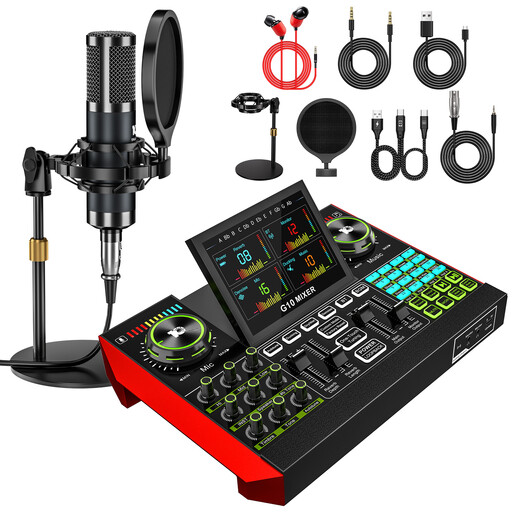
The Joybuy products below are podcast microphone kits with an audio mixer for recording voices on a computer or phone. If you want to record several voices on separate tracks, check the specific microphone connections and recording features before buying rather than assuming the product name tells you how many usable microphone preamps there are.
 No image available
Designed for recording voices on a computer or phone, this audio mixer comes with one microphone.
The kit includes a 3.5 mm condenser microphone. The mixer is described as featuring effects, mute and noise reduction; these features don’t replace measures to reduce room echo.
 No image available
This two-microphone kit is designed for recording voices together; check that the connections and recording features support the separate tracks you need.
The product name lists two 3.5 mm condenser microphones and an audio mixer. It’s also described as featuring noise reduction, reverb modes and sound effects; this doesn’t demonstrate that it treats room echo.
 No image available
This kit is designed for recording voices with one included microphone and an audio mixer.
The product lists a 3.5 mm condenser microphone. The description includes adjustable voice effects and five reverb modes; for your audio drama, check whether the connections and features support the separate-track recording you need. Reverb modes don’t prove that room echo is reduced.
No. Shure explains that a microphone can’t improve the acoustic environment. Try different microphone positions and assess the room with a test recording before trying to fix echo by changing your interface.
Only if it has four suitable microphone preamps. According to the manufacturer, the MOTU M4 has two microphone inputs and two additional line inputs; Audient lists four microphone preamps for the EVO 8.
Count the microphone and headphone connections you need separately. Also check which monitor mixes the specific device offers and whether it has enough headphone outputs for everyone listening.
That depends on the model and its operating mode. Zoom describes the H6essential as suitable for both standalone recording and use as an audio interface; check the manual for the requirements of your computer and monitoring workflow.