What should you look for when buying?
Stereo recorder with built-in microphones
A good fit if: Everyone has a fixed seat and a short test recording captures all the voices clearly enough.
The trade-off: Microphone distances, table noise and room reflections all affect the recording. Stereo doesn’t automatically mean a separate track for each person.
Recorder for external microphones
A good fit if: You want to record voices separately and edit each one individually.
The trade-off: Plan for the right number of inputs, tracks, microphones, stands, cables and power options for your cast.
When recording an audio drama around the same desk, the most important features depend on whether you prioritise clear dialogue, separate editing, level control or a straightforward workflow.
| What matters to you | What to check before buying | Who might prioritise this? |
|---|
| Clear voices |
Check the positioning options and headphone monitoring. Make test recordings from every seat, including during quiet passages, and listen back. |
I want dialogue to stay clear, even from the less favourable seat. Around 36% of consumers prioritise voice clarity. |
| Separate dialogue tracks |
Check that the external inputs can be used simultaneously and that tracks can be saved separately. Make sure they match the number of speakers, and plan for any accessories. |
If I want to edit individual voices independently, I need the right microphones and tracks. Around 29% of consumers prioritise editing dialogue separately. |
| Changes in volume |
Check the recording format and whether your editing software supports it. Test both a quiet and a loud passage. |
For dramatic scenes, I want to be able to edit quiet and loud takes to suit. Around 21% of consumers focus on level adjustment. |
| A simple recording workflow |
Check how the specific model handles storage, power, USB transfer and playback. |
If I want to record quickly and manage my files easily, a straightforward workflow matters more to me than extra connections. Around 14% of consumers prioritise simple recording and file management. |
Joybuy products
These voice recorders may suit simple recordings using a central device around the same table. If you need individual microphones or separate tracks for each speaker, check the connections and recording features of the specific model.
 No image available
PLAUD Note Pro, 64 GB
A voice recorder for central recordings. If you have several roles, test beforehand whether one microphone position captures every voice.
64 GB storage, up to 30 h battery life and four MEMS microphones, according to the product description.
View at Joybuy
 No image available
Mobvoi TicNote Lite, 4 GB
A compact voice recorder for central recordings. If you want to record speakers separately, check the available inputs and tracks on the product listing.
4 GB storage, according to the product description.
View at Joybuy
 No image available
Mobvoi TicNote Standard, 64 GB
A voice recorder for central recordings. If you’re recording an audio drama group, test that everyone can be heard clearly from their planned seat.
64 GB storage, 3-microphone array and 20H recording, according to the product description.
View at Joybuy
 No image available
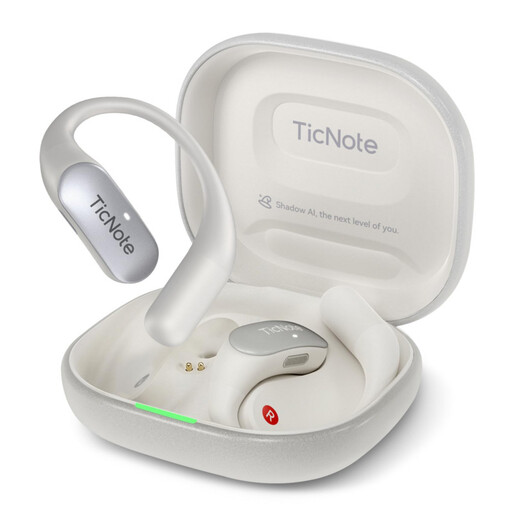
Mobvoi TicNote Pods 4G, 32 GB
The earbuds are described as having a recording function. If several people are speaking at once, don’t assume they’ll work as separate speaker microphones without testing them first.
32 GB storage and 4G, according to the product description.
View at Joybuy
 No image available
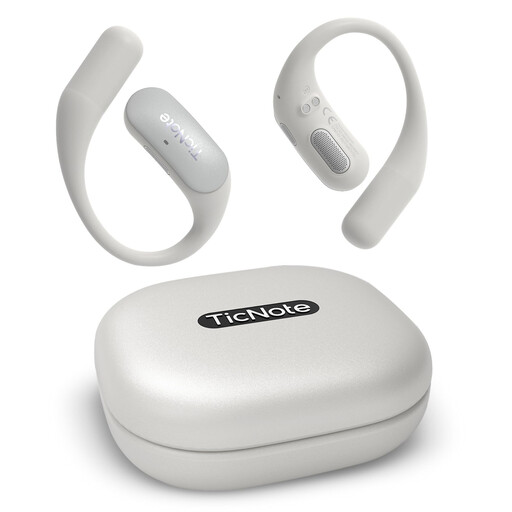
Mobvoi TicNote Pods Wi-Fi, 32 GB
Described as earbuds with a recording function. Before using them at an audio drama table, check that the recording method suits your speakers and editing workflow.
32 GB storage and 25H recording, according to the product description.
View at Joybuy
Frequently asked questions
Where should I position a recorder on a shared table?
Place it securely, then listen to a short test recording from every seat you plan to use. Shure points out that a microphone can’t reliably distinguish direct sound from room reflections, so test the actual position rather than relying on a recording mode alone.
How can I reduce crosstalk when using several speaker microphones?
RØDE recommends using a quiet room with as few reflective surfaces as possible for recording multiple people, and positioning the microphones carefully. Plan for the inputs and tracks you need, too: a multitrack mode alone won’t eliminate crosstalk.
What else should I check for my setup?
Make sure the microphones, stands and cables you need match the number of speakers and the recorder’s connections. Also check how the specific model handles storage and power before you start recording.
Can I record other people at a shared desk?
Don’t secretly record other people’s private conversations: section 201 of the German Criminal Code (StGB) covers unauthorised recordings of these conversations. Get everyone’s consent before recording and avoid accidentally capturing other conversations. The German Data Protection Conference describes consent under data protection law as freely given, informed and specific to a particular case; whether the GDPR applies depends on the context in which the recording is used.
What rights apply when buying online, and can I use someone else’s music?
When you buy from a trader in the EU at a distance, you generally have a 14-day cancellation period, although exceptions and conditions may apply. Goods bought from a trader in the EU generally have a minimum two-year legal guarantee, as Your Europe explains. Buying a recorder doesn’t give you the right to use someone else’s text or music: before copying or publishing a work, check which permissions you need for that work and the specific use.


