What should you look for when buying?
First decide how you’ll share revisions. Then compare the keyboard and screen space, and consider any requirements that come with working on the move or using additional software.
Compact Windows laptop
A good fit if: You write on the move and use Windows programmes or an existing Windows-based file workflow. For the ThinkPad E14 Gen 7, model 21SX003SGE, Lenovo lists a matte 14-inch display and a backlit German keyboard.
The trade-off: The built-in screen is smaller than those on the documented 15.6- and 16-inch models.
Larger Windows laptop
A good fit if: You often need to compare your script and notes side by side and work mainly in one place. HP lists a 15.6-inch FHD display for the 15-fd0058ng, while ASUS specifies an anti-glare 16-inch 16:10 display for the Vivobook 16 X1607CA.
The trade-off: Check the keyboard layout, specifications and portability of the exact model.
MacBook Air
A good fit if: You prefer macOS and want a compact device for writing. Apple lists a 13.6-inch display for the 13-inch MacBook Air with M5.
The trade-off: Check that your software and the script files you need to share work with macOS. Manufacturer battery-life figures won’t necessarily reflect your working routine.
| What matters |
What to check before buying |
Who it matters most to |
| Working with revision notes |
Check the file format, commenting features, operating system and current software requirements. Final Draft 13 lists Windows with an Intel or AMD processor and macOS as supported systems, and does not support Chromebooks. |
If I need to agree changes with other people, a clear revision workflow is essential. Around 36% of consumers prioritise revision notes when choosing a laptop. |
| Keyboard and writing space |
Check the keyboard layout for the exact model, screen size, aspect ratio and anti-glare finish. Try the keyboard out if possible. |
For long dialogue-writing and editing sessions, I want to type comfortably and read my script and notes easily. Around 29% of consumers put writing comfort first. |
| Writing in different places |
Compare the size and weight of the exact model, and don’t treat manufacturer battery-life claims as guaranteed usage times. |
If I write in different places, I need a device that’s easy to carry. Around 21% of consumers prioritise portability. |
| Additional software and audio |
Check only the programmes you actually plan to use, their system requirements and licence terms, and the ports you’ll need. |
If I want to use a particular application or existing audio equipment alongside writing, the laptop needs to support it. Around 14% of consumers prioritise additional software or audio requirements. |
Laptops for writing at Joybuy
This selection includes compact and larger Windows laptops, as well as a MacBook Air as a macOS option for writing and revision work.
 No image available
Microsoft Surface Laptop 7 Snapdragon X Plus, 16 GB, 512 GB, Black
A compact Windows option for writers who work on the move and want to work on their script and notes together in one workspace.
16 GB of RAM and 512 GB of storage, as stated in the product name.
View at Joybuy
 No image available
Auusda T156A, 16 GB DDR4, 512 GB SSD, 3050E Processor
An option for writers who are specifically looking for the listed storage and a backlit keyboard.
The product name lists 16 GB DDR4, a 512 GB SSD and a backlit keyboard.
View at Joybuy
 No image available
Ninkear YBook15 2-in-1, 15.6-inch FHD touchscreen, 8 GB DDR4, 512 GB SSD
The 2-in-1 design could suit writers who want to use the touchscreen as well as type.
The product name lists a 15.6-inch FHD touchscreen, a 360° hinge, 8 GB DDR4 and a 512 GB SSD.
View at Joybuy
 No image available
Apple 13-inch MacBook Air (M5, 2026), 16 GB, 512 GB SSD, German QWERTZ keyboard
A compact macOS option for writers who prefer a German QWERTZ keyboard. Check beforehand that your scriptwriting software and the files you need are compatible.
The product name lists 16 GB, a 512 GB SSD and a German QWERTZ keyboard. According to the product description, a power adapter is not included.
View at Joybuy
 No image available
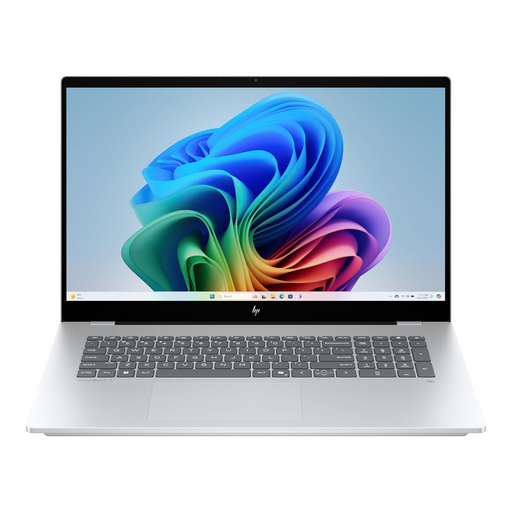
HP OmniBook X Flip 16, WUXGA touchscreen, Intel Core Ultra, 16 GB RAM, 512 GB SSD, Windows 11
A larger Windows option for writers who want to work on their script and notes on a bigger built-in screen.
The product name lists a 16-inch WUXGA touchscreen, 16 GB RAM, a 512 GB SSD and Windows 11.
View at Joybuy
Frequently asked questions
Do I need a particularly powerful laptop for revision notes?
Not just for notes. First, check whether the people you work with use Word files with tracked changes or the revision tools in a particular scriptwriting application. Check the file format and system requirements before paying for extra performance.
How do I keep the original version of my script when revising?
Make a separate copy before carrying out a major revision. Microsoft Support describes AutoSave in Microsoft 365 for files stored on OneDrive or SharePoint with an active subscription. Don’t assume it will work for other storage locations.
What should I check about software licences and accessories?
Check whether you already have a licence for the writing software you plan to use, and whether the specific device includes the power adapter and ports you need. Your statutory rights against the seller and a voluntary warranty are two different things. Any additional warranty is subject to its own terms.
Can I cancel an online laptop purchase in Germany?
Consumers generally have a right to cancel a distance contract. The statutory cancellation period is 14 days and, for a typical purchase of goods, generally starts when you receive the goods. Statutory exceptions apply, such as goods made to your personal specifications.
What should I look out for when it comes to product safety?
Electrical and electronic equipment sold online in the EU must also meet the relevant product safety requirements. The CE marking is the manufacturer’s declaration of conformity, not an independent quality mark for writing comfort or performance.


