What should you look for when buying?
First, check whether your script and reference material are both easy to read at your preferred text size. Microsoft Support explains how to snap windows in Windows, while Apple Support describes Split View for many Mac apps. Which windows you can arrange depends on the apps you use.
| What matters |
What to look for |
Who will find this most important? |
| Space for your script and reference material |
Try arranging windows at your preferred scaling; compare the screen size and resolution of the exact model you’re considering. |
If I want to read my script and research at the same time, usable screen space at my preferred text size matters most. Around 36% of consumers put space for two working windows first. |
| Typing comfort during long sessions |
Check the keyboard layout, key arrangement and palm rest on the actual device. |
When working on long stretches of dialogue, I want to type and edit comfortably without letting screen size alone determine my choice. Around 29% of consumers prioritise typing comfort. |
| Scripts and audio files |
Check the supported operating system, the audio ports you need, local storage for current projects and your backup options. |
If I want to listen to or edit recordings as well as work on my script, I need compatible software and the right ports. Around 21% of consumers say additional audio work is their main concern. |
| Writing on the move and power |
Compare the weight, charging options, included power adapter and ports on the exact model. |
If I often write in different places, I want to weigh up portability and power against the screen space I need. Around 14% of consumers prioritise portability. |
Joybuy products for scripts and reference materials
This selection includes 16-inch Windows laptops for scripts and reference materials, as well as a 15.3-inch MacBook Air running macOS.
 No image available
Lenovo ThinkBook 16 Gen 9, Intel Core Ultra 5 325, 32 GB DDR5, 512 GB PCIe SSD, Windows 11 Pro
For working on scripts and reference materials on a large built-in Windows screen.
16-inch WUXGA display with 1,920 × 1,200 pixels and a 16:10 aspect ratio; 32 GB DDR5, 512 GB PCIe SSD and a weight of 1.7 kg. HDMI 2.1 and Thunderbolt 4 are listed.
Joybuy
 No image available
Ninkear A15 Pro, 16-inch, 16 GB DDR4, 1 TB SSD
For writers who want to use their script and reference windows side by side on a 16-inch Windows display.
Specifications include a 16-inch FHD display, 16 GB DDR4, 1 TB SSD, Windows 11 and a weight of 1.8 kg.
Joybuy
 No image available
HONOR MagicBook X16 AMD 2025, Ryzen 5 6600H, 16 GB, 512 GB SSD
For long writing sessions when you want a large screen and a German keyboard layout.
This configuration is listed with a 16-inch screen, 16 GB RAM, 512 GB SSD and a German keyboard layout.
Joybuy
 No image available
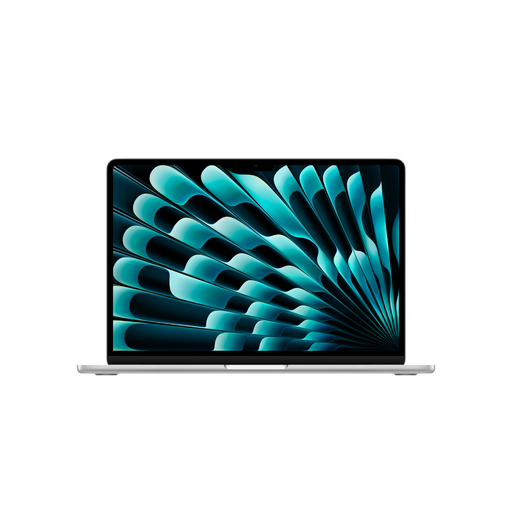
Apple MacBook Air 15-inch (M5, 2026), 16 GB, 1 TB SSD, German QWERTZ layout
For writers who use macOS and want to arrange supported apps side by side with Split View.
15.3-inch display with 2,880 × 1,864 pixels, 16 GB memory, 1 TB SSD, German QWERTZ layout and a weight of 1.51 kg. The product description says that a power adapter isn’t included.
Joybuy
 No image available
HP ENVY x360 16-ac0473ng, Intel Core Ultra 7 155U, 16 GB RAM, 512 GB SSD
For working on scripts and scene plans on a 16-inch Windows device with a German QWERTZ layout.
Specifications include WUXGA resolution of 1,920 × 1,200 pixels, 16 GB LPDDR5, 512 GB SSD and Windows 11. The device weighs 1.87 kg, and USB-C Power Delivery is listed in the product title.
Joybuy
Frequently asked questions
Do I need a special laptop to have two work windows open side by side?
No, you don’t need a specialist laptop with a split-screen editor. Windows lets you snap windows into place, while many Mac apps support Split View. Try your apps at your preferred font size and display scaling to check that they’re still easy to read side by side.
What laptop specifications do I need for occasional audio work?
First, check that your audio software supports the operating system and that you have the ports you need. Audacity offers versions for Windows and macOS; Audacity recommends editing active projects locally rather than on external drives, USB drives or network drives. This doesn’t automatically mean you need a dedicated graphics card.
How should I back up my script and audio project?
Use a backup solution for your files and keep additional copies of important project files. Microsoft describes File History for Windows, while Apple offers Time Machine for Mac. Audacity recommends editing active projects locally; keeping a backup somewhere else is a separate step.
Does a laptop sold in Germany have to support USB-C charging?
The European Commission gives 28 April 2026 as the start date for common charging requirements for affected laptops. Whether a particular older listing meets the relevant timing and technical conditions can’t be determined from the model name or sale date alone. HP describes USB-C on the HP 17-cp3770ng as a data port with no charging function.
What rights do I have when buying a laptop online in Germany?
For online purchases by consumers in Germany, you generally have a 14-day right to cancel. The consumer advice centre says that the period usually starts when the contract is concluded or when you receive the goods. Your statutory rights relating to faulty goods are separate from any voluntary guarantee.


