What should you look for when buying?
First, decide how many microphones you want to record separately at the same time. Then check the level controls, monitoring and connection to your computer.
According to Shure, a microphone can’t reliably distinguish a direct voice from room echo. Audacity describes its noise reduction as unsuitable for irregular background noise such as traffic.
Four different buying considerations matter when recording poetry in a noisy flat:
| Consideration |
What to check when buying |
Who is this important for? |
| Voice clarity despite room noise |
A suitable microphone input, headphone monitoring and a position that lets you assess the voice clearly in test recordings. |
If I’m recording alone in a noisy flat, I want to capture a clear voice first and try different microphone positions. Around 36% of consumers say voice clarity despite room noise is their top priority. |
| Varying volume |
Easy-to-reach gain controls and a clear level meter; test the loudest passage beforehand. |
If my reading switches between quiet and loud lines, I want to control the input level before a passage clips. Around 29% of consumers prioritise level control. |
| Two separate microphone tracks |
Two microphone inputs that can be used simultaneously if you want to record two voices separately. |
If we want to record two voices separately at the same time, I need two actual microphone inputs, not just a high total number of connections. Around 21% of consumers put two separate microphone tracks first. |
| A compatible setup |
Check the exact model’s requirements for your computer, operating system, drivers, power supply, microphone and headphones. |
If I want to connect my existing microphone and computer without unnecessary setup steps, I check the requirements of the specific model. Around 14% of consumers prioritise a straightforward, compatible signal path. |
Related products from Joybuy
The following Joybuy products are microphone kits with a sound card or audio mixer. Their product names each specify a 3.5 mm condenser microphone, so they’re not directly comparable with the XLR interfaces described here.
 No image available
Yinkaer G10-P15-XB podcast microphone kit
An option if you’re looking for a kit with a microphone and sound card/mixer features for recording speech on a computer or mobile device.
The product name specifies a 3.5 mm condenser microphone, an audio mixer or sound card, and a microphone arm. The advertised noise reduction doesn’t prove that traffic noise or room echo will be removed from your recording.
View at Joybuy
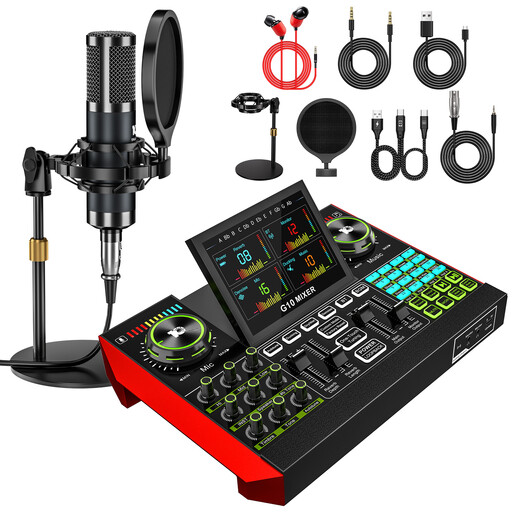 No image available
Yinkaer G10-P15 podcast microphone kit
This kit may suit you if you’re looking for a microphone and sound card package for recording speech on a computer or phone.
The product name specifies an audio mixer, a sound card and a 3.5 mm condenser microphone. The advertised noise reduction features don’t prove that the kit will remove traffic noise or room echo from a recording.
View at Joybuy
Frequently asked questions
Will an audio interface remove traffic noise or room echo from a poetry recording?
No. An audio interface won’t remove traffic noise or room echo that the microphone has already picked up. Positioning the microphone close to the speaker and keeping it steady can help capture the voice in relation to the surrounding noise. Audacity describes noise reduction as unsuitable for irregular traffic noise.
Do I need 48 V phantom power?
Only if your particular microphone requires phantom power. Check the microphone manufacturer’s specifications and whether the microphone input you’ve chosen offers switchable 48 V.
How can I check a take with suddenly loud lines?
Record your loudest passage first and check the input level, not just the headphone volume. Direct monitoring lets you listen as you record; Focusrite lists Auto Gain and Clip Safe as additional features of the Scarlett 2i2 4th Gen.
How many microphone inputs do I need for two separate voices?
To record two voices separately at the same time, you’ll need two microphone inputs. Check the number of microphone preamps on the specific model, as an additional instrument input doesn’t count as a second microphone input.


