What should you look for when buying?
First decide who needs to listen at the same time and whether everyone can hear the same mix. Then check that the connections and recording features suit your needs.
| What you need |
What to check before buying |
Who is it important to? |
| Listening on your own |
Check the position and connector type of the headphone socket, whether the volume controls are separate, and whether the monitor line outputs are suitable. |
If you mix alone on headphones and want to leave your speakers connected, easy-to-use volume controls matter. Around 31% of consumers put solo listening first. |
| Listening together |
Check for two headphone sockets that can be used at the same time, how their volumes are controlled and, if needed, whether the manual describes separate signal routing. |
If two people want to listen on their own headphones during the same session, suitable connections and individual volume controls are important. Around 31% of consumers prioritise listening together. |
| Recording vocals |
Check how many microphone inputs can be used at the same time, whether you need phantom power and whether direct monitoring is available. |
If you’re recording new backing vocal takes, you need suitable inputs and a practical way to monitor the incoming signal. Around 23% of consumers prioritise recording new vocals. |
| Different mixes or future expansion |
Distinguish between a mirrored signal, separate volume control and an assignable cue mix. If you’re using ADAT, factor in the right external hardware. |
If the singer needs to hear something different, or you might need more inputs later, the specific routing or expansion connection is key. Around 15% of consumers prioritise separate mixes or future expansion. |
Joybuy products
The products below are described as audio mixers or vocal and streaming sets. They’re mainly worth considering if you’re looking for a streaming setup like this. For mixing at a shared desk, check in particular that the headphone paths and signal routing meet your needs.
 No image available
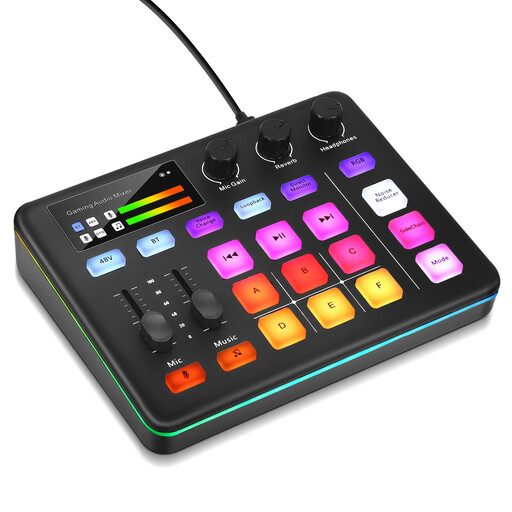
Audio mixer for live streaming
The product title describes the device as being for live streaming, and the product description mentions direct monitoring. Before using it to mix backing vocals, check that the connections and monitoring paths suit your setup.
The product details list microphone preamps and 48 V phantom power.
View at Joybuy
 No image available
Yinkaer G10-P17-P17 podcast set
The product title describes the set as being for vocals and streaming; the Follow-sing mode mentioned in the description is relevant to live vocals. If two people will be using the mixing desk, check the actual number of headphone paths and how they’re routed.
The title lists two included 3.5 mm condenser microphones.
View at Joybuy
 No image available
Yinkaer G10-P15-XB podcast microphone set
The product title describes a streaming and vocal set with a microphone and boom arm. If you’re mixing existing backing vocal tracks, check whether a microphone set like this is really what you need.
The title lists a 3.5 mm condenser microphone and a boom arm stand.
View at Joybuy
 No image available
Yinkaer G10-P17 podcast microphone set
The product title describes the set as being for vocals and streaming, and the product description mentions a Follow-sing mode. For shared listening sessions, check the specific headphone connections and signal paths.
The title lists a 3.5 mm condenser microphone.
View at Joybuy
 No image available
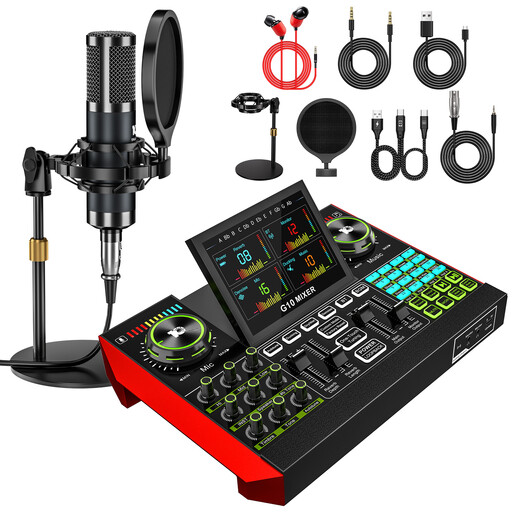
Yinkaer G10-P15 podcast microphone set
The product title describes an audio mixer set for vocals and streaming. If you mainly mix existing tracks, compare the features on offer with the monitoring paths you need before choosing a microphone set.
The title lists a 3.5 mm condenser microphone.
View at Joybuy
Frequently asked questions
Do two people need two headphone sockets or two separate mixes?
Two usable sockets are important if both people need to listen on their own headphones at the same time. If they’re listening to the same mix, separate volume controls may be enough. If one person needs to hear something different, also check the cue routing documented for that specific model.
How do I connect monitors and headphones without mixing up the volume controls?
First check the connections on your monitors and headphones, then match them to the interface outputs. MOTU lists two balanced 6.35 mm TRS line outputs and a 6.35 mm headphone output for the M2; Arturia also documents monitor connections and a separately controlled headphone volume. Start with the volume turned down when switching between monitoring setups.
What should I know before setting up the Audient iD14 MKII?
For the USB setup described by Audient, you need at least 0.9 A at 5 V through a USB 3.0 port. With 1.5 A over USB-C, Audient says there’s more headphone headroom. Assign a separate headphone mix as a cue mix in the iD Mixer: Audient warns that DAW Thru bypasses the volume control for the relevant output.
What are my rights if an audio interface bought online is faulty?
For goods that are faulty or don’t conform to the contract, purchases from a trader are generally covered by a minimum two-year legal guarantee under EU consumer information; the seller is responsible. For a relevant distance purchase, you generally have a 14-day right to withdraw from the contract from the date you receive the goods, subject to legal exceptions. An additional manufacturer’s guarantee doesn’t replace your statutory rights.
What labelling and documentation matter when buying in Germany?
As part of its market surveillance, the Federal Network Agency lists requirements including correct CE marking, manufacturer details and a German user manual with the required warnings. The CE mark isn’t an independent quality seal and doesn’t show that an interface is suitable for your monitoring needs.


