What should you look for when buying?
First, check how easy the recorder is to position and how clear the audio sounds in your chosen spot. Then consider the controls and file workflow. For planned conversations, you’ll also need to think about microphone direction and get everyone’s consent.
| Buying priority |
What to look for when buying |
Who is it important for? |
| Clear solo voice |
Test the microphone distance and positioning at your actual desk; listen to a test recording with the usual background noise. |
If I’m speaking alone at a shared desk, I want my voice to be clear despite conversations and desk noise. Around 36% of consumers put this level of clarity at the top of their buying priorities. |
| Quick recording start |
Check how recording is started and what storage and power supply you’ll need for your setup. |
When I want to capture a quick thought, I’d like to start recording without a complicated set-up. Around 29% of consumers prioritise a quick start. |
| Finding and editing files |
Compare the recording format, transfer method and file search features with your editing workflow. |
If I regularly edit or share my reviews, I need a file workflow that suits the way I work. Around 21% of consumers put file management and editing first. |
| Planned conversation |
Agree on seating and microphone direction in advance; check that everyone can be heard clearly in a test recording. |
If another person is deliberately taking part in the book review, I want to record both voices in a way that suits the seating arrangement. Around 14% of consumers prioritise planned conversations with several participants. |
Joybuy product selection
The models below are voice and audio recorders for recording your own book reviews. Compare the start controls, storage and file transfer options with your recording workflow.
 No image available
Mobvoi TicNote Standard AI Voice Recorder, 64GB
For recording your own reviews when one-touch recording and syncing files afterwards are important to you.
The product description lists a 3-microphone system, 64 GB of storage, an OLED display and file syncing via Wi-Fi or Bluetooth.
View at Joybuy
 No image available
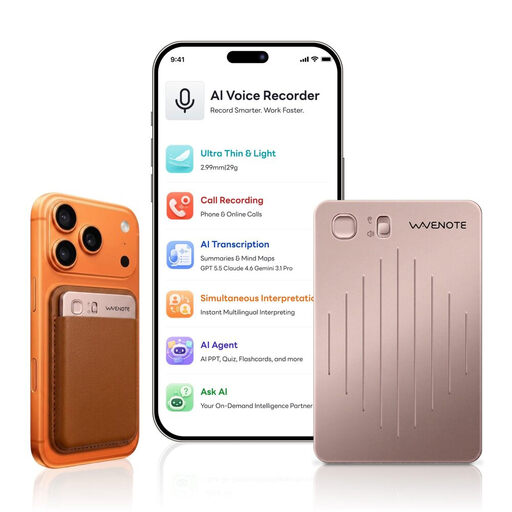
WaveNote AI Voice Recorder, 64GB, Rose Gold
For recording your own short voice notes when a physical slider switch for starting a recording is important to you.
The product description lists 64 GB of internal storage, WAV recording, a dual sensor combining vibration and air-conduction sensors, and a slider switch for audio recording.
View at Joybuy
 No image available
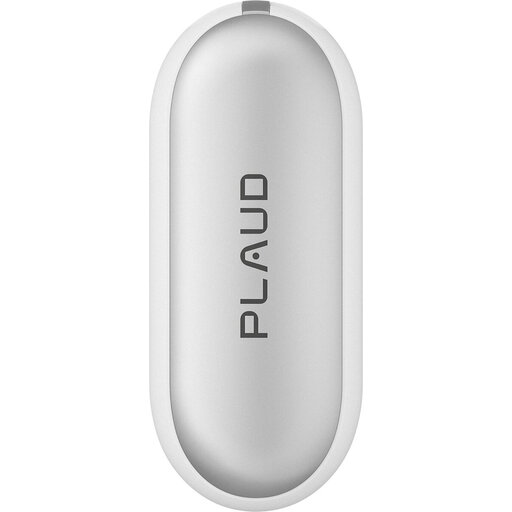
PLAUD NotePin S Wearable AI Voice Recorder, 64GB, Silver
For making short recordings of your own when you’d rather wear the recorder than put it on your desk.
The product description lists two microphones, 64 GB of internal storage, WAV recording and USB file transfer. Wearing options include a clip, wristband, lanyard and pin.
View at Joybuy
 No image available
Rexsun Digital Voice Recorder L810, 64GB
For short book reviews when you want to start recording with just a few button presses and transfer files via USB-C.
The product description lists one-button recording, WAV recording and playback through the supplied headphones. Compatible systems include Windows, Mac and Android.
View at Joybuy
 No image available
Rexsun Portable Digital Voice Recorder L357, 128GB
For regular recordings when you want to organise files afterwards and transfer them via USB-C.
The product description lists 128 GB of storage, MP3 and WAV formats, REC and STOP buttons, and sorting by timestamp. Compatible systems include Windows, Mac and Android.
View at Joybuy
Frequently asked questions
How can I check the set-up before recording a book review?
Record a short section at your chosen spot, speaking normally, then listen back with the usual desk and background noise. Position the microphone as close to your voice as possible without causing handling or desk noise by touching it; a greater distance may pick up more room noise.
Do I need 32-bit float for editing audio files?
Not necessarily. What matters is choosing a format that suits your recording and editing workflow. The voice recorders described here also offer PCM recording, while some handheld models additionally support 32-bit float. Check speech clarity regardless of the format.
What should I bear in mind about storage and care?
Before each session, check the available storage and power supply, listen to a test file, then transfer important recordings to your computer. If you’re using a card-based model, check which storage media are recommended for that specific device. Tascam publishes a separate list of cards tested with the DR-05XP.
Can I simply record other people’s conversations at a shared desk?
Not without authorisation: Section 201(1) of the German Criminal Code (StGB) covers the unauthorised recording of other people’s non-public spoken words on an audio medium, as well as the unauthorised use or sharing of such a recording. Get the participants’ agreement before recording a planned conversation. Whether a particular situation is legally considered non-public depends on the circumstances. The provision is published by the Federal Ministry of Justice and the Federal Office of Justice.
What can I do if my recorder is faulty?
If there’s a fault, the statutory warranty against the seller is separate from any voluntary guarantee. The consumer advice centre explains that you can request a repair or replacement; also check the terms of any manufacturer’s guarantee.


