Family interviewers
If you’re recording questions and answers around a table, check that both voices sound clear from the planned microphone position. For the H2essential, Zoom describes two separate tracks in a specific front/rear mode.


For one person telling a story, a compact recorder with built-in microphones may be enough, provided a test recording sounds clear from the actual seat. If two voices are at different volumes, suitable recording directions or separately positioned microphones matter more. Additional inputs mean more setup and potentially extra accessories. Also check the storage, power supply and whether you have permission to record.
If you’re recording questions and answers around a table, check that both voices sound clear from the planned microphone position. For the H2essential, Zoom describes two separate tracks in a specific front/rear mode.
For one person speaking from a fixed position, make a test recording and assess the microphone distance and room noise. RØDE highlights the importance of the distance between the voice and the microphone.
For longer or repeated conversations, think about recording, playback, transferring and storing your files. The Library of Congress recommends checking your recording device, power supply, storage space and audio settings in advance.
First decide whether one central microphone position will work for your conversation, or whether you want to position and record voices separately. A test recording from the planned seat will show whether your chosen setup works in your room.
| What matters | What to check before buying | Who this matters most to |
|---|---|---|
| Recording both voices clearly | Seating arrangement and recording direction; if using external microphones, check that you have the right inputs. | When I record a conversation around a table, I want both the person asking questions and the person telling the story to sound clear. Around 31% of consumers are likely to prioritise clear recordings of both voices. |
| Accounting for room echo and background noise | Microphone distance and position; make a test recording with the usual room noise. | When I’m in a fixed seat, I want the storyteller’s voice to sound clear despite echo and background noise. Around 25% of consumers are likely to see room acoustics as their main concern. |
| Getting started with recording easily | Simple start and stop controls; the option to play back a short recording straight away. | If spontaneous stories shouldn’t be held up by a complicated setup, it’s important to be able to start recording with ease. Around 25% of consumers are likely to prioritise hassle-free recording. |
| Saving and transferring conversations | Available storage and power supply; playback and transfer options for your files. | For a family archive, I want to save recordings in full and be able to find them again later. Around 19% of consumers are likely to see archiving as their top priority. |
A recording mode can’t fix an unsuitable distance between the voice and microphone, or eliminate room echo.
Test the recorder from the planned seat before the conversation, then listen back to the recording.
According to Tascam, the DR-40XP offers four recording tracks but has two XLR/TRS inputs. The number of tracks therefore doesn’t tell you how many external microphones you can connect.
Count the connections you’ll actually need and check that your microphones, cables and power supply are suitable for the planned setup.
You may need suitable microphones and cables to position microphones separately. Check whether they’re included in the specific offer.
Not having enough storage space or a reliable power supply can interrupt your recording.
Before making a test recording, check your available storage, power supply and recording settings. The Library of Congress recommends this preparation for oral history recordings.
The H1essential and H2essential models use built-in microphones. According to Zoom, you can select specific recording directions on the H2essential.
The DR-05XP combines built-in stereo microphones with a mini-jack input, while the DR-40XP has XLR/TRS inputs for external microphones.
The ICD-UX570 is a compact voice recorder designed for recording, playback and file transfer.
The LS-P5 is a compact recorder with three built-in microphones and internal storage.
This selection features voice recorders for storytelling and family conversations at home.
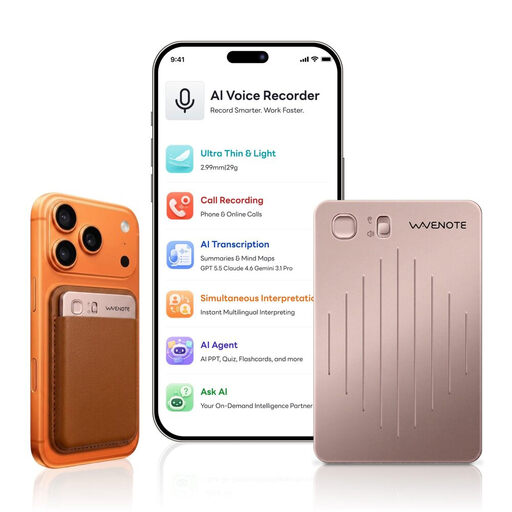 No image available
For longer stories when storage and a simple start are important. The product description lists 64 GB of storage and up to 36 hours of continuous recording. It also describes microphones designed to capture voices.
 No image available
For longer conversations when storage and battery life are key considerations. The description lists 64 GB of storage, 36 hours of battery life and a 6x dual-microphone system. Check that the microphone specification suits your seating and recording setup.
 No image available
For a straightforward recording and transfer process, with start and stop buttons. The description lists WAV and MP3 recording, timestamps, playback and file transfer via USB-C.
 No image available
For stories with several voices, if a built-in microphone array suits your planned setup. The description lists 32 GB of storage, up to 30 hours of recording time and a four-microphone array. It also describes recording and file management through an app.
Before recording, make sure you’re legally entitled to record a conversation that isn’t being spoken publicly. Section 201(1) of the German Criminal Code (StGB) makes unauthorised recordings a criminal offence. Also agree separately on who may listen to or receive the file later.
Only if a test recording sounds clear from both planned seats. For people sitting opposite each other, Zoom says the H2essential can record two separate tracks in a specific front/rear mode. Even so, check the sound in the room where you’ll be recording.
Check your power supply, available storage and recording settings. Make a short recording and listen back to it. The Library of Congress recommends this preparation for oral history recordings.
Check that your microphones, cables and power supply suit the inputs and planned setup. Also check whether the specific offer includes all the parts you need.
No. A recording mode can’t replace suitable microphone positioning. A greater distance can make room echo and background noise more noticeable. Listen to a test recording made in the actual room, using your planned setup.