What should you consider when choosing?
For a softly spoken course introduction, position the microphone to suit the speaker. RØDE explains that as the distance increases, the voice can sound quieter, while room echo and background noise may become more noticeable.
Compact voice recorder
Suitable if: You want to record a single voice with just a few steps and check the file easily.
Things to consider: Microphone distance and the room still matter; the available connections vary by device.
Handheld recorder with built-in microphones
Suitable if: You want to record without a separate microphone and can position the recorder at a suitable distance.
Things to consider: 32-bit float won’t change the microphone distance or reduce room echo. Check the specific model’s storage, power supply and file handling too.
Recorder with an external microphone
Suitable if: The recorder needs to be further away, or you want to position the microphone closer to the speaker.
Things to consider: The microphone, connection, power supply and, if needed, mount must all be compatible. The extra setup isn’t necessary for every short recording.
| Buying priority |
What to check before buying |
Who it matters most to |
| Clarity of a softly spoken voice |
Make a test recording at your usual speaking volume. Position the microphone where you plan to use it and listen back with headphones. |
If I want to record a softly spoken voice clearly, I’ll check the distance and room first. Around 36% of consumers put clarity first. |
| A straightforward recording process |
Test starting and stopping the recording, listening back and transferring the file in advance. |
If I want to record a short introduction without help, I need to be able to start and check the recording easily. Around 29% of consumers prioritise a straightforward process. |
| Format and editing |
Check the recording format and its compatibility with the editing software you use. |
If I want to adjust the levels or edit the file after recording, I’ll look for compatible formats and a practical workflow. Around 21% of consumers prioritise having room to edit afterwards. |
| Flexibility over where you record |
Check the specific model’s power supply and storage media, and make a test recording at your planned location. |
If I record my introduction in different places, I’ll plan for power and storage in advance. Around 14% of consumers prioritise flexibility over where they record. |
Joybuy products for short voice recordings
The Joybuy products below are compact voice recorders for short solo recordings. Compare their stated recording features with the process you have in mind, and make a test recording at your planned location before buying.
 No image available
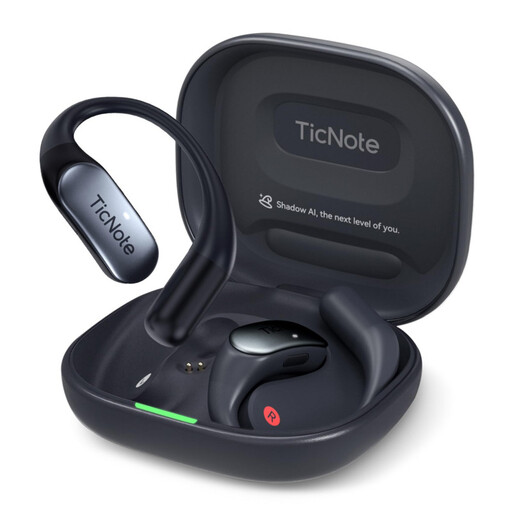
Mobvoi TicNote Lite AI Voice Recorder, 4GB Storage, Black
For a quick recording process, the product description lists a three-microphone system, one-button recording and app and web management.
The product name specifies 4GB Storage.
View at Joybuy
 No image available
Mobvoi TicNote Pods 4G AI Voice Recorder, 32GB Storage, Navy Blue
For short voice recordings, the product description lists a dual-microphone array and one-button recording.
It also lists local storage and 4G upload; the product name specifies 32GB Storage.
View at Joybuy
 No image available
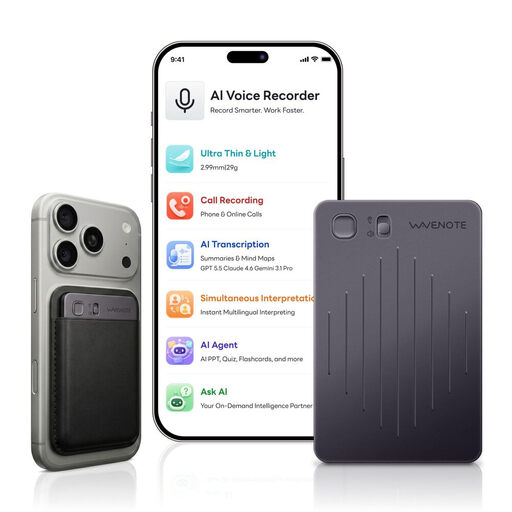
WaveNote AI Voice Recorder, 64GB, Black Grey
For recording and managing files afterwards, the product description lists WAV recording and an app connection.
It also lists a dual microphone with vibration and air-conduction sensors.
View at Joybuy
 No image available
Rexsun 64GB Digital Voice Recorder, L15, Gray
For solo recording, the product description lists two built-in microphones and one-click recording.
It also lists an included TF card, playback through earphones and USB file transfer.
View at Joybuy
 No image available
Rexsun 64GB Digital Voice Recorder, L810, Gray
For a short recording, the product description lists one-button recording and WAV recording.
Other listed features include voice activation, playback through earphones and USB-C file transfer; the product name specifies 64GB storage.
View at Joybuy
Frequently asked questions
What should I record before the actual introduction?
Make a short recording at your planned location, speaking at your usual volume, then listen back. If there’s too much room echo or background noise, try adjusting the microphone position or moving to a different location before simply turning up the file’s volume.
Do I definitely need 32-bit float for a softly spoken voice?
No, 32-bit float isn’t essential for recording a softly spoken voice. On some recorders, it can make it easier to manage recording levels, but clarity still depends largely on the microphone distance and the room. Also check that your editing process works with the file format you choose.
What extra costs should I allow for, and what if the product develops a fault?
Check whether you’ll need a memory card, batteries or an additional microphone for your chosen model. In Germany, if newly purchased goods are faulty, you generally have statutory warranty rights against the seller; the Verbraucherzentrale states that these last for two years from delivery or receipt. A voluntary guarantee is separate.
Can I record someone else’s voice for the course introduction?
Under § 201 StGB, recording another person’s non-public spoken words on an audio device without their authorisation is a criminal offence. Get the speaker’s permission before recording; the type of device you use does not give you permission to record or publish their voice.


