
Lieferung heute & morgen

Qualitätsgarantie

Willkommens-Angebote freischalten: KOSTENLOSE Lieferung | Bis zu 80 % RABATT | Kostenlose 30-Tage-JoyPlus-Testphase
App herunterladen
An LED light bar is a compact, elongated fixture designed to produce indirect, colored, or white light. It is primarily used to visually extend on-screen content, serving as TV backlighting or as an immersive gaming light. The technology aims to increase the screen's perceived contrast, reduce eye strain in dark settings, and create an atmospheric ambiance. Selecting the right model depends on specific technical requirements and the desired level of integration.
The decision for a particular model should be based on an analysis of its technical specifications. The following criteria are crucial for functionality and the intended application.
The type of LEDs used determines the quality and variety of lighting effects.
Brightness, measured in lumens, and the adjustable color temperature (in Kelvin) are further indicators of the light's performance.
The control method defines the ease of use and integration capabilities.
For an immersive experience, the light bar's ability to synchronise with on-screen content or audio is crucial.
The physical characteristics affect placement and durability. Most housings are made of plastic (e.g., ABS) or, less commonly, aluminium. The included stands or mounts are important, as they allow for flexible positioning (horizontally next to the monitor, vertically behind the TV) or wall mounting. Practical considerations also include the cable length and the type of power supply (e.g., the ability to run multiple bars from a single power adapter).
Based on the technical criteria mentioned, we present two models that cater to different user profiles.
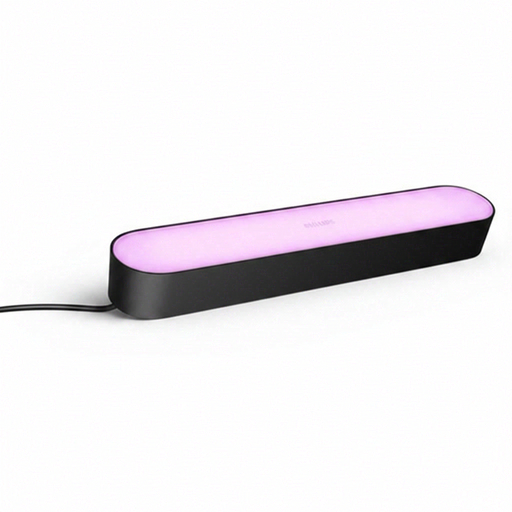
Why We Recommend This Product The Philips Hue Play Lightbar is known for its seamless integration into the established Hue ecosystem. Its strength lies in its mature software, particularly the Hue Sync app for PC and Mac, which enables precise, low-latency screen synchronisation for gaming and movies. The light quality, for both colors and shades of white, meets the high standards of the Hue product family.
Pros:
Who It's For:
View Product: Philips Hue Play Lightbar
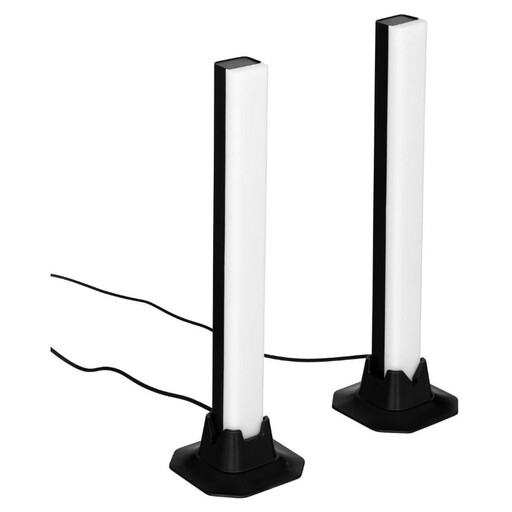
Why We Recommend This Product The set from Atmosphera is a straightforward and accessible solution. It comes as a two-pack and is controlled via an included remote. This makes app installation or integration into a smart home network unnecessary. The product focuses on its core function: creating colored mood lighting.
Pros:
Who It's For:
View Product: Atmosphera Paol Light Bars (2-Pack)
The models featured cover specific use cases. However, the market offers a much wider variety of shapes, sizes, and functionalities. For a broader overview of decorative lighting solutions, from flexible LED strips to smart light panels, you can find more models in our Lighting Decorations category.
1. What is the benefit of an LED light bar behind the TV? TV backlighting, also known as bias lighting, reduces the harsh contrast between the bright screen and the dark wall behind it. This can lessen eye strain during long viewing sessions. Additionally, it enhances the subjectively perceived contrast of the on-screen image, leading to a more immersive viewing experience.
2. How does screen content synchronisation work with LED light bars? There are two primary methods. The first is software-based: An application on a PC or Mac analyses the screen content in real time and sends the corresponding color information to the light bar. The second method is hardware-based: An HDMI sync box is placed between the signal source (e.g., a game console or streaming player) and the TV. The box analyses the video signal passing through it and controls the lights accordingly, which also works with external source devices.
3. Do I always need an app for an RGB light bar? No. Many models, especially in the entry-level segment, come with an infrared (IR) or radio frequency (RF) remote control. This allows for basic functions like color selection, brightness adjustment, and switching between preset modes. App control is typical for "smart" models with Wi-Fi or Bluetooth connectivity and usually offers an expanded feature set, such as custom scenes or schedules.