
Lieferung heute & morgen

Qualitätsgarantie

Willkommens-Angebote freischalten: KOSTENLOSE Lieferung | Bis zu 80 % RABATT | Kostenlose 30-Tage-JoyPlus-Testphase
App herunterladen
A baby monitor with camera is designed to give parents a quick view of the nursery. In practice, however, models vary considerably in terms of connectivity, battery operation, image quality and ease of use. Anyone who focuses solely on high resolution or a long stated range could end up buying a device that does not suit their home.
Claims such as 300 metres or 960 feet often refer to open areas. Walls, reinforced concrete, multiple floors and other wireless sources reduce the actual range. For a flat or house, it is therefore not just the manufacturer’s stated figure that matters, but also the position of the camera and receiver.
A long runtime may refer to audio mode, standby operation or optimum conditions. With the display switched on continuously, operating time decreases. Buyers should therefore check whether the stated figure applies to video transmission or audio only.
A Wi-Fi baby monitor can allow access while you are away from home, but it requires a stable internet connection, app setup and usually a user account. Anyone looking for a straightforward solution for use at home may find a baby monitor without Wi-Fi with a separate parent monitor easier to manage. You should also check the privacy settings if video recordings are stored in the cloud.
A baby monitor with screen and a direct wireless connection works independently of your home Wi-Fi. This is practical at bedtime, when travelling or in homes with poor internet coverage. Wi-Fi models, on the other hand, transmit the image to a smartphone or tablet. This requires a router, an app and a compatible network.
Look out for:
A 1080p baby monitor delivers more image detail than a 720p model, but it also requires more data to transmit and may put greater strain on the battery. For simply checking what is happening in the nursery, a lower resolution is often sufficient. When choosing a baby monitor with night vision, it is also important to check whether it uses infrared or colour night vision and whether the camera switches modes automatically in the dark.
Resolution alone does not guarantee a good image. Other relevant factors include:
A camera with a pan-and-tilt baby monitor function can adjust the viewing area if your child moves around or you need to monitor several parts of the room.
With a baby monitor with long battery life, you should distinguish between screen operation and audio mode. A charging indicator and power-saving mode are useful in everyday use. The temperature display provides an indication of the room temperature, but it is not a substitute for a calibrated measuring device.
A two-way talk function enables communication through a microphone and speaker. It should provide clear voice transmission and feature an activation button that is easy to reach. One thing remains important: a baby monitor is only an aid and does not replace responsible supervision by an adult. Cables, power adapters and the camera must be secured out of the child’s reach.
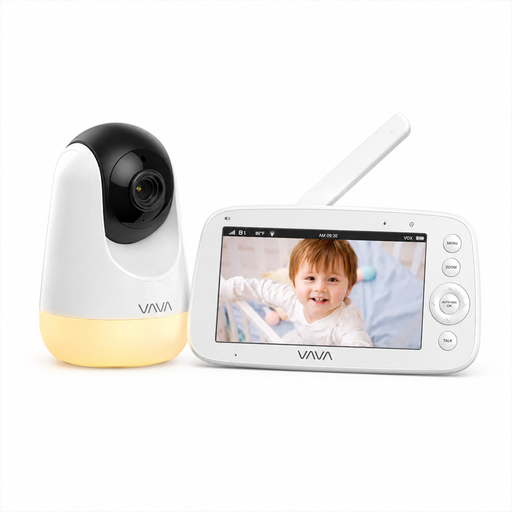
Why this product suits this profile: The direct 2.4 GHz connection requires no Wi-Fi, app or user account. The 5-inch parent unit displays the image and room temperature in one place.
The stated range of 300 metres applies to open areas; this limitation is mentioned in the product information. Runtime is listed separately: up to 10 hours with the display on and up to 24 hours in audio mode.
720p IPS screen, infrared night vision, 270° pan, 108° tilt and two-way talk.
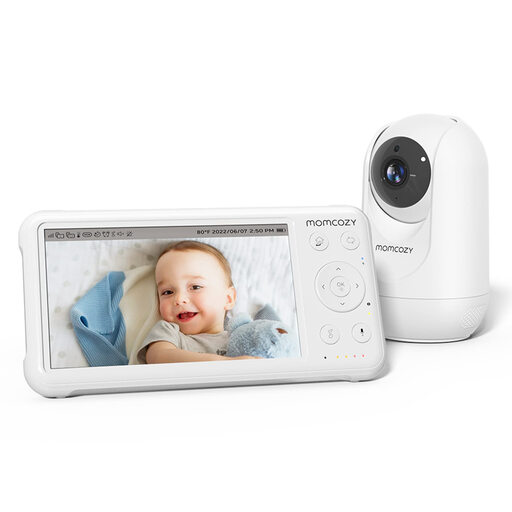
Why this product suits this profile: This model combines 1080p HD resolution with a 5-inch display and several monitoring functions for use in the nursery.
The product description states a runtime of up to 11.5 hours and a 5000 mAh battery. This makes the figure easier to assess than a general duration with no operating mode specified.
1080p camera, infrared night vision, 360° field of view, VOX mode, temperature sensor and two-way talk.
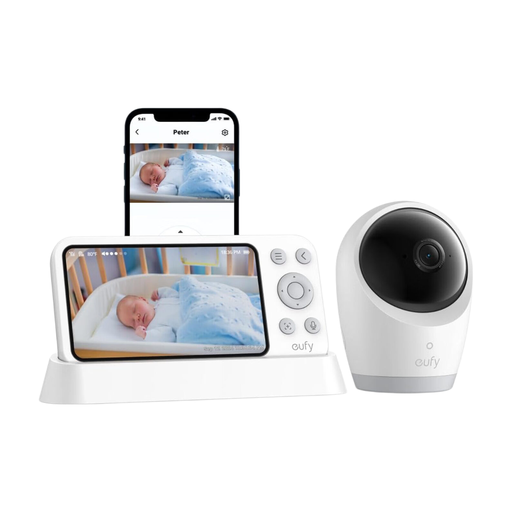
Why this product suits this profile: Hybrid operation is ideal for families who want to use a monitor at home and additional app access when they are away.
The product information explicitly points out hybrid operation with and without Wi-Fi. It also lists 4K recording and a 720p parent monitor separately.
5000 mAh battery, 330° pan, 60° tilt, 8x zoom and monitoring via app or monitor.
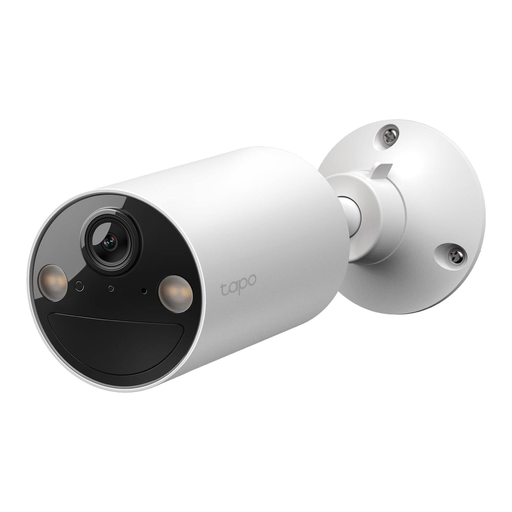
Why this product suits this profile: This camera is suitable for users who want to use an app-based baby monitoring camera in several rooms instead of a separate parent monitor.
The product details clearly state that Wi-Fi and app configuration are required. Anyone specifically looking for a baby monitor without Wi-Fi should therefore choose a direct-connection model.
2K resolution, colour night vision up to 9 metres, 6400 mAh battery, person detection and optional solar panel support.
We have put together a complete, regularly updated list of products that fully meet these strict selection criteria and the safety regulations applicable in the EU.
Position the camera out of the child’s reach and point it towards the relevant area. Then test the picture, sound, night vision, two-way talk and connection in the places where you will use the parent monitor. With Wi-Fi models, follow the app instructions and secure the account with a unique password.
Runtime depends on screen brightness, video transmission, signal strength and VOX or standby use. Audio-only figures cannot be directly compared with continuous video operation. Charge the battery in good time and check whether spare batteries or a permanent power supply are provided for.
Not every Wi-Fi model incurs fees. Local storage on a microSD card may be available without a cloud subscription. However, costs may arise if a manufacturer offers additional cloud recordings or certain app functions as a paid service. Before buying, check the exact storage allowance and pricing model.