
Lieferung heute & morgen

Qualitätsgarantie

Willkommens-Angebote freischalten: KOSTENLOSE Lieferung | Bis zu 80 % RABATT | Kostenlose 30-Tage-JoyPlus-Testphase
App herunterladen
A baby monitor with camera can be a real help in daily life when your little one is sleeping and you need to pop into another room for a few minutes. The options range from a classic video baby monitor without WiFi to a WiFi baby camera with app, motion detection and cloud storage. However, many product specifications only tell the full story when considered in the right usage scenario.
As a Joybuy Product Recommendation Officer, I’ve filtered out the key features and matched them to different household needs. This way, you can avoid the typical pitfalls without being swayed by overloaded feature lists.
A wireless range of several hundred metres is usually measured under ideal outdoor conditions. Inside a flat or house, walls, ceilings, furniture and other wireless sources all reduce the range. So look out for phrases like “measured in open areas” and plan the position of the camera and parent unit in advance.
On many devices, the maximum battery life refers to audio mode or a power-saving mode. With the display switched on continuously, the actual run time can be significantly shorter. A baby monitor with a screen should therefore state a realistic figure for screen-on operation.
A WiFi camera lets you check in via your smartphone, but it needs a stable internet connection, a user account and usually an app. With a baby monitor without WiFi, the transmission happens directly between the camera and the parent unit. That’s ideal for families who don’t want to use the cloud or prefer a straightforward setup.
For everyday checks, a resolution of 720p or 1080p is sufficient, depending on the distance. A higher resolution can deliver more image detail when you zoom in digitally, but it often increases data traffic and storage requirements. With baby monitoring featuring night vision, the range of the infrared lighting and a discreet night mode are also important.
Look out for:
A directly connected baby monitor with camera normally requires neither an app nor a user account. With WiFi models, however, you should check whether the camera operates on a 2.4 GHz, 5 GHz or dual-band network. Storage options are also important: local microSD card, cloud storage or no recording at all.
Cameras should be positioned so that they only capture the area you need. Activate privacy or sleep modes when monitoring isn’t required. Remember, a camera does not replace responsible adult supervision.
A baby monitor with motion detection can trigger notifications when movement is detected. However, these alerts depend on sensitivity, positioning and software, and can cause false alarms. Also useful are:
A temperature display is only for guidance on room or device conditions. A portable temperature sensor such as the VAVA VA-IH008 is not a substitute for medical measurement or advice. If you have health concerns, please contact a medical professional.
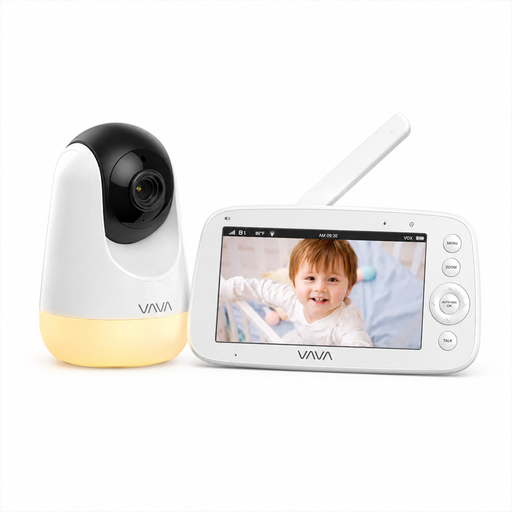
Why this product fits the profile: The direct 2.4 GHz connection works without an app, user account or WiFi. The 5-inch parent display is ideal for families who want a clear, self-contained solution for home use.
The battery life is stated separately: up to 10 hours with the display on and up to 24 hours in audio mode. The stated range of 300 m applies to open areas, according to the product description.
720p IPS display, automatic infrared night vision, two-way communication, room temperature display, plus 2x and 4x digital zoom.
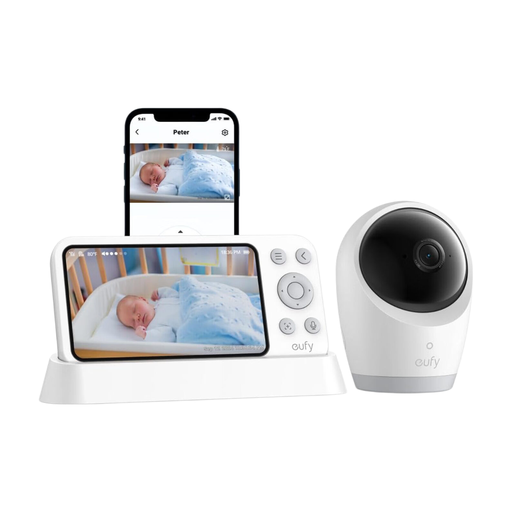
Why this product fits the profile: The hybrid operation lets you use it with the parent unit or the app. This makes it a great choice for households that want to switch between a local connection and mobile access.
The product description distinguishes between WiFi and offline modes. Plus, the camera can be used independently of a fixed power socket thanks to its 5,000 mAh battery.
4K UHD recording, 330° pan range, 60° tilt, 8x zoom, 5-inch display and temperature and sound alerts according to the manufacturer’s specifications.
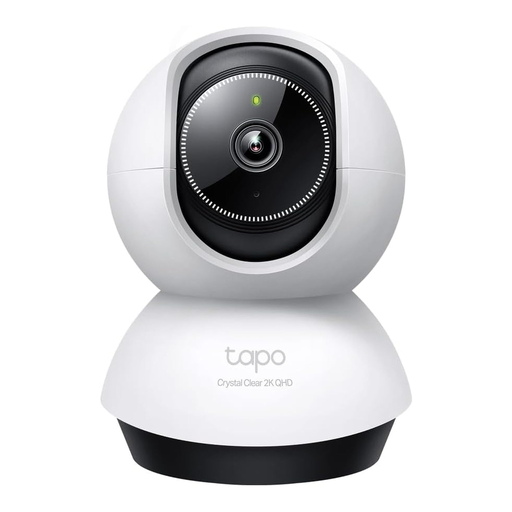
Why this product fits the profile: As an indoor camera with app control, it suits families who want to monitor additional rooms beyond the nursery.
The technical specifications list separate pan and tilt values as well as the maximum microSD capacity. Using it requires WiFi, app setup and a power supply.
2K 4MP resolution, 360° horizontal pan range, 114° vertical tilt, AI detection, two-way audio and microSD support up to 512 GB.
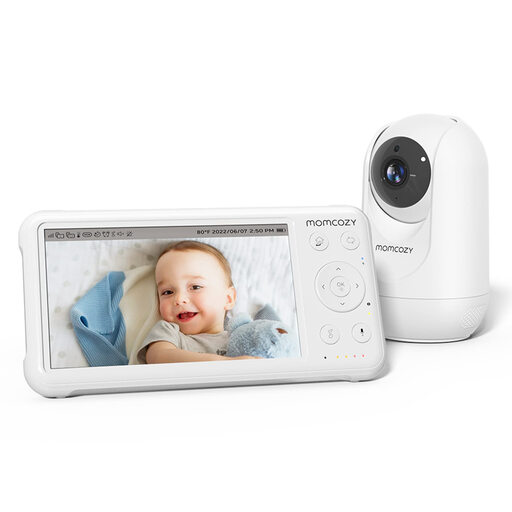
Why this product fits the profile: The set combines a camera with a 5-inch display, night vision, temperature sensor and two-way communication for daily use in the nursery.
The battery life is stated as up to 11.5 hours. VOX mode and sound alerts are also available, so the display doesn’t have to stay on all the time.
1080p resolution, infrared night vision, 5,000 mAh battery, 360° field of view according to the product information, temperature sensor and built-in lullabies.
We’ve put together a full, regularly updated list of products that fully meet these strict selection criteria and the safety regulations in force in the EU.
For monitoring within your home, a directly connected model can be perfectly adequate. It doesn’t need an internet connection and usually doesn’t require an app. However, if you want to check in while you’re out and about, you’ll need a WiFi baby camera with an app.
On the cameras mentioned, infrared night vision switches on automatically in low light. Still, check the actual viewing range and avoid pointing it directly at reflective surfaces.
The camera and parent unit need power. With WiFi models, additional cloud fees may apply depending on the provider. A local microSD card or a baby monitor with a separate display can help you avoid ongoing subscription costs.