
Lieferung heute & morgen

Qualitätsgarantie

Willkommens-Angebote freischalten: KOSTENLOSE Lieferung | Bis zu 80 % RABATT | Kostenlose 30-Tage-JoyPlus-Testphase
App herunterladen
A baby monitor with camera is designed to make daily life easier for parents, without promising features that only look good on the box. However, there are clear differences between a video baby monitor, a baby cam and an indoor camera for baby monitoring, particularly when it comes to connection, power supply, night vision and data protection.
Three common buying mistakes crop up time and again:
A baby monitor with camera without Wi-Fi connects the camera and parent unit directly. This is handy if you don’t want an app account or if your home network isn’t always available. With the VAVA VA-IH006 PRO, the connection is made via 2.4 GHz between the camera and the 5-inch parent unit. According to the product details, no app, account or cloud service is required.
A Wi-Fi baby monitor, on the other hand, transmits the image to a smartphone or tablet. This is suitable for remote monitoring when you’re away from home, but requires a stable Wi-Fi connection, an app and usually a registration process. Before buying, parents should check:
With a baby monitor featuring night vision, resolution isn’t the only thing that matters. A wide viewing angle, secure positioning and an infrared function for dark rooms are also important. PTZ cameras can be panned horizontally and tilted vertically. Dual-lens models sometimes combine a fixed view with a movable one.
A camera for the nursery should be positioned so that the entire sleeping area is visible, without being within the child’s reach. Cables should be kept away from the cot and out of play and grabbing areas. Features like digital zoom or automatic tracking can make operation easier, but they don’t replace personal supervision.
A rechargeable battery is useful for the parent unit, while the camera on many devices remains permanently connected to the mains. Manufacturer claims about battery life need to be read carefully: with the VAVA VA-IH006 PRO, up to 24 hours refers to audio mode; with the screen on, up to 10 hours is stated.
A baby monitor with temperature display can show the room temperature in real time and alert you when set limits are reached. A motion detector or sound detection can trigger notifications. These features should offer configurable ranges and sensitivity levels, otherwise unnecessary alerts can occur. Sensor readings are for guidance only and are not a medical measurement.
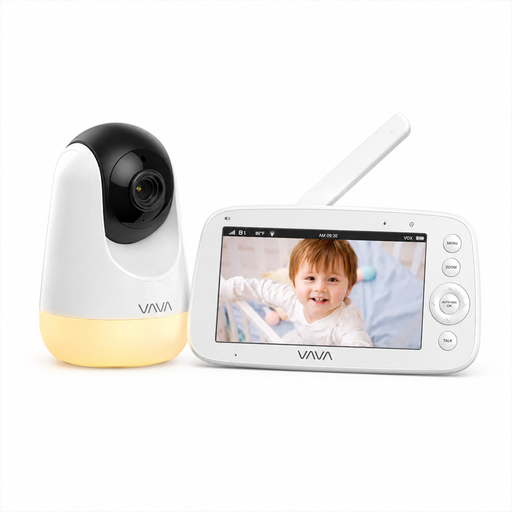
Why this product fits the profile: This video baby monitor works without Wi-Fi, an app or a cloud account. The separate 5-inch parent unit is ideal for families who want a straightforward solution at home.
The stated range of up to 300 m applies to open areas, according to the product information. Indoors, you should check the actual range before choosing a fixed mounting position. Battery life is stated separately for screen-on and audio modes.
720p IPS screen, automatic infrared night vision, two-way communication, temperature display and up to 24 hours in audio mode.
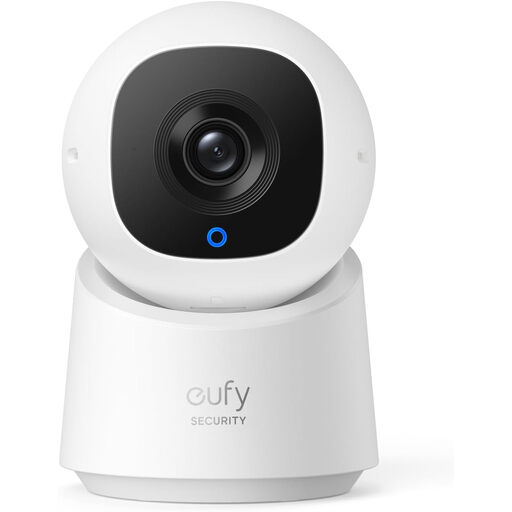
Why this product fits the profile: This Wi-Fi indoor camera is designed for users who want app control, a full room view and local storage all in one compact device.
Storage can be done via a microSD card of up to 128 GB. This means a paid cloud subscription is not necessarily required for recordings.
2K resolution, 360-degree pan and tilt function, person detection, motion tracking and a privacy mode.
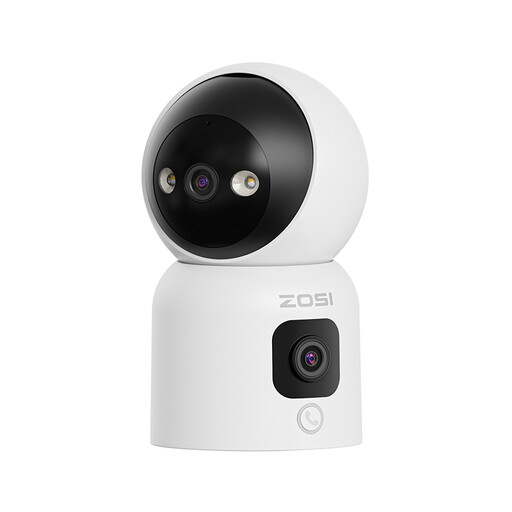
Why this product fits the profile: This dual-lens camera is suitable for nurseries, pets and caring for elderly relatives when multiple viewing angles and remote access are desired.
The connection uses 2.4 and 5 GHz Wi-Fi. Before buying, you should check whether your router supports both bands and whether there is sufficient signal at the installation location.
Two 2 MP lenses, 360-degree pan function, three night vision modes, two-way audio, person detection and microSD storage up to 256 GB.
We have put together a complete, regularly updated list of products that fully meet these strict selection criteria and the safety regulations in force in the EU.
Yes. Devices with their own camera and parent unit use a direct radio connection. They generally do not need a home network or internet access. However, the range inside a building can be less than the manufacturer’s stated figure for open areas due to walls and ceilings.
Battery life depends on screen brightness, transmission mode and battery capacity. Audio-only modes usually consume less power than a constantly active screen display. Figures like “up to 24 hours” should therefore always be read together with the specific operating mode.
Not necessarily. Some Wi-Fi cameras allow local recordings on a microSD card. However, fees may apply for cloud storage, longer retention periods or additional app features. Before ordering, it’s worth checking the storage and pricing terms for the specific model.