
Lieferung heute & morgen

Qualitätsgarantie

Willkommens-Angebote freischalten: KOSTENLOSE Lieferung | Bis zu 80 % RABATT | Kostenlose 30-Tage-JoyPlus-Testphase
App herunterladen
A baby monitor with a camera is designed to give parents greater peace of mind in daily life: during the day when you're briefly in another room, at night when visibility is limited, or when you're moving around the house. However, video baby monitors differ significantly in terms of connection, range, power supply and operation.
A high camera resolution figure alone doesn't tell you much about whether a device will work well in practice in the nursery. What really matters is whether the model suits your living situation, the level of monitoring you want, and how it handles personal data.
Manufacturers often state the range under open-air conditions. Walls, ceilings, furniture and other radio sources can significantly affect the connection. A figure such as 300 metres outdoors, therefore, cannot be equated with 300 metres in a flat or a detached house.
Before buying, you should check:
With many devices, only the connection is wireless. The camera itself still needs to be plugged into the mains. This is usually fine for a fixed position in the nursery, but it does require a conveniently located socket.
A parent unit with a rechargeable battery, on the other hand, can offer more flexibility. It's important to look at the battery life according to the operating mode: with the screen switched on, it's typically shorter than in audio-only mode.
A 360-degree camera, automatic tracking or motion detection can extend the visible area. However, these features don't reliably detect every situation and are not a replacement for responsible supervision of your child. Temperature displays also only provide readings at the sensor's location, not a comprehensive assessment of the room's climate.
A baby monitor without Wi-Fi usually uses a direct radio connection between the camera and the parent unit. Advantages are typically straightforward setup, no user account and no cloud access. The VAVA VA-IH006 PRO, for example, works with a direct 2.4 GHz connection and, according to the product description, requires neither an app nor an account.
A Wi-Fi baby camera, on the other hand, transmits the image via your router and an app. This enables remote access when you're out and about, but requires a stable Wi-Fi connection and careful account security. Check whether two-factor authentication, privacy options, local storage or cloud storage are provided. With cloud offers, ongoing costs may arise after a trial period.
1080p or 2K describes the resolution, not automatically the picture quality under all conditions. When choosing, the following points are also relevant:
A baby monitor with night vision should show your child's face and movements clearly in low light, without needing a bright lamp to be switched on.
A baby monitor with two-way talk transmits the parent's voice through the camera's speaker. This can be handy for a few soothing words. Look for clear voice transmission and adjustable microphone sensitivity.
VOX or sound activation can turn the screen on only when noise is detected. With Wi-Fi models, push notifications are often added. These features should be adjusted individually so that normal ambient sounds don't trigger unnecessary alerts.
A baby monitor with temperature display can show the measured room temperature on the screen or in the app. The sensor reading should be taken as a guide. Don't position the camera directly near radiators, windows or draughts.
When it comes to power supply, it's worth looking at specific details:
Cables must be routed out of your child's reach. The camera must not be attached in or directly to the cot if this creates a risk of pulling or strangulation.
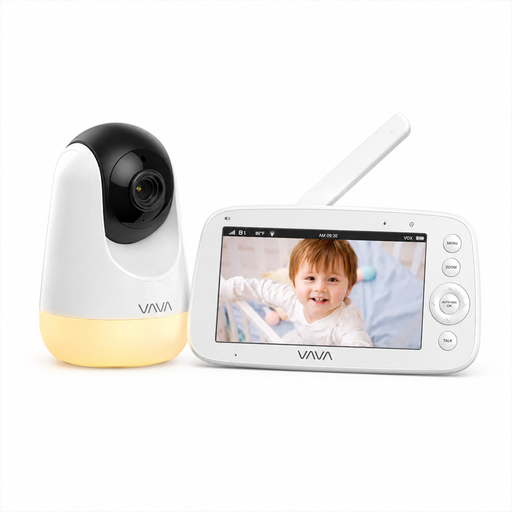
Why this product suits the profile: This model is aimed at families who prefer a direct connection without Wi-Fi, an app or a cloud account. The 5-inch parent unit allows monitoring without a smartphone.
The product description explicitly states the range of 300 metres for open areas. For indoor use, therefore, a different range should be expected.
720p display, infrared night vision, temperature display, two-way talk and up to 24 hours in audio mode according to product specifications.
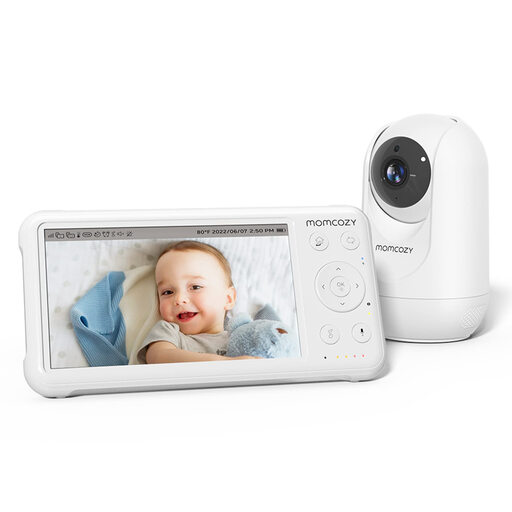
Why this product suits the profile: Suitable for parents who want their own parent unit, a larger display and additional comfort features for daily use.
The advertised battery life of up to 11.5 hours refers to continuous use. The charge level should be checked regularly.
1080p resolution, 5-inch display, infrared night vision, 360-degree field of view, VOX mode and two-way talk.
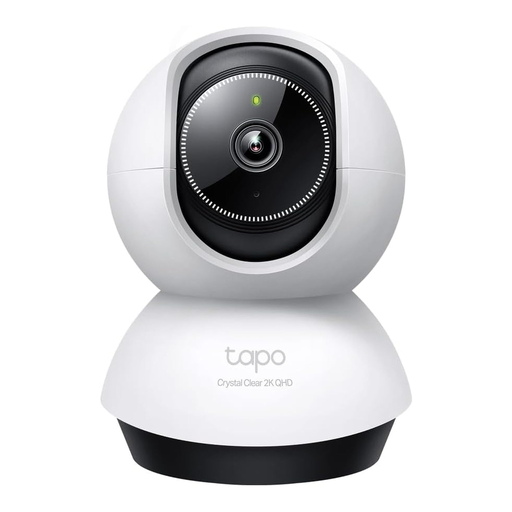
Why this product suits the profile: This camera is suitable for users who want to access the image via an app and monitor a larger room with pan and tilt functionality.
The camera requires Wi-Fi and an app. Therefore, before buying, you should check the network coverage in the nursery and decide on the desired storage type.
2K or 4MP resolution, 360° horizontal pan, 114° tilt, night vision, AI detection and microSD support up to 512 GB according to product data.
We've put together a complete, regularly updated list of products that fully meet these strict selection criteria and the safety regulations in force in the EU.
The camera and parent unit should first be tested in the intended environment. For Wi-Fi models, the camera is set up via the manufacturer's app. For devices with a direct radio connection, pairing usually takes place without a router. After that, you should adjust the viewing angle, sound sensitivity, night vision and alert settings.
The battery life depends on screen brightness, transmission type and usage. Figures such as 'up to 24 hours' often refer to audio mode. With the display permanently on, the battery life can be significantly shorter. The manufacturer's actual figures for the respective operating mode are therefore what matter.
That depends on the storage solution. Some devices support local storage on a microSD card. With other functions, cloud storage may be optional or chargeable after a trial period. Before buying, you should check which features are available without a subscription.