
Lieferung heute & morgen

Qualitätsgarantie

Willkommens-Angebote freischalten: KOSTENLOSE Lieferung | Bis zu 80 % RABATT | Kostenlose 30-Tage-JoyPlus-Testphase
App herunterladen
A baby monitor with camera is designed to support parents in daily life, but it never replaces responsible adult supervision. Before you buy, it’s worth taking a close look at the connection type, the actual battery life and where you’ll place it in the nursery. Many products look similar at first glance, but they differ in important details.
Claims like “300 m range” are usually measured in open, unobstructed spaces. Walls, ceilings, furniture and other wireless sources can significantly reduce the range inside a home. For a terraced house or a larger flat, it’s not just the manufacturer’s figure that matters, but also the position of the camera and parent unit.
A baby monitor can run longer in audio-only mode than with the screen permanently on. With the VAVA VA-IH006 PRO, the stated up to 24 hours refers to audio mode; with the display switched on, the product description says up to 10 hours. This distinction is crucial for overnight use and travel.
A baby monitor without Wi-Fi works with a direct connection between the camera and parent unit. This can simplify setup and avoid the need for a home network or user account. A Wi-Fi baby monitor or a baby monitor with app, on the other hand, allows remote access from outside the home. For that, parents need to check Wi-Fi coverage, app permissions, storage options and data protection.
The resolution should match the distance between the camera and the sleeping area. 1080p or 2K can show more detail when you’re viewing a larger area. However, higher resolution alone doesn’t guarantee a clearer image in the dark.
That’s why a working infrared night vision function is also important. Look for automatic switching and whether the night vision range is stated. With the aosu model, 2K resolution and a night vision range of up to 10 metres are mentioned. Such figures should be understood as technical manufacturer data, not a guarantee for every room situation.
For use in your own home, there are two options:
Also check whether the camera only works on mains power or has a built-in battery. A portable model is more flexible for travel, while a fixed camera doesn’t need regular charging.
A baby monitor with two-way talk transmits your voice through the speaker and microphone. This is handy if you want to speak briefly from another room. It doesn’t replace personally checking on your child.
A baby monitor with temperature sensor shows the room temperature measured at the device. The sensor doesn’t automatically measure the temperature right next to the sleeping area. So you should use the display as a guide and avoid placing the camera directly next to radiators, windows or draughty spots.
With a baby monitor camera with 360-degree function, the pan and tilt angles are important. A wide horizontal angle can improve room coverage, while digital zoom only enlarges the image section without adding extra picture detail.
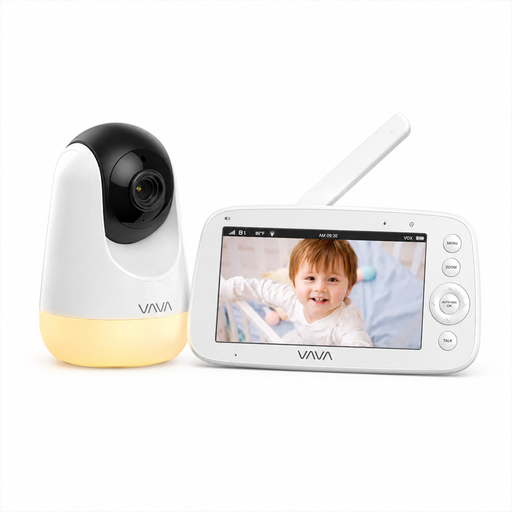
Why this product fits the profile: According to the product description, the direct 2.4 GHz connection requires neither Wi-Fi, an app nor an account, and is designed for home use.
The battery life is stated separately for screen and audio modes. The 300 m range is explicitly mentioned for open areas and should not be equated with indoor range.
5-inch display with 720p, automatic infrared night vision, two-way talk and temperature display.
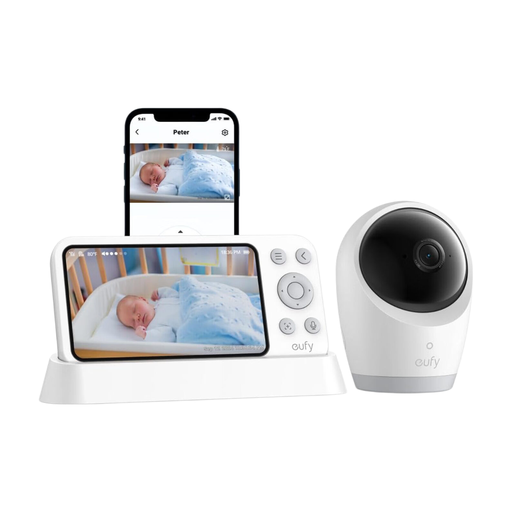
Why this product fits the profile: The hybrid concept combines a local monitor with app access, making it suitable for families who need different access methods at home and on the go.
The product description distinguishes between Wi-Fi and offline operation. It also mentions a switch to disconnect the Wi-Fi connection, which supports local use.
4K UHD camera, 330° pan and 60° tilt function, 8x zoom and a 5,000 mAh battery according to product specifications.
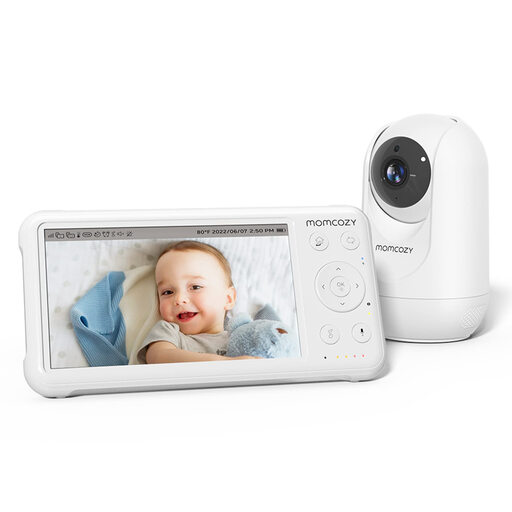
Why this product fits the profile: The system is aimed at families who want to combine a separate 5-inch display, a rotating camera and a temperature display.
The product data states up to 11.5 hours of battery operation, rather than just a vague daily runtime. Cables should still be secured out of your child’s reach.
1080p resolution, infrared night vision, VOX mode, two-way talk and built-in lullabies according to manufacturer specifications.
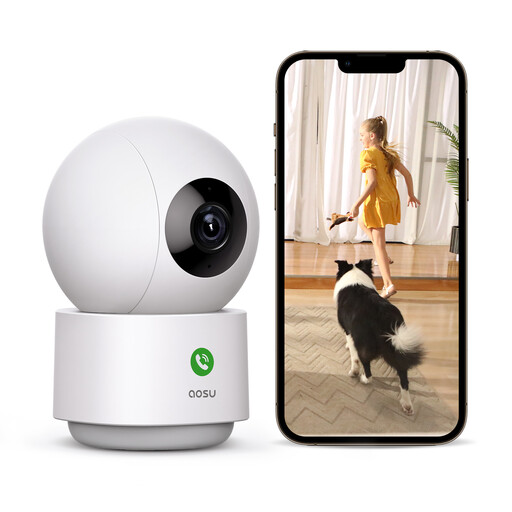
Why this product fits the profile: The camera is designed for remote access via app, 360-degree viewing and monitoring a larger indoor space.
The description mentions 2.4 and 5 GHz Wi-Fi, local SD card and cloud storage. This allows parents to check before buying which storage type suits their data protection requirements.
3 MP resolution, 360° pan function, 155° tilt, motion detection and two-way audio according to the product description.
We’ve put together a complete, regularly updated list of products that fully meet these strict selection criteria and the safety regulations in force in the EU.
That depends on walls, ceilings, wireless sources and the construction of your house. Open-field figures can’t be directly applied to indoor spaces. After installation, test the device in all areas where you plan to use the monitor.
The runtime varies depending on screen brightness, transmission mode, volume and model. Figures for audio mode are usually higher than with continuous video. A baby monitor with camera should be fully charged before the night or plugged into its designated mains adapter.
A device without Wi-Fi and cloud access reduces the number of internet-based connections. However, it usually doesn’t offer remote access via an app. With Wi-Fi models, parents should check encryption, account protection, storage location and options for switching off the camera or microphone.