Players who already own a console
You’re looking for an extra controller that works with your console generation and the number of local players supported by your basketball game.


Choose an extra controller that works with your console or PC and the specific version of your basketball game. Before buying, check the local multiplayer mode and how many controllers you’ll need. Then decide whether a wired or wireless connection is better for your seating distance and cable layout. Extra buttons and customisation options aren’t a proven advantage for basketball games, so they’re only worth paying for if you’ll actually use them.
You’re looking for an extra controller that works with your console generation and the number of local players supported by your basketball game.
You want to play on a PC with a friend and are weighing up whether a receiver, a supported wireless connection or a safely routed USB cable is best for the seating arrangement in your room.
You’re considering extra buttons or customisation options, but want to check first whether they’ll be useful in the game you play.
Start by checking your platform and the local multiplayer mode. Then choose a connection and controls that suit your seat and playing style in the bedroom.
| What matters | What to check before buying | Who it matters most to |
|---|---|---|
| Platform and game compatibility | Check the console generation or PC operating system, the exact model name and whether the specific game supports it. | If I’m buying an extra controller, it needs to work with my platform and game version so I can use it for a game. Around 36% of consumers prioritise platform and game compatibility. |
| Inputs for other players | Check the local mode you want to play and how many working controllers you already have. | To add another player, I need an extra supported input and a suitable local mode. Around 29% of consumers prioritise a controller for another player. |
| Connection and seating | Consider the distance between seats, an available USB port and, if needed, a receiver or a safe way to route a cable. | If the seats are far apart, I want a practical connection that won’t leave a cable across a walkway. Around 21% of consumers pay particular attention to connection type and the space between seats. |
| Controls and extra buttons | Check that the controls are easy to reach and that the specific game supports the features you want. | Extra buttons are only useful to me if I can actually use their assignments in the game. Around 14% of consumers say control customisation is their top priority. |
According to Nintendo, the older Switch Pro Controller can be used wirelessly with the Switch 2. The Switch 2 Pro Controller, however, is only compatible with the Switch 2.
Before buying, compare the full model name with the generation of the console you own.
Some DualSense features on PC depend on the game; Sony says haptic feedback requires a USB connection. 8BitDo lists 2.4 GHz or wired connections for the Ultimate 2C Wireless on Windows, while Bluetooth is listed for Android.
Check the connection and the specific feature you want separately for your device, controller and game.
Player numbers apply to the specific game and platform version. Nintendo lists one compatible controller per person for multiplayer in NBA 2K27 on Switch 2.
Check the local mode you want to play and count how many suitable controllers you already have.
The DualSense is for PS5 and supported PC games. The DualSense Edge is a separate option for players with specific customisation needs.
The Xbox Wireless Controller is designed for Xbox consoles and Windows PCs with a supported connection.
The Pro Controller and Switch 2 Pro Controller are each designed for a particular console generation.
The Enhanced Wired Controller is a wired option for Xbox Series X|S, Xbox One and Windows.
The Ultimate 2C Wireless is an option for Windows PCs, with a 2.4 GHz receiver or a wired connection.
The products below include controllers listed for PS4 and PC, PS5, Nintendo Switch, Switch 2, and Switch and PC. Before buying, check that the exact game version supports the local mode you want to play.
 Image unavailable
Could work as an extra controller for PS4 or PC, if supported by the basketball game you play.
The product name specifies wireless use and compatibility with PS4 and PC.
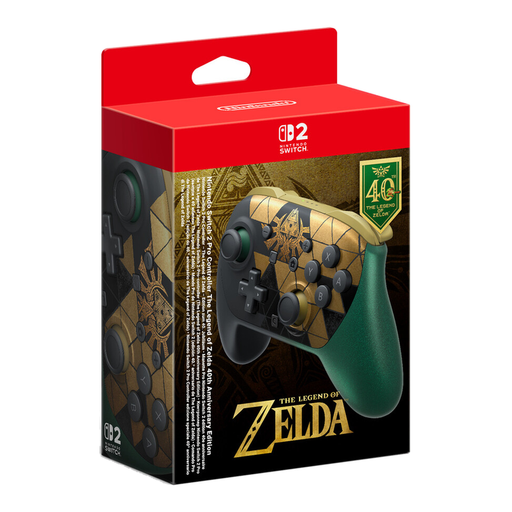 Image unavailable
For use with a Switch 2, provided the basketball game supports the local multiplayer mode you want to play.
According to Nintendo, the Switch 2 Pro Controller can only be used with the Switch 2.
 Image unavailable
Could work with Switch or PC, provided the basketball game supports the controller.
The product name lists dual vibration and gyro, as well as compatibility with Switch and PC.
 Image unavailable
A possible extra controller for Nintendo Switch, provided it’s compatible with the game version you’re using.
Check the exact model name against the console generation you use.
 Image unavailable
For PS5 or supported PC games; the features available depend on the game.
Sony describes USB and Bluetooth as PC connection options. Sony says haptic feedback on PC requires USB.
No. The number of controllers alone isn’t enough: the game mode and platform version must support the game you have in mind. The German PlayStation Store lists one to four players for NBA 2K27 on PS5; for multiplayer in NBA 2K27 on Switch 2, Nintendo requires one compatible controller per person. Also check how many inputs the mode you want to play requires.
Sony describes USB and Bluetooth as connection options. Compatible games and applications can use the controller, but some features depend on the game; Sony says haptic feedback on PC requires USB.
When choosing a controller, consider whether you’ll need a power supply, charging accessories or a suitable PC connection. If goods are faulty, buyers may be entitled to assert their rights under section 437 of the German Civil Code (BGB), subject to the statutory requirements. Under section 438 BGB, the standard limitation period is generally two years from delivery. The German Federal Ministry of Justice explains these provisions on “Gesetze im Internet” (Laws on the Internet); a voluntary manufacturer’s guarantee is separate.
Online purchases generally come with a 14-day cancellation period from the date you receive the goods; you must notify the other party to the contract that you wish to cancel. The consumer advice centre distinguishes this right to cancel from claims relating to faulty goods.