First, choose a controller that works with your console or PC and the local mode in the basketball game you want to play. Each player will need the type of controller required by that mode. Then check that the specific buttons or labels you need are actually illuminated: RGB lighting effects alone don’t guarantee this. Motion-controlled games such as Nintendo Switch Sports require Joy-Con controllers, while traditional gamepad games need a compatible controller for each player.
Who needs to think about their choice?
Players with a specific console
If you’re looking for a controller for your PS5, Xbox, Switch or Switch 2, first check that it’s compatible with your device and the game mode. The information provided by PlayStation, Microsoft and Nintendo can help you choose.
Local basketball games
If you want to play together on one device, check how many players the mode supports and which type of controller each person needs. Nintendo specifies one compatible controller per player for NBA 2K26 multiplayer on Switch 2.
Players in a dark room
If you want to see the controls in low light, check whether the buttons or their labels light up. PowerA lists RGB lighting zones for one Switch 2 controller model, but this doesn’t prove that its button labels are illuminated.
What should you look for when buying?
First check that the platform and game mode match. Then count the controllers you need, and finally check the lighting and power supply. Nintendo describes Joy-Con motion controls for Nintendo Switch Sports, while for NBA 2K26 on Switch 2 it specifies one compatible controller per player.
| Consideration |
What to check before buying |
Who is it most relevant to? |
| Platform and game compatibility |
Check the console or PC, the full model name, supported connection types and the game’s control requirements. 8BitDo lists different connection options for Windows and Android for the Ultimate 2C Wireless. |
If I want to play on a device I already own, the controller needs to work with the basketball game and the mode I want to play. Around 33% of consumers say platform and game compatibility is their main concern. |
| Controls for every player |
Check the game mode, player count and controller type required for each person, and count any compatible controllers you already own. Nintendo specifies one compatible controller per player for NBA 2K26 on Switch 2. |
For a game with friends, I want to know whether everyone can use the controls required by the mode. Around 27% of consumers focus primarily on finding the right controls for all players. |
| Ease of use in low light |
Check the exact model to see which surfaces or buttons light up and whether the lighting can be adjusted. RGB zones alone don’t mean that button labels are illuminated. |
If I want to find the controls quickly in a dark room, it’s the buttons that actually light up that matter. Around 20% of consumers prioritise ease of use in low light. |
| Power and connection |
Check the power source included, how the controller charges and which connections are compatible with your gaming device. Xbox Support notes that rechargeable AA batteries can’t be charged in the Xbox Wireless Controller. |
For longer sessions, I want a power source and connection that suit how long I’ll be playing and where I’ll be sitting. Around 20% of consumers prioritise power and connection during play. |
Common buying mistakes
-
Assuming RGB lighting means the action buttons are illuminated
PowerA describes RGB lighting zones for its Advantage Wireless model, but that doesn’t mean the labels on the buttons you need for the game will light up.
Check the exact model to see which parts are illuminated and whether you can make out the button layout in low light.
-
Assuming a Switch controller can replace any Joy-Con controls
PowerA excludes its specified Switch 2 model from Joy-Con-exclusive games, while Nintendo describes Joy-Con motion controls for Nintendo Switch Sports.
Before buying, check the control requirements for the specific basketball mode. If it requires Joy-Con controllers, make sure you have them.
-
Leaving player numbers and power supplies until you start playing
Nintendo specifies one compatible controller per player for NBA 2K26 multiplayer on Switch 2. Xbox Support says rechargeable AA batteries for the Xbox Wireless Controller must be charged outside the controller.
Count the compatible controllers you already have and check what power source the model uses.
Depending on the controller, you may need additional compatible devices, AA batteries or a suitable rechargeable battery pack.
A guide to relevant brands
Sony PlayStation
The DualSense is an additional controller for compatible PS5 games and local multiplayer.
- Sony lists haptic feedback and adaptive triggers; whether a basketball game uses these features depends on the game.
- This doesn’t confirm that the action buttons you need are illuminated.
Microsoft Xbox
The Xbox Wireless Controller works with Xbox and compatible Windows PC games.
- Microsoft lists Bluetooth connectivity and customisable button mapping.
- The controller needs AA batteries or a compatible rechargeable battery pack. Xbox Support says rechargeable AA batteries can’t be charged in the controller.
8BitDo
The Ultimate 2C Wireless is a gamepad option for Windows and Android, with different connection types for each platform.
- 8BitDo lists a USB receiver or wired connection for Windows.
- The Bluetooth connection listed for this model is for Android; its name alone doesn’t confirm compatibility with Switch.
Nintendo
Joy-Con controllers are for Switch games with compatible controls; Joy-Con 2 controllers are for compatible games on Switch 2.
- Nintendo describes Joy-Con motion controls in Nintendo Switch Sports and local multiplayer with compatible Joy-Con 2 controllers.
- Nintendo states that the Joy-Con 2 set is only for Switch 2.
PowerA
The Advantage Wireless Controller with Lumectra is a backlit gamepad option for compatible Switch and Switch 2 games.
- PowerA lists RGB lighting zones and motion controls.
- PowerA says it doesn’t have HD Rumble, an IR camera or amiibo NFC; the model isn’t designed for Joy-Con-exclusive games.
Joybuy controllers for local basketball games
Controllers for local basketball games on PS4, PS5, PC and Nintendo Switch 2. Check compatibility with your specific game and mode, and make sure the lighting makes the controls you need easy to see.
 No image available
Nintendo Switch 2 Joy-Con 2 set, blue and light yellow
This set of left and right Joy-Con 2 controllers could be suitable for local multiplayer on Nintendo Switch 2, if the game supports them.
Designed for Nintendo Switch 2. The controllers are listed as having motion controls and HD Rumble 2.
View at Joybuy
 No image available
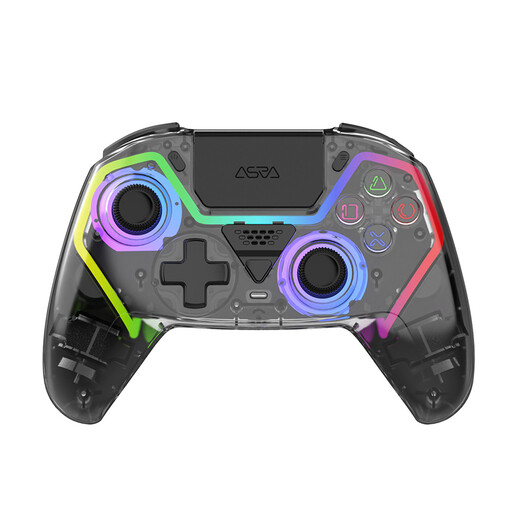
NAXSIR wireless PS5 controller with Hall Effect sticks
This could be suitable for a basketball game on PS5 if the controller is supported by the mode you want to play.
The product title lists Hall Effect sticks, programmable buttons, RGB lighting and a 1000-mAh battery. Check the exact model to see whether the buttons or labels you need are illuminated.
View at Joybuy
 No image available
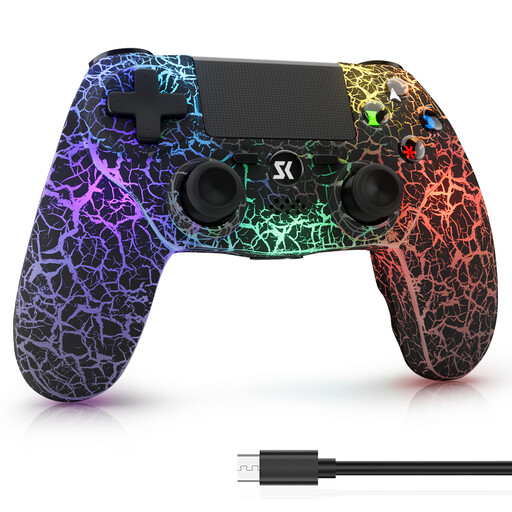
Wireless controller for PS4, PS4 Pro and PC, black
If you play on PS4, PS4 Pro or a compatible PC game, you can check this model against the platforms listed.
The product title lists RGB lighting, a 1000-mAh battery, Dual Vibration and 6-axis motion control. Check the exact model to see whether the lighting includes the button labels.
View at Joybuy
 No image available
VIELLAN wireless gaming controller for PC
This model could work with a compatible PC basketball game if the connection and game support are right.
The product title lists Hall Effect sticks and triggers, 255-level Hall triggers, programmable rear buttons, RGB lighting, a 1000-mAh battery and USB-C. Check that the lighting makes the controls you need easy to see.
View at Joybuy
 No image available
BIGBIG WON Rainbow 3 wireless controller for PC and Switch 2
You can consider this model for a compatible PC or Switch 2 game; what matters is whether the specific basketball mode supports it.
The product title lists a 2000 Hz polling rate, a capacitive joystick, 16 mechanical buttons, 14 RGB lights, a 6-axis gyroscope, switchable Hall or microswitch triggers, and a 3.5-mm audio socket.
View at Joybuy
Frequently asked questions
Can I use a standard gamepad instead of a Joy-Con for basketball in Nintendo Switch Sports?
Don’t assume you can without checking the specific mode. Nintendo describes Joy-Con motion controls, and PowerA explicitly excludes its Advantage Wireless with Lumectra from Joy-Con-exclusive games.
How do I get extra controllers ready for a local match?
Check the local game mode and make sure each person has the compatible controls they need. Nintendo specifies one compatible controller per player for NBA 2K26 on Switch 2, so you may need extra controllers.
Can rechargeable AA batteries be charged through USB in the Xbox Wireless Controller?
No. Xbox Support says rechargeable AA batteries must be charged outside the controller; only a compatible rechargeable battery pack can be charged in the controller.


