Players gaming in a dark room
If you usually play in low light, you’ll want to make out what’s happening in dark scenes. LG describes gaming features on the OLED55C56LB, while Sony highlights the BRAVIA 8 II’s viewing angles.


For basketball gaming sessions in a dark room, OLED is a natural choice if dark scenes and off-centre seating matter to you. Mini-LED may be a better fit for long gaming sessions with static on-screen displays, or if you’re looking for a larger LCD model. Bear in mind the potential for image retention with static images displayed for long periods, as LG advises, and check the specific combination of TV, console, input and game: a TV’s advertised refresh rate alone doesn’t tell you how many frames your basketball game will actually output.
If you usually play in low light, you’ll want to make out what’s happening in dark scenes. LG describes gaming features on the OLED55C56LB, while Sony highlights the BRAVIA 8 II’s viewing angles.
If several people are watching from different spots on the sofa, picture quality away from the centre matters. Sony describes the BRAVIA 8 II as delivering colour and brightness from different viewing angles.
If responsive controls matter to you, check the game mode, connections and refresh rate alongside your console and the basketball game itself. Microsoft says the Xbox Series X supports up to 120 frames per second in 4K games; that doesn’t mean every title will run at a fixed frame rate.
First, assess the picture from the seats you’ll actually use. Then check that the game mode, connections and supported refresh rate are compatible with your console and basketball game.
| Buying criterion | What to check | Who is it important to? |
|---|---|---|
| Contrast in a dark room | Check the specific model in game mode and low ambient light, and compare dark scenes. | If I usually play in low light, I want to be able to make out dark areas of the picture. Around 31% of consumers put contrast in a dark room first. |
| Controls and refresh rate | Only compare latency measurements taken at the same resolution and refresh rate; check the input, game mode and support from your console and game. | If I want my inputs to register responsively, I check that my TV, console and game work well together. Around 25% of consumers prioritise responsiveness and compatibility. |
| Viewing from multiple seats | Consider the seating area, screen size and viewing angle of the specific model together. | If other players are sitting off-centre, I want the picture to remain clear from their seats. Around 25% of consumers put viewing from multiple seats first. |
| Long-term use and running costs | Take note of the manufacturer’s guidance on static images and compare energy consumption in kWh/1,000 h on the EU energy label. | If long gaming sessions and costs beyond the purchase price matter to me, I check the care guidance and energy label. Around 19% of consumers prioritise long-term use and running costs. |
The TV, input, console and game all determine the refresh rate you can actually use. Microsoft says the Xbox Series X supports up to 120 frames per second in 4K games; that isn’t a promise for any particular basketball title.
First check the output supported by your console and game, then compare it with the right TV input and game mode.
Picture quality may look different away from the centre when people are sitting off to the sides. Sony describes the BRAVIA 8 II’s side viewing as a product feature; this doesn’t automatically apply to other models.
Assess the specific TV from the seats your fellow players will be using.
LG advises that static images displayed for long periods may cause image retention. A voluntary warranty is also separate from your statutory rights.
Read the care guidance and warranty terms for the exact model, and check your statutory rights separately.
Optional protection plans may come at an additional cost; the cover and price depend on the specific offer.
The stated energy consumption and separately offered services such as installation may also affect your decision.
Compare the EU energy labels for the specific models and check which services are included in each offer.
Electricity, along with installation or other services offered separately, may involve additional ongoing or one-off costs.
OLED gaming models may be worth considering for dark rooms. LG lists a native 120 Hz refresh rate, VRR up to 144 Hz and a game mode for the OLED55C56LB.
The 75C7K QD-Mini-LED TV is an alternative if you’re considering a larger screen. TCL lists a native refresh rate of 144 Hz for this model.
The GQ55S90FAEXZG OLED TV is a model-specific option with gaming specifications provided by the manufacturer.
The BRAVIA 8 II is an OLED option if you need to cater for several seats off to the sides of the screen.
The OLED810 is an OLED option with built-in ambient lighting.
These models cover OLED and Mini-LED options for basketball gaming in a dark room. For each screen size, check that it suits your room and viewing distance.
 No image available
This large Mini-LED TV is worth considering if an 85-inch screen suits your room and viewing distance.
Specifications include 4K Ultra HD, VIDAA, Dolby Vision IQ and Atmos, and a 144 Hz refresh rate.
 No image available
This OLED option is worth comparing if dark scenes matter to you and the screen size suits your room.
Specifications include a 4K Smart TV, α11 Gen3 AI Processor, up to 165 Hz, Dolby Vision and Atmos, Gallery Design and webOS 26.
The described delivery configuration is designed for wall mounting; a stand is not included.
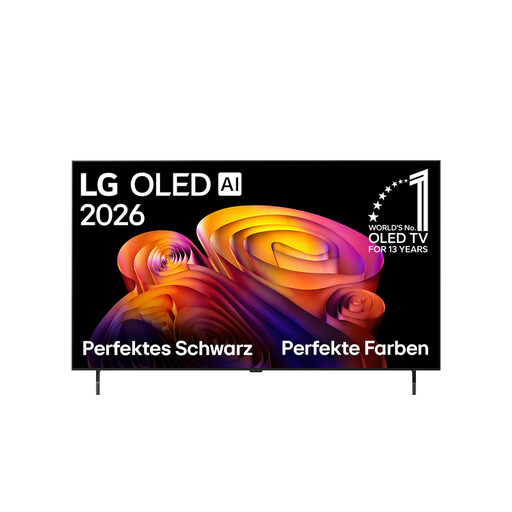 No image available
This more compact OLED model is worth considering if a 48-inch screen suits your room and viewing distance.
Specifications include an α8 Gen3 4K AI Processor, Dolby Vision and Atmos, and 144 Hz VRR.
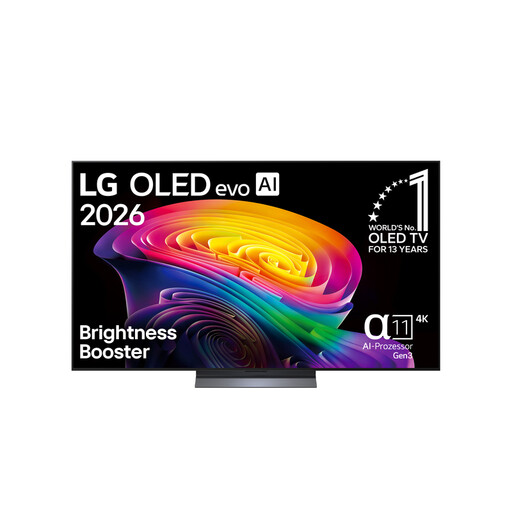 No image available
This OLED screen size may suit you if you want to compare dark scenes and a 65-inch screen works for your viewing position.
The product name lists 4K, 120 Hz, and Dolby Vision and Atmos.
 No image available
This 75-inch Mini-LED model is an alternative if you want to compare this screen size and LCD technology.
Specifications include 4K HDR Premium, Dolby Vision IQ and Atmos, and 144 Hz VRR.
No. First, check what signal your console and the specific game output, and which inputs the TV supports. Microsoft advertises up to 120 frames per second for 4K games on the Xbox Series X; this doesn’t mean a particular basketball title will run at a fixed frame rate.
Connect your console to an input that supports its output, then check the game mode. Assess the picture from the seats that will actually be used; a latency figure measured at 1080p/60 Hz won’t automatically apply to other settings.
LG identifies static images displayed for long periods as a possible cause of image retention and describes pixel-care features. Follow the care guidance for your specific model, especially if on-screen game displays remain unchanged for a long time.
Compare the consumption figures in kWh/1,000 h on the EU energy labels for the specific models. Your usage and electricity tariff will also affect your individual costs.
Online purchases generally come with a 14-day right to cancel; the Verbraucherzentrale says the period starts either when the contract is made or when the ordered goods are received, depending on the type of contract. You also have statutory rights against the seller, which are separate from a voluntary manufacturer’s warranty. The Verbraucherzentrale explains that retailers are generally responsible for defects that were already present when the goods were handed over for a period of two years.