When choosing a TV for a family quiz in the bedroom, focus on viewing distance, viewing angles and the device that will actually run the game. Germany’s consumer advice centre recommends choosing a screen size to suit your viewing distance. Also check the space available, the connections you need and the energy label for the specific model. A high refresh rate is not essential for mainly leisurely quiz games. If you also want to play fast-paced games, compare VRR and refresh rate for the exact model – for example, LG lists up to 4K at 60 Hz and 144 Hz for different compact TVs.
Who is a quiz TV for?
Quiz night with several viewing spots
You want to be able to read the questions from the bed and from seats to the side. Germany’s consumer advice centre recommends considering viewing distance, lighting conditions and viewing angles in the room when choosing a screen size.
Families with a console or laptop
You want to connect a device you already own to the TV and check in advance which devices everyone needs to take part. Jackbox Games describes a format where one person hosts the game and the rest of the group joins in using other devices.
Quiz and action gamers
You also use the same TV for faster-paced games, so check the gaming features of the exact model rather than assuming they’re included just because it says “HDMI 2.1”.
What should you look for when buying?
| Consideration |
What to check when buying |
Who is it important to? |
| Easy-to-read questions for everyone |
Measure the viewing distance and take into account seats to the side, lighting and viewing angles. Germany’s consumer advice centre recommends choosing a screen size to suit your viewing distance. |
If everyone needs to read along from the bed or seats to the side, the right size and a clear view of the questions matter. Around 26 % of consumers are likely to consider readability their top priority. |
| Getting the quiz game onto the screen |
Check the gaming platform, connected device and available HDMI port. With Jackbox, the game runs on a host device; Jackbox Games describes browser-enabled devices as controllers for the other players. |
If you want to play a quiz you already own on a console, laptop or another device, first check how you’ll connect it to the TV. Around 26 % of consumers are likely to put game compatibility first. |
| Space and placement |
Compare the TV’s width and depth, including its stand, with the furniture you plan to use. For wall mounting, check that you have a suitable bracket and that the wall is suitable. |
If space is limited in your bedroom, the TV needs to fit on your furniture or on the wall you’ve chosen. Around 21 % of consumers are likely to make limited space their main consideration. |
| Purchase price and energy costs |
Compare the EU energy label for the specific new TV and check in advance whether you’ll need delivery or installation. Germany’s consumer advice centre notes that larger TVs with more features generally use more electricity. |
If you want to keep an eye on running costs as well as the purchase price, compare the figures for the specific model. Around 16 % of consumers are likely to consider total costs their top priority. |
| Extra features for fast-paced games |
Check the native refresh rate, VRR and supported signals separately for the exact model. Sony lists ALLM but no VRR and a 50 Hz refresh rate for the K-43S3; LG’s specifications vary by model. |
If you also want to play fast-paced games as well as quizzes, check which features your connected device and games can actually use. Around 11 % of consumers are likely to prioritise this extra gaming capability. |
Avoid common misconceptions
-
“Gaming TV” or “HDMI 2.1” automatically means VRR
That’s not necessarily the case: Sony lists ALLM but no VRR support for the K-43S3. The specifications for one model don’t apply to every TV.
Check the full model number and each gaming feature individually. Only factor them in if they’re relevant to the games and devices you actually use.
-
The TV alone can run any family quiz
It depends on the game platform. With Jackbox, one device hosts the game, while the other players use additional devices to enter their answers.
Before you buy, compare the requirements of the game you want with the devices you already own, and check how you’ll get the picture onto the TV.
-
Screen size is the only thing that matters
How easy the questions are to read also depends on viewing distance, lighting and viewing angles. If you’re wall-mounting the TV, you’ll also need to make sure the specific wall is suitable for the bracket.
Measure the available space and think about where people will be sitting. For safety, Sony recommends using a retailer or qualified contractor to wall-mount BRAVIA TVs.
Compact TV brands to consider
Sony
BRAVIA models offer a range of connections and gaming features. What matters is the specification of the exact version you’re considering.
- Sony lists four HDMI inputs and ALLM for the K-43S3.
- Sony lists no VRR and a 50 Hz refresh rate for this model. HDMI 2.1 alone doesn’t confirm any particular VRR features.
LG
Compact QNED and OLED models vary in the gaming features they offer.
- LG lists up to 4K at 60 Hz for the 43QNED87B6A and up to 4K at 144 Hz for the OLED42C5ELB.
- These are manufacturer specifications for different models, not an independent performance comparison. They also don’t mean that a family quiz needs a high refresh rate.
TCL
TCL offers 43-inch TVs with a range of specifications.
- TCL lists 4K and HDMI 2.1 for the 43V6C.
- These specifications don’t mean every 43-inch version has the same gaming features.
Philips
The 42OLED810/12 is a compact OLED TV with Ambilight.
- Philips lists a 42-inch screen and VRR at 144 Hz for this model.
- The manufacturer’s specification doesn’t demonstrate an advantage for leisurely quiz games.
Hisense
Reviews of compact models show why you shouldn’t assume features are the same across the whole brand.
- In its review of the 43E7Q Pro, COMPUTER BILD noted, among other things, that it had stable viewing angles.
- For the separately reviewed 43E7S, COMPUTER BILD noted relatively low brightness and a 60 Hz refresh rate. These test results apply to those models, not to every Hisense TV.
Joybuy product offers
This selection includes compact 42- and 43-inch TVs for a bedroom quiz setup, including smart TVs and models for connecting external devices. Before buying, check that the game you want and the devices you already own are supported.
 No image available
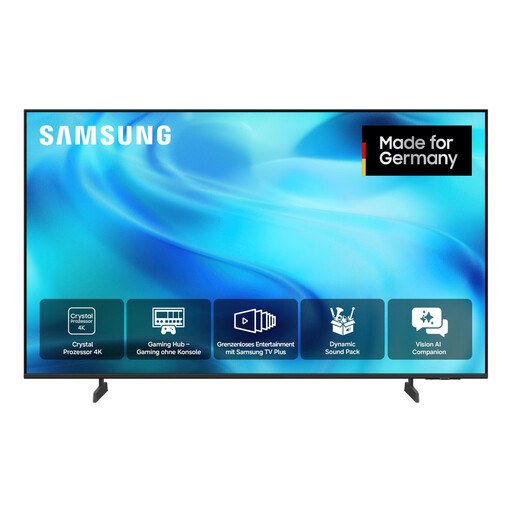
Samsung GU43U8079H Crystal UHD 4K Smart TV, 43 inches
The 43-inch screen and smart TV features may suit a compact quiz setup; check that the specific gaming platform is supported.
The product description lists UHD 4K, Tizen and Samsung Gaming Hub.
View at Joybuy
 No image available
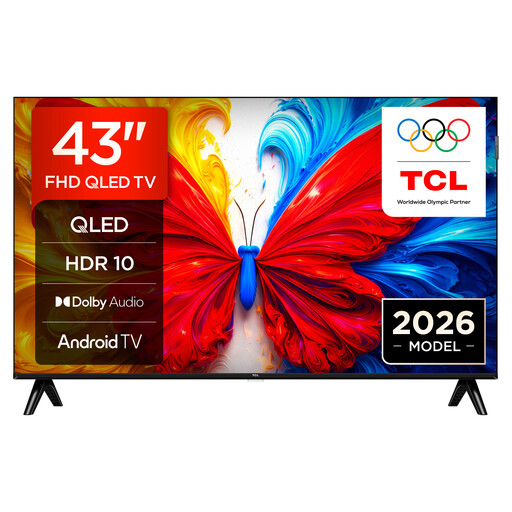
43S5L QLED TV, Full HD, Android TV, 60 Hz
For a bedroom quiz using an external device, the stated screen size is worth considering. Check that the connections and gaming platform suit your setup.
The product is listed as 43 inches, QLED, Full HD, Android TV and 60 Hz. The product description lists two HDMI ports.
View at Joybuy
 No image available
LG OLED42C67LA OLED evo AI C6 4K Smart TV, 42 inches
A compact OLED option if you also want to make use of the listed gaming features as well as enjoy quiz nights.
The product description lists a 42-inch screen, 4K OLED, four HDMI inputs and VRR up to 165 Hz.
View at Joybuy
Frequently asked questions
Do I need a TV with its own gaming app for a quiz on my mobile phone?
Not necessarily. With Jackbox, the game runs on a host device; the other players use browser-enabled devices to enter their answers, and see the room code on the host screen. Check the requirements of the specific game before assuming you need a TV app.
How do I choose the right screen size?
Measure the distance from the seats you’ll actually use and take lighting and viewing angles from the side into account. Germany’s consumer advice centre recommends choosing a screen size to suit your viewing distance; there’s no one-size-fits-all screen size for every bedroom.
What should I check before wall-mounting a TV?
Check that the bracket is suitable for your model and that the wall can support it. For safety, Sony recommends using a retailer or qualified contractor to wall-mount BRAVIA TVs. This is the manufacturer’s recommendation, not a general legal requirement for installation.
What rights do I have when buying a TV online in Germany?
For a standard online purchase from a business seller, you generally have 14 days from delivery to cancel, although exceptions apply. This is separate from your statutory rights if the goods are faulty, which are covered by a minimum two-year period in the EU. A voluntary manufacturer’s warranty does not replace these rights.
Does the energy label for a new TV need to be visible in German online shops?
Yes. Under EU rules, the energy label for electronic displays must be clearly visible at the point of sale, including online. The rules don’t require a particular efficiency class; the labelling requirements mentioned here don’t apply to second-hand products.


