First, measure your viewing distance and available space, then check that both players can clearly see the picture and in-game text from where they’ll be sitting. The German consumer advice centre recommends considering screen size in relation to viewing distance, lighting and viewing angle. 4K at 120 Hz and VRR are only worthwhile if your TV, input, console and game all support them: Xbox Support explains that 4K/120 requires a compatible Xbox Series X and TV, while Nintendo Germany states that the Switch 2 supports 4K output at up to 60 frames per second. Choose OLED or LCD based on your room’s lighting, your picture preferences and how you use static on-screen displays, rather than relying on an HDMI 2.1 label alone.
Which priorities suit you?
Co-op players with limited space
If you play together in the bedroom, plan the screen size, seating and furniture as a whole before settling on a size in inches. The German consumer advice centre identifies viewing distance, lighting and viewing angle as factors to consider when choosing a screen size.
Co-op players with a 120 Hz console
If you want to play supported games at a high frame rate on PS5 or Xbox Series X, check that the game, console, HDMI input and TV all work together. Xbox Support and PlayStation Support explain the requirements for the relevant 4K output.
Evening players who care about picture quality
If you often play with the lights dimmed, compare the picture quality of the specific model and, with OLED, take note of the manufacturer’s guidance on displaying static content for long periods. LG describes image retention as a possible risk, not as an independent prediction of product failure.
What to look for when buying a bedroom TV for co-op gaming
Compact OLED TV
A good fit if: dark scenes matter to you and a specific 42-inch model suits both seating positions and the space available.
Consider: LG warns of a possible image-retention risk when static images are displayed for long periods. The usable frame rate also depends on the console and game.
43-inch LCD or QLED with gaming features
A good fit if: you genuinely want to play compatible games on a compatible console using 4K/120 Hz or VRR.
Consider: QLED and HDMI 2.1 alone don’t confirm the panel’s refresh rate or the HDR performance of a specific model.
Simpler 4K LCD TV
A good fit if: your games and console output up to 4K/60, or 120 Hz isn’t a priority for you.
Consider: an HDMI 2.1 label doesn’t prove that a TV has a 120 Hz panel. For example, Sony lists the K-43S3 at 50 Hz, with signals up to 4K/60.
For a bedroom TV used for local co-op, start by checking the available space and whether the screen is easy to see from both seats. Then consider frame rate, picture quality and the features you actually need. The German consumer advice centre recommends choosing screen size in relation to viewing distance, lighting and viewing angle.
| Buying priority |
What to check |
Who should care? |
| Screen size and visibility for two |
Check the viewing distance for both people, the available width and depth, and whether in-game text is legible from where you’ll be sitting. |
If you play together in a small room, you’ll both want a clear view without the TV taking up too much space or leaving you sitting too close. That’s why around 36% of consumers put available space and a shared view first. |
| Response and frame rate |
Check the panel’s refresh rate, supported HDMI signals, VRR and ALLM for the exact model, as well as the game’s output. |
If a high frame rate matters for the console games you play, check that the input and game support it too. Around 29% of consumers prioritise smooth console performance. |
| Contrast, HDR and room lighting |
Consider reviews of the exact model’s contrast and HDR performance, as well as reflections in the intended location. With OLED, also check the guidance on static images. |
If you play dark adventure games in the evening, you’ll want to choose contrast and picture quality to suit the room. Around 21% of consumers give this priority. |
| Purchase price and energy use |
Pay for only the features you need, and compare the EU energy label and figures for SDR and HDR viewing. |
If upfront and ongoing costs are particularly important to you, avoid unnecessary extras and consider energy use too. Around 14% of consumers put cost first. |
Common pitfalls when buying a TV
-
Assuming HDMI 2.1 means a native 120 Hz panel
A TV may list HDMI 2.1 features but still have a panel with a lower refresh rate. Sony lists the K-43S3 at 50 Hz, with HDMI signals up to 4K/60.
For the exact model, check both the panel’s native refresh rate and the signals supported by the input you plan to use.
-
Choosing screen size based only on inches or furniture width
Viewing distance, lighting and viewing angle all affect picture quality. With local co-op, you also need to make sure the screen works for both seating positions.
Check where you’ll sit and where you’ll place the TV before choosing a screen size.
-
Assuming an HDR or QLED label guarantees great dark scenes
A format or display name alone doesn’t tell you how a specific model looks. COMPUTER BILD criticised the HDR detail on the Hisense 43E7Q Pro it tested, and the dynamic contrast on the Philips PUS9000 it tested.
Include picture quality reviews of the specific model in your comparison, and check whether they reflect the lighting conditions in your bedroom.
-
Confusing an optional extended warranty with your statutory rights
Your statutory rights apply against the seller; an optional warranty may have its own terms and exclusions.
Before taking out a protection plan, compare its cover and exclusions with your existing statutory rights.
A protection plan may cost extra and offer different cover from your statutory rights.
Key brands at a glance
LG
The C5 range is worth comparing if you’re looking for a compact OLED TV with documented gaming features. Be sure to check the exact 42-inch version.
- LG lists 4K and gaming up to 144 Hz for the OLED42C57LA.
- LG warns that image retention may occur when static images are displayed for long periods; this is not an independent prediction of product failure.
Sony
BRAVIA models are worth comparing if you check the panel’s refresh rate, inputs and console features individually.
- Sony specifies 120 Hz, a 4K/120 input, VRR and ALLM for the K-43XR35M2.
- For the K-43S3, Sony lists 50 Hz and signals up to 4K/60. These gaming features don’t apply to every BRAVIA model.
Hisense
The 43E7Q PRO is a specific QLED option to compare if you’re looking for a high refresh rate in a compact size.
- Hisense lists native 144 Hz VRR for this model.
- COMPUTER BILD rated the HDR performance of the model it tested as lacking in detail. A manufacturer’s specifications and a review are different types of information.
Philips
The 43PUS9000/12 is worth comparing if Ambilight and gaming features are both important to you.
- Philips lists 144 Hz VRR and Ambilight for this model.
- COMPUTER BILD praised the build quality and ease of use of the PUS9000 it tested, but criticised its dynamic contrast. Ambilight alone doesn’t prove that the screen has higher contrast.
TCL
The 43V6C is a 43-inch 4K option if general TV performance matters more than an unverified claim of 4K/120 Hz.
- TCL lists the 43V6C as a 4K HDR TV with HDMI 2.1.
- The HDMI 2.1 specification alone doesn’t confirm a native 120 Hz panel. Check the supported input signals for the exact model.
Joybuy TVs for bedrooms and gaming
The Joybuy TVs below come in different screen sizes and list various 4K, refresh rate or gaming features for bedroom use. Before choosing, check which specifications are actually relevant to your console and games.
 No image available
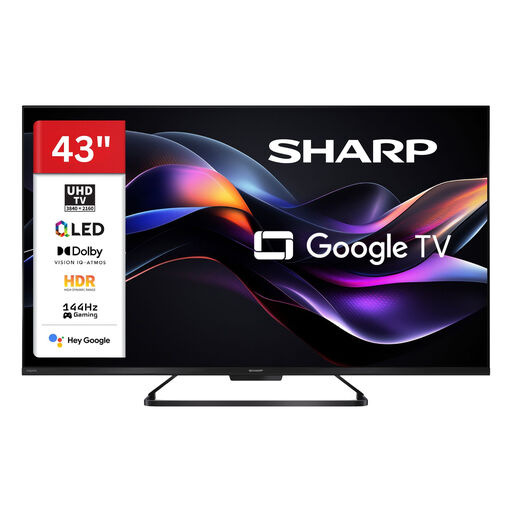
SHARP 43HR7765E QLED TV, 43-inch, 4K UHD, 144 Hz
A 43-inch option if you want to compare 4K and the listed gaming refresh rate with your console’s requirements.
Listed in the product name: QLED, 4K UHD and 144 Hz gaming.
View at Joybuy
 No image available
LG 43QNED86B6B, 43-inch gaming TV, Mini LED, 144 Hz VRR
A 43-inch option to compare for console games that can make use of its listed gaming features.
Listed in the product name: Mini LED, 144 Hz VRR, AMD FreeSync and Dolby Atmos.
View at Joybuy
 No image available
CHiQ U43QM10E, 43-inch 4K QLED smart TV
A 43-inch option if you want to compare 4K and the listed gaming features with the output supported by your devices.
Listed in the product name: 4K Ultra HD, HDR10, VRR and ALLM.
View at Joybuy
 No image available
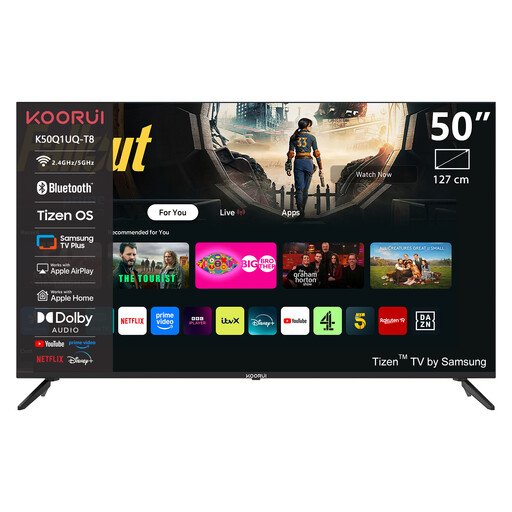
KOORUI K50Q1UQ-T8, 50-inch 4K UHD QLED smart TV
With this 50-inch option, take particular care to check that the screen size and available space suit your bedroom and seating positions.
Listed in the product name: 4K UHD and QLED.
View at Joybuy
 No image available
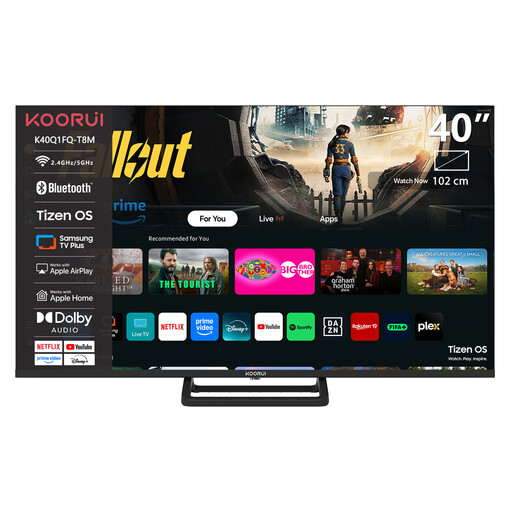
KOORUI K40Q1H-T8M, 40-inch Full HD smart TV
A 40-inch option if the more compact screen suits your available space and viewing distance, and Full HD is enough for your needs.
Listed in the product name: Full HD 1080p, plus HDMI and USB ports. The resolution is Full HD, not 4K.
View at Joybuy
Frequently asked questions about gaming TVs for local co-op
Do I need a 144 Hz TV for co-op adventure games?
No. What matters is the output of the specific game and console. Nintendo Germany states that the Switch 2 supports 4K output at up to 60 frames per second; Xbox Support explains that 4K/120 on Xbox Series X requires a compatible TV. An advertised panel refresh rate doesn’t mean that a game will actually use it.
What should I check after connecting my console?
Check the HDMI input you’re using and the console’s settings menu to see which resolution and frame rate are actually available. For VRR on PS5, you’ll need a compatible TV. The result also depends on the game, TV and selected picture mode.
How should I manage static game displays on an OLED TV?
Avoid leaving still images on screen for longer than necessary, and follow the instructions for your specific device. LG describes image retention as a possible risk when static content is displayed for long periods. It also explains that pixel cleaning runs after the TV is switched off, while it remains connected to the mains.
What energy and consumer rights apply when buying a TV in Germany?
TVs are covered by EU rules for electronic displays and their energy labels. According to the European Union, the label must also be visible when shopping online. If a product is faulty, the seller is generally responsible under statutory consumer rights; the German consumer advice centre states that these rights cover new goods for two years. Online purchases generally come with a 14-day right to cancel. An optional warranty is separate from these rights.
What should I do with my old TV?
Don’t put an old TV in your household rubbish. The German Environment Agency lists recycling centres and suitable retailer take-back points as disposal options. Check the requirements for collection by a particular retailer when you buy your new TV.


