Two-player co-op with limited space
If you play together in the bedroom, the TV and seating need to fit comfortably in the room. Check the TV’s width, stand and viewing angles from both seats.


For couch co-op in the bedroom, a gaming TV is a good fit when its dimensions, including the stand, suit the available space and both players have a clear view of the screen; screen size alone isn’t enough. Then compare game mode and input lag. 120 Hz and VRR features are most relevant when your console and the games you play support them (RTINGS.com; Nintendo Deutschland).
If you play together in the bedroom, the TV and seating need to fit comfortably in the room. Check the TV’s width, stand and viewing angles from both seats.
If you want jumps to respond instantly to your inputs, check the game mode and input lag of the specific model. A high advertised refresh rate alone doesn’t tell you how responsive a game will feel.
If you want to connect more devices or play games at higher frame rates, check the supported resolution, frame rate and HDMI input for each model.
A good fit if: A 42-inch TV fits your available space and you’re looking for a compact OLED with gaming features. LG lists support for up to 4K at 144 Hz on the OLED42C57LA.
Keep in mind: LG notes that prolonged display of static content may lead to image retention. The manufacturer’s stated refresh rate doesn’t mean every game will reach it.
A good fit if: You’re considering a 43-inch model with an advertised anti-glare screen and gaming features. Samsung advertises these features on the GQ43QN90FATXZG.
Keep in mind: The manufacturer’s claims about Glare Free and refresh rate don’t guarantee a clear view from both seats or the frame rate of every game.
A good fit if: 120 Hz output isn’t a priority and you mainly play games with an output of up to 60 fps. Sony lists 50/60 Hz and ALLM on HDMI 3/4 for the KD-43X75WL.
Keep in mind: According to Sony’s spec sheet, this model supports neither VRR nor a 4K 120 Hz signal. That matters for games you plan to play at 120 fps, but not necessarily for every co-op game.
| Buying priority | What to check | Who is it most important to? |
|---|---|---|
| Fit and available space | Compare the exact model’s dimensions, including its stand, with the usable surface of your furniture; check the viewing distance in your room. | If you need to fit a screen and two seats into a small bedroom, the actual fit matters more than screen size alone. Around 36% of consumers prioritise finding a TV with the right dimensions. |
| Responsive controls | Compare input lag at the resolution and frame rate you need; check for game mode or ALLM on the HDMI input you use. RTINGS.com notes that low input lag can involve less image processing. | If you want jumps and changes of direction in a platform game to respond precisely to your inputs, game mode matters more than a general gaming label. Around 29% of consumers prioritise input responsiveness. |
| Viewing from both seats | Work out where the two outer seats will be, then check the exact model’s horizontal viewing angle or view the picture from those positions. | If you sit side by side at an angle, the picture should remain clear from both seats. Around 21% of consumers prioritise a good shared view. |
| Additional gaming formats | Check your console, game, HDMI input and supported resolution and frame-rate combination. VRR and frame rate also depend on the software in question (Nintendo Deutschland). | If you specifically want to play games at a higher frame rate or use VRR, the TV, console and game all need to work together. Around 14% of consumers prioritise additional gaming formats. |
Supported input signals and a game’s actual output aren’t the same thing. Nintendo lists a maximum of 60 fps at 4K for Switch 2 in TV mode; 120 fps is supported at 1080p or 1440p.
Check that your console, specific game, resolution, frame rate and HDMI input all work together.
The TV and stand take up space, and sitting to one side can change how the picture looks.
Measure your furniture and both seating positions, then check the dimensions and viewing angle of the exact model.
Your statutory rights against the seller and a voluntary guarantee are separate entitlements (Verbraucherzentrale).
Read the guarantee terms separately and, if there’s a fault, check your rights against the seller.
The LG OLED42C57LA is a specific 42-inch OLED model for a compact setup.
The GQ43QN90FATXZG is a specific 43-inch Mini LED LCD model.
Sony’s spec sheets show that the 43-inch models mentioned here offer different gaming features.
The Joybuy TVs below are compact 42- and 43-inch models for bedroom setups, including OLED and QNED options.
 No image available
A compact option if you’re looking for an OLED model. Described as a 42-inch 4K Smart TV with 165 Hz VRR.
If you choose OLED, follow LG’s care guidance for static images displayed for extended periods.
 No image available
A compact option if you’re considering a 43-inch model with gaming features. The product name lists 144 Hz VRR.
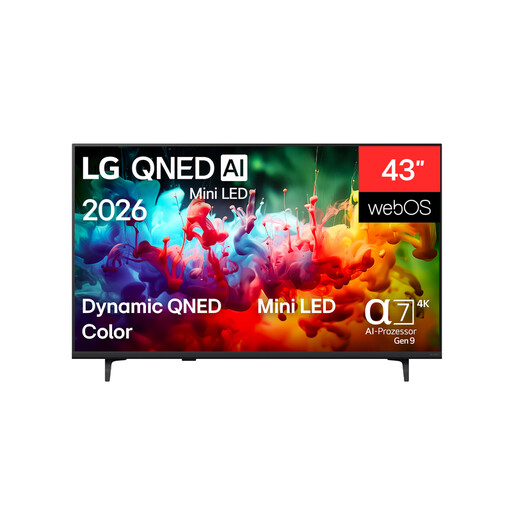 No image available
A compact option if you’re looking for a 43-inch 4K Smart TV. Check the exact model’s gaming features against your console and games.
No, not necessarily. First check what output the specific game supports on your console. Nintendo lists up to 120 fps at 1080p or 1440p and a maximum of 60 fps at 4K for Switch 2 in TV mode; support also depends on the game.
Connect your console to a suitable HDMI input and enable game mode or ALLM if both devices support the feature. For the Sony KD-43X75WL, Sony specifically lists ALLM for HDMI 3 and 4 only.
LG notes that static content displayed for extended periods may increase the risk of image retention, and describes protective features for OLED TVs. Check the care guidance for the specific model; this isn’t a blanket guarantee against image retention.
For TVs covered by the scheme, the EU energy label shows details including power consumption in SDR and HDR; costs also depend on how you use the TV and your electricity tariff. According to Verbraucherzentrale, online purchases generally come with a 14-day right to cancel. Your statutory rights against the seller are separate from any voluntary guarantee.