First, choose a screen size that works for both players in the space available, then check the gaming mode and the signal your console or PC actually supports. A compact OLED TV is particularly worth considering for a fairly dark bedroom. If distracting reflections are an issue, an anti-glare Mini-LED TV could be a suitable alternative. A headline refresh rate alone doesn’t prove that input lag will be lower in the game you play.
Who are compact gaming TVs for?
Tournament players who value quick responses
If a responsive feel matters to you in fighting games, check the gaming mode and the signal from your console or PC. A high advertised refresh rate alone doesn’t tell you how low the input lag will be in a particular game.
Two players in a small space
When two people are gaming in a bedroom, the available space and seating positions are key. 42- and 43-inch TVs give you specific sizes to compare, but remember to check the dimensions of the TV and its stand.
Players dealing with tricky room lighting
If you mostly play in a dark room in the evening, OLED is one option to compare. If daylight causes distracting reflections, it’s also worth checking the finish of the specific TV you’re considering.
What should you look for when buying?
Compact OLED TV
A good fit if: You usually play in a dark or moderately lit bedroom and a 42-inch model fits your available space.
Bear in mind: Depending on the TV and lighting, reflections may be distracting. If game displays stay on screen for long periods, check the warranty terms for the specific TV model.
Compact Mini-LED TV
A good fit if: Daylight or reflections affect your gaming area and an anti-glare finish matters to you.
Bear in mind: Samsung’s Glare-Free specification applies to model GQ43QN90FATXZG. An RTINGS comparison of other LG C5 and QN90F variants isn’t a test of these exact German models.
| What matters |
What to check before buying |
Who is it particularly important to? |
| Responsiveness and signal |
Check the gaming mode and the connected HDMI input; consider the supported game and the video output you actually get. |
If I want to play reliably in a tournament using the signal from my console or PC, I look at the gaming mode and my game’s output. Around 33% of consumers put responsiveness first. |
| Room for two players |
Check the TV and stand dimensions against the available space and both players’ seating positions. |
If we’re playing together in the bedroom, the screen and seating need to fit the room. Around 27% of consumers prioritise space for two players. |
| Picture in different lighting |
Compare OLED options for a fairly dark room; if reflections are an issue, check the finish of the specific model. |
If the bedroom lighting affects the picture, I want to choose a display technology that suits my setup. Around 20% of consumers prioritise room lighting. |
| Long-term use and running costs |
Compare the energy consumption on the energy label and read the warranty terms for the specific TV model. |
If I want to use the TV for a long time, I want to understand its energy consumption and exactly what any additional warranty covers. Around 20% of consumers focus on long-term use and running costs. |
Common assumptions to avoid
-
“165 Hz” doesn’t automatically mean 165 frames per second in the fighting game you play
The frame rate you actually get also depends on the game and the source. PlayStation explains that 120 Hz output is for TVs and games that support this refresh rate.
Check the game settings and the signal actually being output. Don’t assume the TV’s maximum specification is the frame rate you’ll get in your game.
-
Don’t choose OLED or Mini-LED based on the word “gaming” alone
The right display technology also depends on the lighting in your intended setup. An RTINGS comparison outlines different strengths in bright and dark rooms, but it covers different variants from the German models mentioned here.
Assess the lighting where you’ll play and compare the exact model variant.
-
Don’t assume an OLED monitor warranty also applies to OLED TVs
LG notes that burn-in cannot be ruled out entirely on OLED monitors. This doesn’t determine the warranty cover for a particular TV.
Read the warranty terms for the specific TV model and distinguish between a manufacturer’s voluntary warranty and your statutory rights.
Repair or replacement costs may apply if they fall outside the cover you’ve actually agreed to. Check which situations and exclusions are covered by the warranty.
Key brands at a glance
LG
The LG OLED42C67LA is a specific 42-inch OLED model for a compact setup. LG lists gaming at up to 4K and 165 Hz for this model; that doesn’t mean every game will reach this frame rate.
- OLED may be worth considering when comparing options for a fairly dark bedroom.
- LG promotes OLED Care+ for the C6. Check exactly what the offer covers and read the TV’s warranty terms.
Samsung
The Samsung GQ43QN90FATXZG is a 43-inch Neo QLED Mini-LED model. Samsung specifies a Glare-Free finish and up to 165 Hz for this model.
- The stated anti-glare finish could be a deciding factor if room lighting causes distractions.
- The maximum refresh rate doesn’t prove the frame rate of a particular game or that input lag will be lower.
Philips
The Philips 42OLED810/12 adds Ambilight to the compact OLED range. Philips lists VRR up to 144 Hz for this 42-inch model.
- Ambilight is an extra feature to consider when choosing a model.
- Ambilight doesn’t prove that input lag will be lower. The refresh rate specification alone doesn’t tell you what output a particular game can achieve.
Sony
The XR42A90KAEP from the A90K range is another 42-inch OLED option. Sony lists gaming at up to 120 frames per second for the range.
- You can compare the compact screen size with the space you have available.
- Before buying, check availability with the retailer and make sure your chosen game and connected device support the output you need.
Gaming TVs at Joybuy
This selection includes TVs for compact bedroom gaming setups, with 42- and 43-inch models as well as a larger 48-inch option. Compare dimensions, supported gaming features and available space before deciding on a size.
 No image available
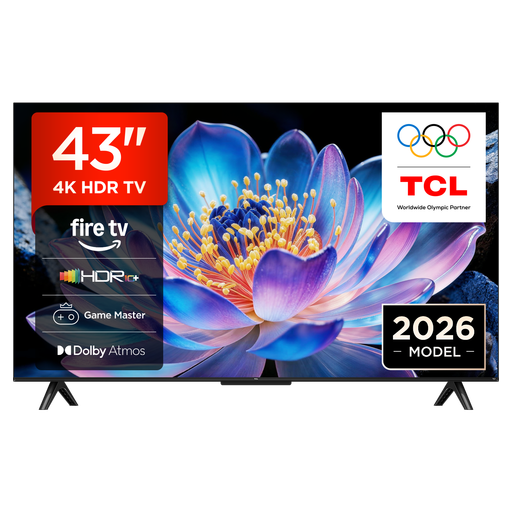
TCL 43V6D 43-inch 4K UHD Smart TV
The stated 43-inch size is worth comparing with the space available in a compact bedroom setup.
Features listed include Fire TV, HDR10+, Game Master, HDMI 2.1, ALLM and VRR. Check which features are available with your connected device and game.
View at Joybuy
 No image available
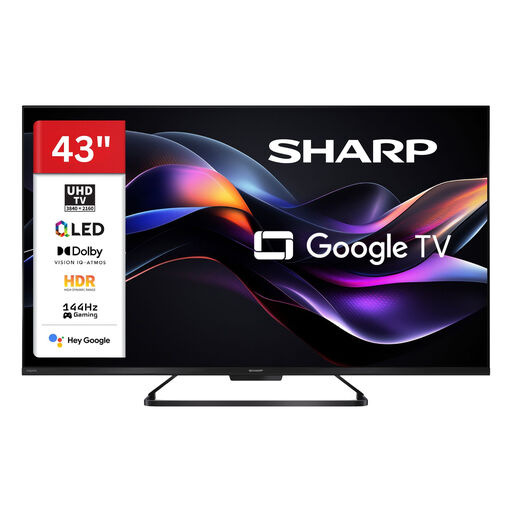
SHARP 43HR7765E QLED TV
At 43 inches, you can compare this model with the available space and seating positions in your bedroom.
The product title lists 4K UHD and 144 Hz; the description also mentions VRR, ALLM and four HDMI 2.1 ports. Check that your devices get the signal support they need.
View at Joybuy
 No image available
LG 43QNED86B6B 43-inch Mini-LED gaming TV
The 43-inch format could suit a compact setup, provided the TV’s width and viewing distance work for your room.
Features listed include 4K UHD, Mini-LED, 120 Hz, VRR up to 144 Hz, AMD FreeSync and Game Optimizer. The output you can achieve also depends on the connected source and game.
View at Joybuy
 No image available
LG OLED42C67LA OLED evo AI C6
This 42-inch OLED model could suit a compact setup in a fairly dark bedroom.
Features listed include 4K, native 120 Hz, VRR up to 165 Hz, ALLM, G-SYNC and FreeSync. The maximum specification alone doesn’t prove the frame rate of a particular game.
View at Joybuy
 No image available
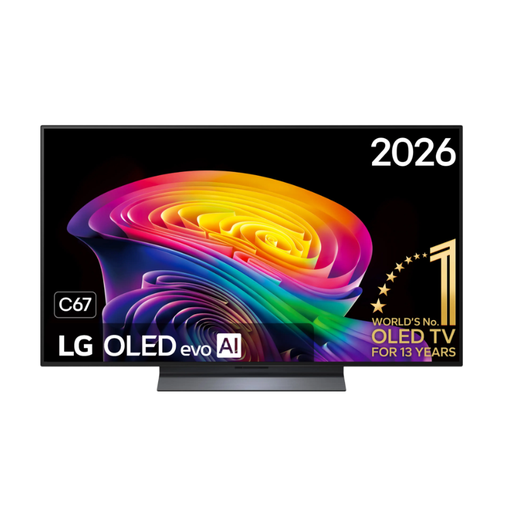
LG OLED48C67LA OLED evo AI C6
At 48 inches, this model is larger than the 42- and 43-inch options. Compare its dimensions and your planned viewing distance in the bedroom first.
The product title lists 4K and 144 Hz; the description presents this OLED model as an option for fast-paced games. Check that the signal is compatible with your device and game.
View at Joybuy
Frequently asked questions
Do I definitely need a 165 Hz TV for fighting games?
No, not just because of that number. PlayStation explains that 120 Hz output is for TVs and games that support 120 Hz; VRR also requires compatible support. Check the output of the game you actually play rather than assuming its frame rate from the TV’s maximum specification.
How can I check which signal my PS5 is outputting after I connect it?
On your PS5, go to “Settings > Screen and Video > Video Output”. PlayStation explains that this screen shows the current signal and information about the connected HDMI device, including VRR and HDR. If your TV supports ALLM, it can automatically switch to its low-latency mode.
Which energy label details should I compare when choosing a TV?
Compare the energy label and the stated energy consumption for the specific model. The European Union explains that the old plus-class energy labels for TVs have not been used since 2021; the efficiency class alone doesn’t replace checking the stated consumption.
Can I apply an OLED monitor warranty to an OLED TV?
No. A warranty statement for an OLED monitor doesn’t determine the cover for a TV. Read the terms for the specific TV model and distinguish between a manufacturer’s voluntary warranty and your statutory rights.


