What should you look for when buying?
Start with the game you want to play and the size of your group. Then decide whether you’ll need a TV and which additional devices you’ll need.
Nintendo Switch – OLED model
A good fit if: you want to play the Switch version of Super Mario Party Jamboree and switch between TV and tabletop modes.
Things to bear in mind: The exclusive modes in the Switch 2 Edition of Jamboree aren’t available on this model.
Nintendo Switch 2
A good fit if: you specifically want to use Jamboree TV or other features in the Switch 2 Edition.
Things to bear in mind: You’ll need an Upgrade Pack to play the Switch 2 Edition of a Switch game you already own; some additional features may require extra accessories.
PlayStation 5
A good fit if: local co-op and party games for PS5 matter more to you than Mario Party, and you’ll be playing on a TV or monitor.
Things to bear in mind: You may need extra DualSense controllers for playing together; the Digital Edition doesn’t have a disc drive.
Xbox Series S
A good fit if: you’re looking for an all-digital Xbox for compatible party games, such as selected Jackbox titles.
Things to bear in mind: Smartphone controls are only available in compatible games, so check the title, platform version and language first.
| What matters |
What to check before buying |
Who will find this especially important? |
| Playing together |
Check the number of local players, game mode, supported controllers and what’s included separately. |
If we want to play with our planned group around one screen, the local mode needs to support us. Around 36% of consumers are likely to put group size first. |
| Screen and set-up |
Check your existing screen, HDMI connection and supported tabletop or TV modes. |
If I don’t always want to use a TV, being able to switch between tabletop and TV play is important. Around 29% of consumers are likely to prioritise flexibility over where they play. |
| Mini-games you want to play |
Check the full game title, edition, compatible console and whether an Upgrade Pack is needed. |
If I have a particular party game in mind, its version needs to work on the console. Around 21% of consumers are likely to choose mainly according to the game they want. |
| Total cost |
Add up the console, game version, any input devices you need and only the additional services you’ll actually use. |
If I’m planning the budget for the whole group, controllers and games also need to be factored in. Around 14% of consumers are likely to put total cost first. |
Party game consoles at Joybuy
This selection includes consoles for party games on a TV, as well as Nintendo Switch models for tabletop and TV play.
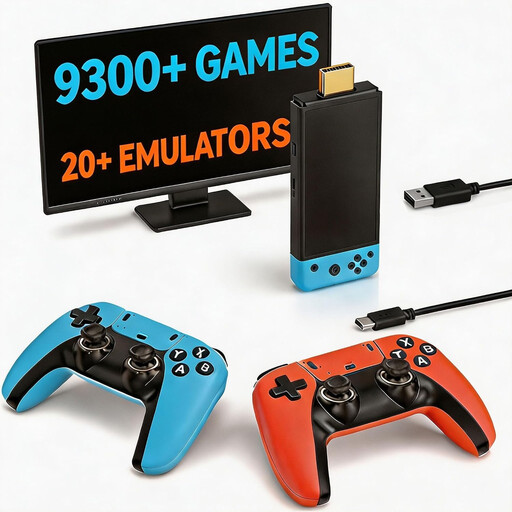 Image unavailable
Retro games console with 9300+ Classic Games and two wireless controllers
For gaming on a TV, if you want to use the wireless controllers listed in the product title.
HDMI output; plug and play, according to the product name.
View at Joybuy
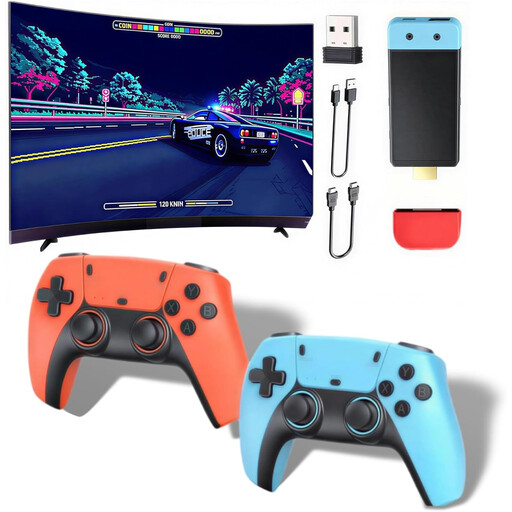 Image unavailable
Retro games console with 20,000+ games
An option for gaming on a TV if you’re looking for a console with HDMI output.
The product title lists HDMI output and 1080P/720P.
View at Joybuy
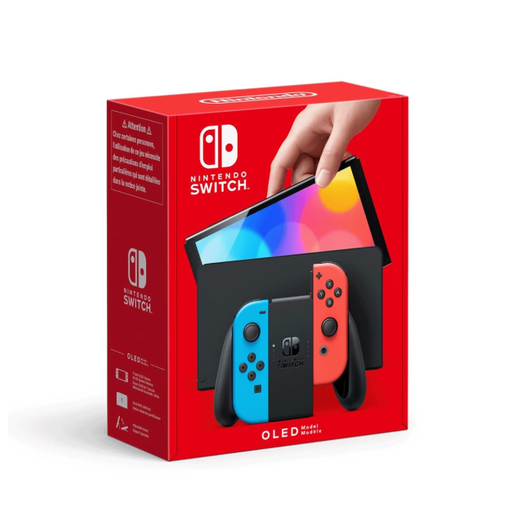 Image unavailable
Nintendo Switch OLED Neon Red/Neon Blue
For you if you want to switch between tabletop mode and TV play. Nintendo describes both modes for the OLED model.
Detachable Joy-Con controllers are listed for this product.
View at Joybuy
 Image unavailable
Nintendo Switch 2 console (EU)
For you if you want to use Switch 2 features such as Jamboree TV and switch between tabletop and TV modes.
The product description lists two Joy-Con 2 controllers; Nintendo describes tabletop and TV modes for Switch 2.
View at Joybuy
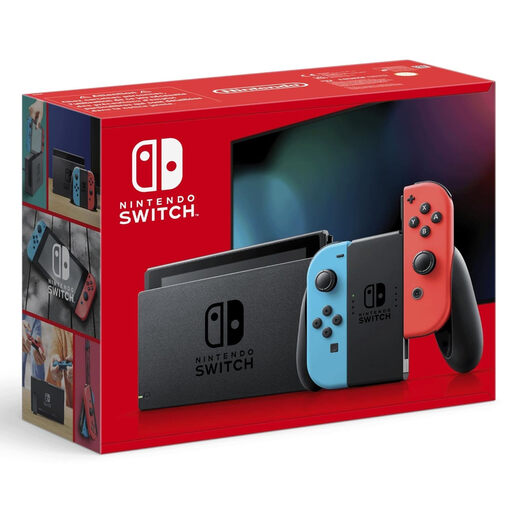 Image unavailable
Nintendo Switch Neon Red/Neon Blue (New Edition)
An option if you want to play on a TV or on the console’s built-in screen; Nintendo describes TV and tabletop modes for Nintendo Switch.
The product description lists detachable Joy-Con controllers.
View at Joybuy
Frequently asked questions
Do I need a TV for party games in the bedroom?
Not for every set-up: Switch 2 and Switch OLED have a tabletop mode. For TV mode, you’ll need a compatible screen and the relevant dock; the Switch Lite doesn’t support TV mode. Also check the play modes available in the specific game.
Will the included input devices be enough for my guests?
It depends on the game and the size of your group. Sony notes that local PS5 games may require extra DualSense controllers; compatible Jackbox games can use guests’ internet-enabled devices as input. Check what’s included and how your chosen game is controlled.
Do I need an online subscription to play together in the same room?
Not necessarily. Nintendo’s membership requirement for Super Mario Party Jamboree applies to online play on the relevant consoles, not automatically to a local game. Check the requirements for the game and mode you want to play.
How do I set up a Switch 2 with a screen?
For TV mode, place the Switch 2 in its own dock. Nintendo notes that a Switch dock and the older Switch AC adapter aren’t compatible with powering the Switch 2 in TV mode. Follow the instructions for your specific model.
What should I bear in mind if children or teenagers are playing?
Check the age rating for the specific game. The USK explains its ratings as a guide to help you choose; Section 12 of the Youth Protection Act sets out the conditions under which game discs may be made available to minors in public. This doesn’t amount to a blanket ban on private shared use based on the console brand.


