Choose your controller based on your console and the control style required by the specific game, rather than a general ranking. For minigames that use individual or motion-controlled Joy-Con, you’ll need the right version for your Switch generation. For PS5, Xbox or PC games, check that the gamepad is compatible and how many players the mode supports. In a small room, make sure you have the right wrist straps and enough clear space before you start.
Which controller is right for you?
Switch minigame session
You want to play Switch or Switch 2 games with several people on the same console and need controllers supported by the game mode in question. Nintendo says Joy-Con 2 can be used individually; the number of players supported depends on the game and mode.
Motion gaming in a small room
You want to play minigames that involve swinging or tilting the controller, so you’ll need the right wrist straps and enough room to move. Nintendo advises attaching the appropriate straps to the Joy-Con when playing separately in wireless mode.
PS5, Xbox or PC gaming session
You’re adding controllers for a local multiplayer game on a platform you already own. Check that the gamepad is compatible and how many players the mode supports. Sony says up to four DualSense controllers can be used simultaneously with a PS5.
What should you look for when buying?
| What you need |
What to check before buying |
Who should consider this? |
| Console and game mode |
Check your console generation and the control scheme used by the specific mode; some games don’t support certain controllers. |
If I want to avoid buying a controller that my minigame doesn’t support, I’ll check the game and mode first. Around 33% of consumers prioritise compatibility with their console and game. |
| Motion controls and space |
Check the motion controls and make sure you have the right straps; clear enough space before you play. |
If I want to play motion-based minigames, I need both the right controls and enough room to move the controller safely. Around 27% of consumers focus on motion controls and available space. |
| Player numbers and controllers you already own |
Check how many players the mode supports and compare that with the controllers you already have. |
If I’m planning a local multiplayer session, I want to know whether my existing controllers are enough before buying more. Around 20% of consumers prioritise having enough controllers for their preferred number of players. |
| Connection and charging |
Check the connection type and charging accessories you’ll need for your console or PC. |
If I want to start playing without delay, the connection and power supply need to work with my existing setup. Around 20% of consumers prioritise connectivity and power. |
Avoiding common buying pitfalls
-
“Switch-compatible” doesn’t mean “suitable for every Switch minigame”
A game mode may require or exclude certain controllers. According to Nintendo, Nintendo Switch Sports supports different Joy-Con control schemes depending on the sport, but doesn’t support Switch Pro or Switch 2 Pro Controllers.
Before buying, check which controllers are supported by the specific game and mode you want to play.
If the mode requires Joy-Con, you may need to buy a compatible Joy-Con as well.
-
Assuming Joy-Con and Joy-Con 2 are interchangeable
Joy-Con 2 don’t work with the original Switch. Original Joy-Con can be used wirelessly with Switch 2, but you can’t attach or charge them using the console.
Before buying, check your console generation, charging options and which wrist straps are compatible.
To charge original Joy-Con when using a Switch 2, you’ll need an original Switch or suitable charging accessories.
-
Mixing up similarly named 8BitDo models
8BitDo lists the Ultimate 2C Bluetooth as a Switch controller, while the Ultimate 2C Wireless is a version for Windows and Android.
Check the full model name and make sure the version is listed as compatible with your platform.
-
Assuming the number of controllers equals the number of players
The number of people who can play may vary between modes in the same game. And even if a console can connect several controllers, that doesn’t tell you how many players a particular game supports.
First check how many players the mode you want to play supports, then count the controllers you already have.
Key brands to consider
Nintendo
Joy-Con and Joy-Con 2 are relevant to Switch games that support individual controllers or motion controls.
- Nintendo explains how to use controllers individually and notes that control schemes vary by game.
- Joy-Con 2 don’t work with the original Switch. Original Joy-Con can only be used wirelessly with Switch 2 and need to be charged another way.
Sony PlayStation
The DualSense is an option for local PS5 games when the mode in question supports multiple players.
- Sony says up to four controllers can be used simultaneously with a PS5.
- The number of controllers a console can connect doesn’t determine how many players a particular game supports, and a DualSense won’t replace a Joy-Con in a mode that requires one.
Microsoft Xbox
The Xbox Wireless Controller is listed as compatible with Xbox and supported Windows games.
- Microsoft lists Bluetooth as a connection option.
- Check which connection your Windows PC supports. Depending on the connection, you may need a suitable USB-C cable or a separately sold Xbox Wireless Adapter.
8BitDo
The Ultimate 2C Bluetooth is listed by the manufacturer as an option for Switch; the similarly named Ultimate 2C Wireless is designed for other platforms.
- 8BitDo lists motion controls and Switch 2 compatibility after a firmware update for the Bluetooth version.
- The listed platforms differ between the Bluetooth and Wireless versions, so check the model name and game compatibility.
PowerA
The Enhanced Wireless Controller Rechargeable is listed by the manufacturer as an option for compatible Switch game modes.
- PowerA lists motion controls and Switch 2 compatibility for this model.
- According to PowerA, this model doesn’t support HD Rumble, IR or amiibo NFC. These details don’t automatically apply to other controllers from the brand.
Joybuy products for party minigames
This Joybuy selection includes controllers for Switch and PC games, as well as gamepads for specific PC and Xbox uses. Before buying, check that the model is supported by the game mode you want to play.
 No image available
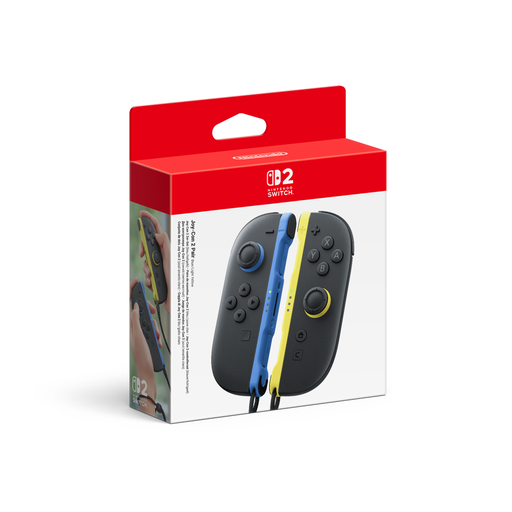
Nintendo Switch 2 Joy-Con 2 2-piece set, blue/light yellow
For Switch 2, when a supported game uses individual Joy-Con 2 controllers or motion controls.
The set includes one left and one right Joy-Con 2, plus two wrist straps. The product description lists motion controls and local multiplayer in compatible games.
View at Joybuy
 No image available
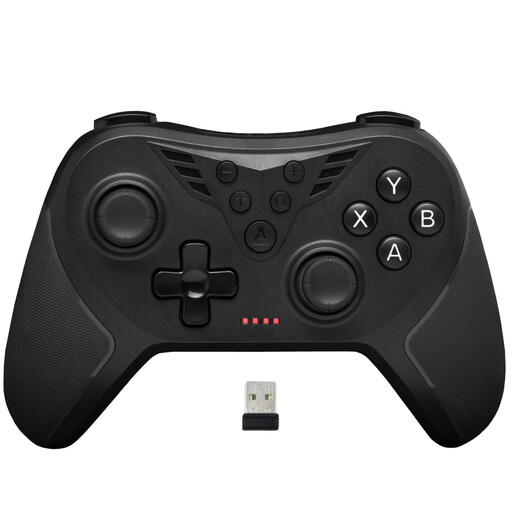
The G-Lab K-PAD-HELIUM-WL
For a local multiplayer game that supports a classic controller mode on Windows or PS3.
The product details list a wireless 2.4 GHz connection via USB receiver, plus compatibility with PC and PS3.
View at Joybuy
 No image available
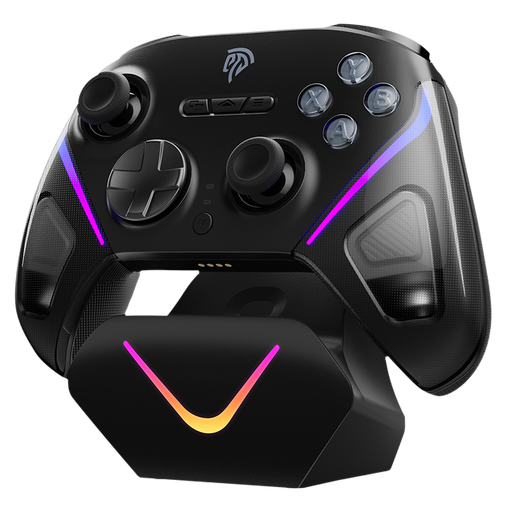
EasySMX D10 PC Controller
For a PC or Switch game that supports a classic gamepad mode.
The product name lists Bluetooth, PC and Switch, as well as mechanical buttons and dual-mode triggers. This doesn’t mean it’s suitable for control schemes that require Joy-Con.
View at Joybuy
 No image available
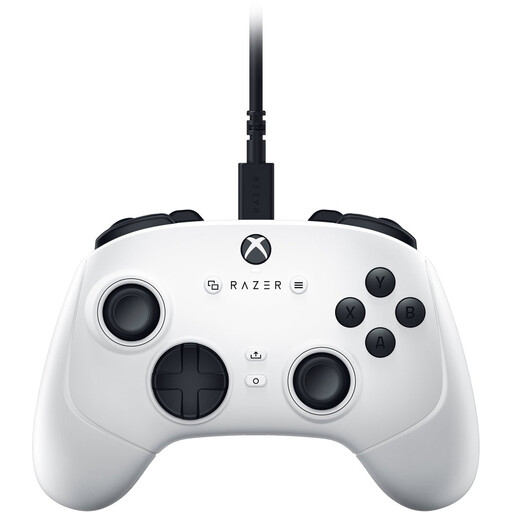
Razer Wolverine V3 Tournament Edition White
For an Xbox or PC game that supports a classic wired gamepad mode.
The product details list compatibility with Windows and Xbox, as well as a detachable 3 m USB-C cable.
View at Joybuy
 No image available
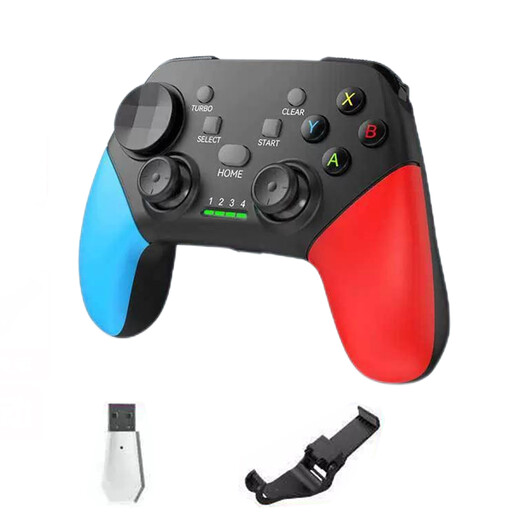
NAXSIR Wireless Bluetooth Gamepad with Smartphone Holder
For a Switch or PC game that supports a classic gamepad mode.
The product name lists Bluetooth 5.2 and 2.4 GHz wireless connectivity; the product details list Switch and PC as compatible devices.
View at Joybuy
Frequently asked questions
Is one pair of Joy-Con enough for two people?
In supported games, the left and right Joy-Con or Joy-Con 2 can be used individually. Still, check the specific game mode: Nintendo lists different numbers of local players for Super Mario Party Jamboree, depending on the mode.
Can I use original Joy-Con with a Switch 2 and charge them on the console?
According to Nintendo, you can use original Joy-Con wirelessly with a Switch 2, but you can’t attach them to the console or charge them using it. You’ll need an original Switch or suitable charging accessories to charge them.
What should I prepare before playing a motion-controlled game in the bedroom?
When using Joy-Con separately in wireless mode, attach the right wrist strap and clear enough space to move around. Nintendo notes that Joy-Con and Joy-Con 2 wrist straps aren’t compatible with each other.
What are my rights if a controller bought online in Germany is faulty?
If you buy from a business seller, your statutory warranty claim is generally against the seller. EU consumer information states that goods are covered by a minimum two-year legal guarantee from the date you receive them. For distance purchases, it generally describes a 14-day right to withdraw from the contract from the date of delivery. Exceptions and return costs should be checked separately.


